 OriusBotHelp center
My Pro payment failed or is not recognised: what should I do?
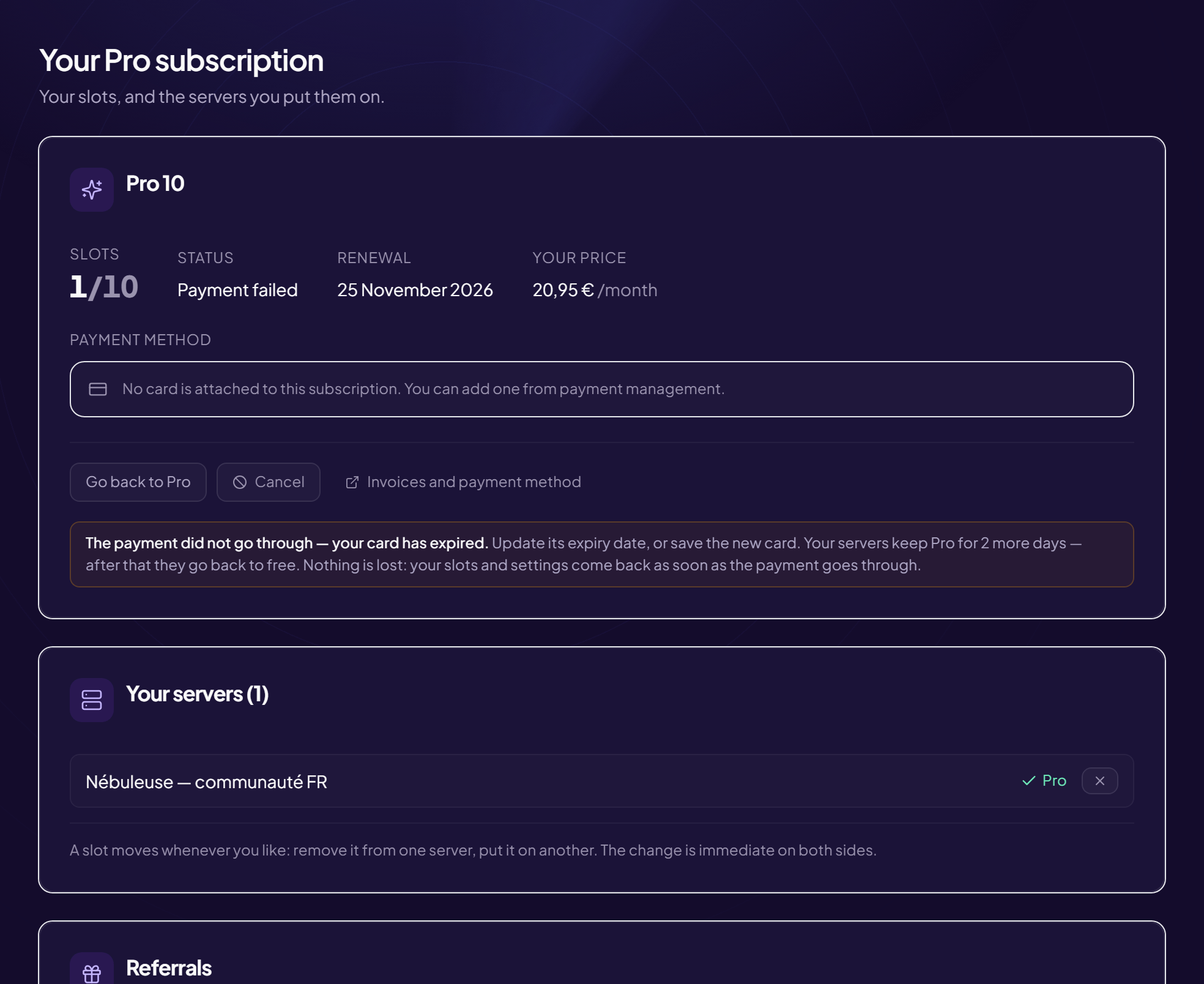
“The payment did not go through”
The Pro subscription page shows the status “Payment failed”, with the bank’s reason.
- Check the card Expired, limit reached, insufficient funds.
- Click “Invoices and payment method” Update the card (see the article).
“Payments under maintenance”
Subscriptions and plan changes are suspended for a short while. Your current subscription is not affected and no payment already made is lost. Try again later (the page sometimes shows the time it will be back).
Payment went through but Pro is missing
“Payment received, thank you”: activation takes a few seconds. If it takes longer (message “Your payment went through”), reload the page after a minute. The subscription is recorded with the payment provider; if it still does not appear, contact support, giving the date and time of the payment.
The payment will not open
Message “The payment could not be opened” or “Nothing was charged”: try again in a moment. You have not paid anything.
Still stuck?
Contact support with the title of this article, the step where you are stuck and what you see on screen.
Contact support More articles: Pro subscriptionLast checked: 13 November 2026.