 OriusBotHelp center
How do I choose the channel where the bot notes its moderation actions?
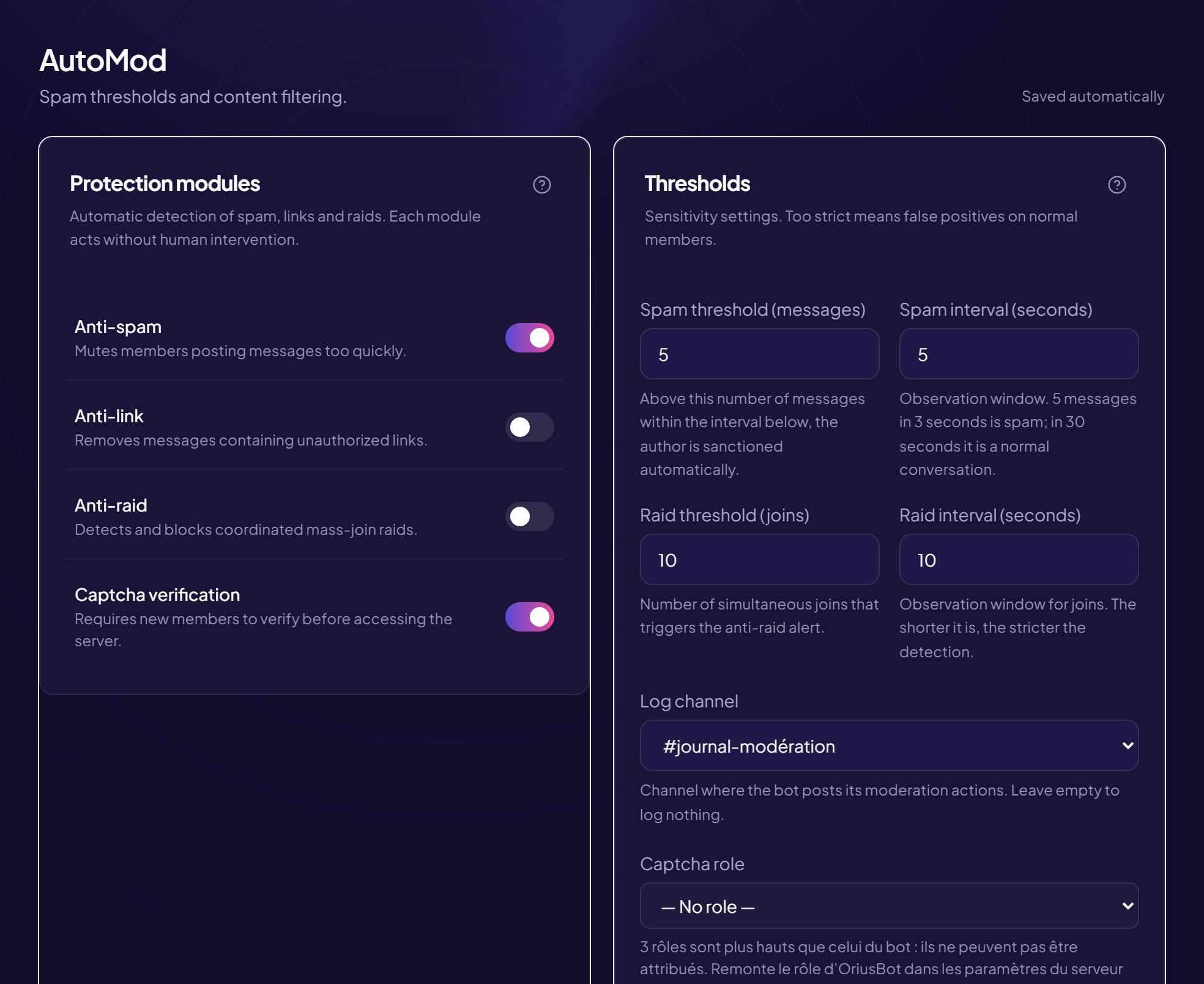
The log channel is a channel reserved for your team where the bot writes every deleted message and every automatic sanction, with the reason. It is your black box: without it, you will never know why a member was sanctioned.
Choose it
- Prepare the channel in Discord
Create for example
#mod-logsand reserve it for staff (the bot must be able to write in it). - Open the AutoMod page Left menu, Protection section, then AutoMod.
- In the “Thresholds” card, open the “Log channel” list
- Choose the channel
Channels appear with a
#in front of their name. The choice is saved immediately.
Remove it
Choose the empty entry in the list: the bot then logs nothing.
Essential if you use the AI
Harassment alerts from AI moderation go to this channel. Without it, they go nowhere: the page even shows the reminder “Set a log channel above to receive alerts”.
If the channel does not appear in the list
- You just created it: reload the page.
- The channel was deleted in Discord: the list flags a missing channel, choose another one.
Still stuck?
Contact support with the title of this article, the step where you are stuck and what you see on screen.
Contact support More articles: ProtectionLast checked: 13 November 2026.