 OriusBotHelp center
How do I turn on temporary voice channels (everyone gets their own channel)?
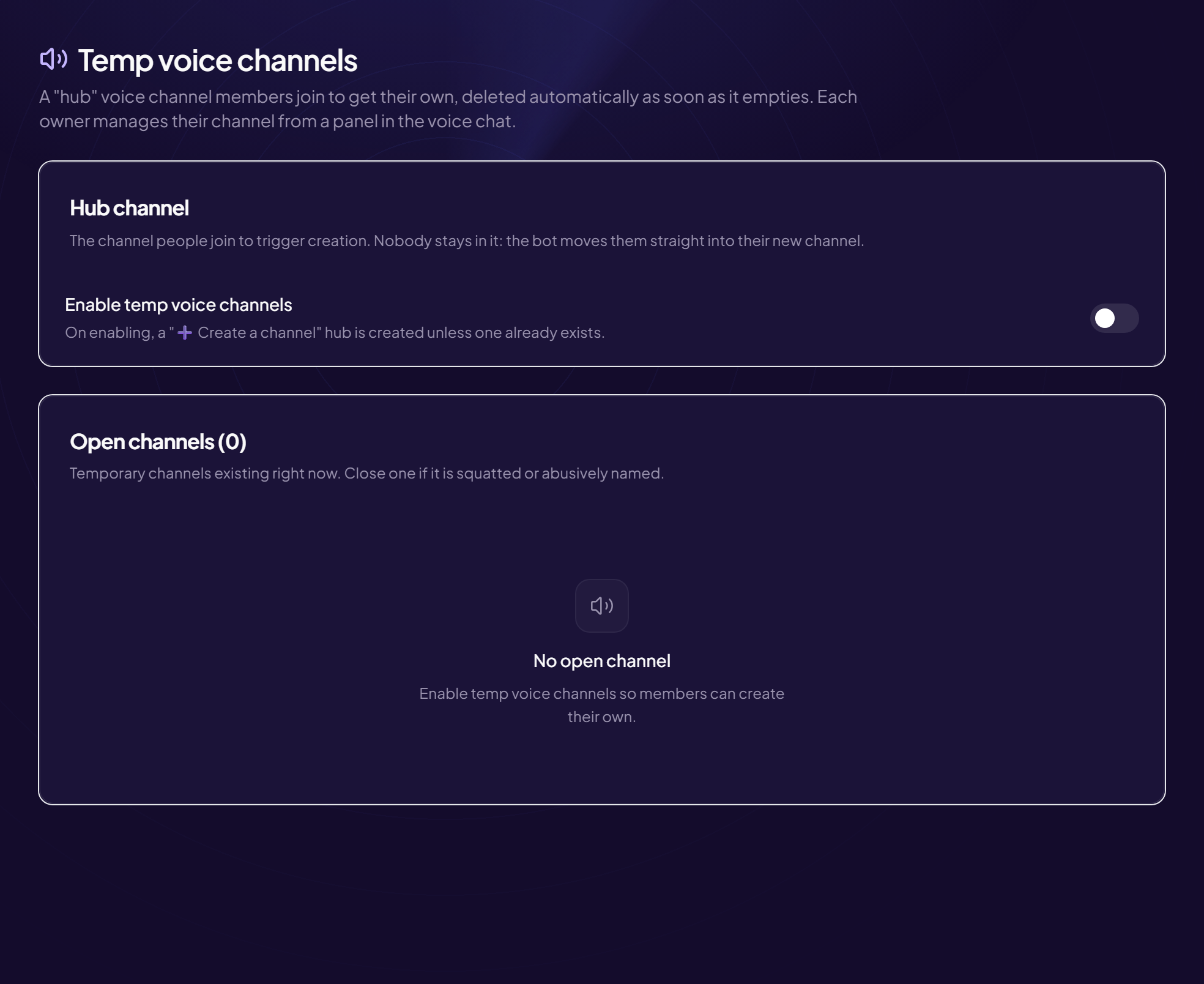
A temporary voice channel is a voice channel that a member creates by joining a special channel, the hub. The bot creates their own channel, moves them into it, and deletes it as soon as it empties.
Turn it on
- Open the page Tools › Temp voice channels menu.
- In the “Hub channel” card, turn on “Enable temp voice channels”
- Choose or change the hub channel
The voice channel members join to get their own. The page shows “Current hub channel” and offers Change hub channel. Choose an existing voice channel, for example
🔊 ➕ Create your channel.
What your members experience
- A member joins the hub Nobody stays there: the bot moves the person right away.
- The bot creates their channel and moves them into it
- When everyone has left, the channel is deleted
Hub name
Give the hub a name that says what it does (“➕ Create your channel”): new members understand without any explanation.
Settings and monitoring
To set the category, the name and the seats, see the Settings article. To monitor or close a channel, see Open channels.
Still stuck?
Contact support with the title of this article, the step where you are stuck and what you see on screen.
Contact support More articles: ToolsLast checked: 13 November 2026.