 OriusBotHelp center
How do I turn on birthdays on my server?
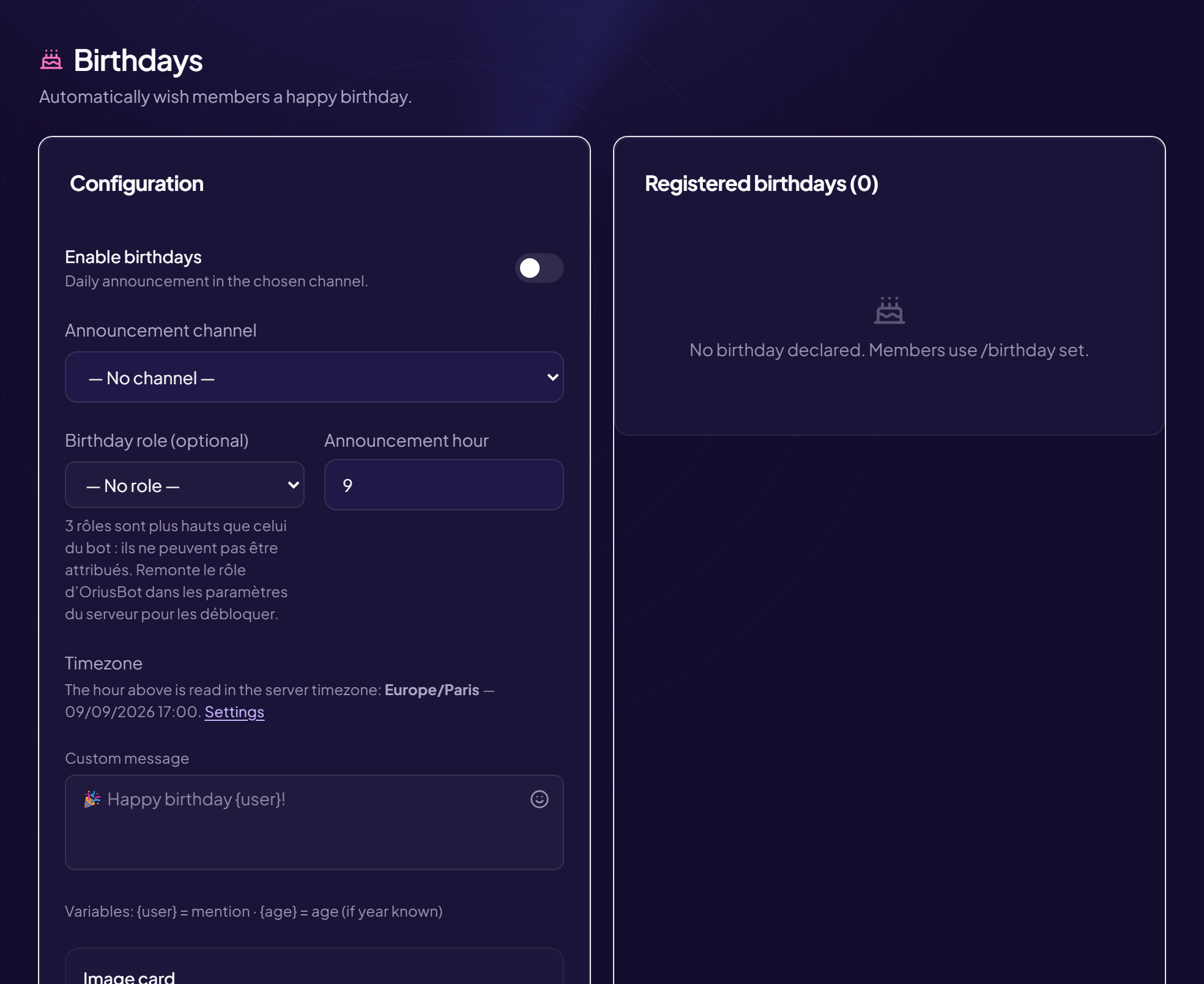
Every day, the bot wishes a happy birthday to the members born that day. Each member registers their own date (see the dedicated article).
Configure
- Open the page Members › Birthdays menu, Configuration card.
- Turn on “Enable birthdays” Daily announcement in the chosen channel.
- Choose the “Announcement channel”
For example
#anniversairesor#général. - Choose the “Birthday role (optional)”
Given to the member for the whole day of their birthday, then removed. Handy to highlight them in the member list (for example
@🎂 Anniversaire). - Set the “Announcement hour” From 0 to 23, in the server’s time zone. Example: 9 = announcement at 9 a.m. The page shows the current time in that time zone.
- Customize the “Custom message”
Variables:
{user}= mention,{age}= age (only if the year is known).
Example:Joyeux anniversaire {user} 🎉 {age} ans, ça se fête !
Each setting is saved right away. The Server emoji button inserts a custom emoji into the message (if your server has none: “This server has no custom emoji.”).
The time zone matters
The announcement goes out at the chosen hour in the server’s time zone. If the bot announces at an odd time, see How do I set the time zone?
See the registered birthdays
The Registered birthdays card lists the declared dates. When empty: “No birthday declared. Members use /birthday set.” You can delete an entry from this list.
Still stuck?
Contact support with the title of this article, the step where you are stuck and what you see on screen.
Contact support More articles: Welcoming membersLast checked: 13 November 2026.