 OriusBotHelp center
Why is the welcome message late, or missing, with the captcha?
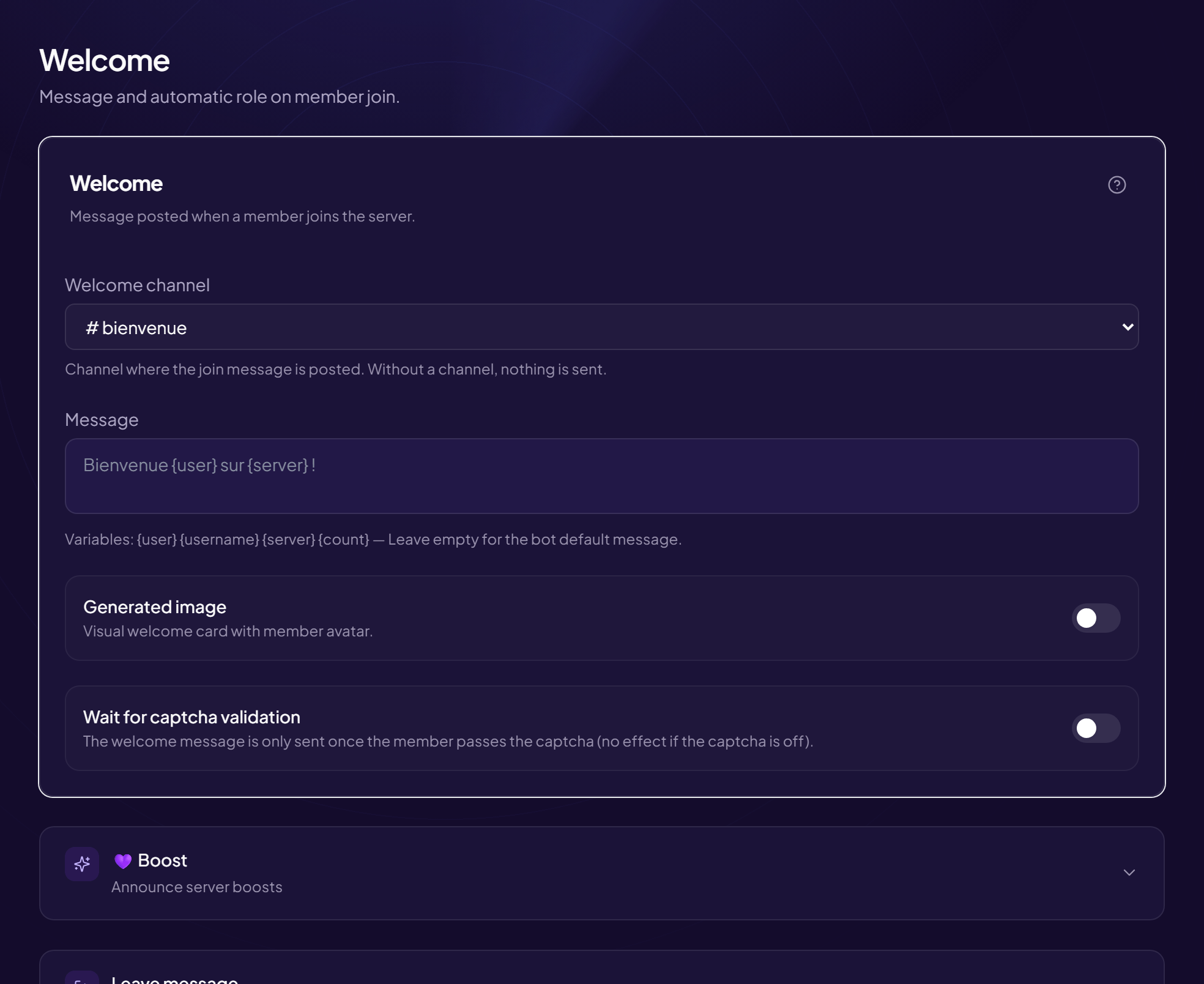
When the captcha is on, a newcomer must pass it first. Depending on your setting, the welcome message waits for that moment.
What the option does
In Members › Welcome & Boost, the “Wait for captcha validation” switch delays the message until the captcha is passed. This avoids welcoming bots that leave right away.
| Situation | Result |
|---|---|
| Option on, captcha passed | The message is sent at that moment, not on arrival. |
| Option on, captcha not passed | No message: the member was never “welcomed”. |
| Option off | The message is sent on arrival, captcha or not. |
| Captcha disabled | The option has no effect. |
Same logic for the automatic role
With the captcha on, the auto-role is only given after it is passed. See Why the automatic role does not arrive right away.
Want to welcome everyone?
Turn the option off, save, and the message will be sent on arrival.
Still stuck?
Contact support with the title of this article, the step where you are stuck and what you see on screen.
Contact support More articles: Welcoming membersLast checked: 13 November 2026.