 OriusBotHelp center
How do I set up the welcome message?
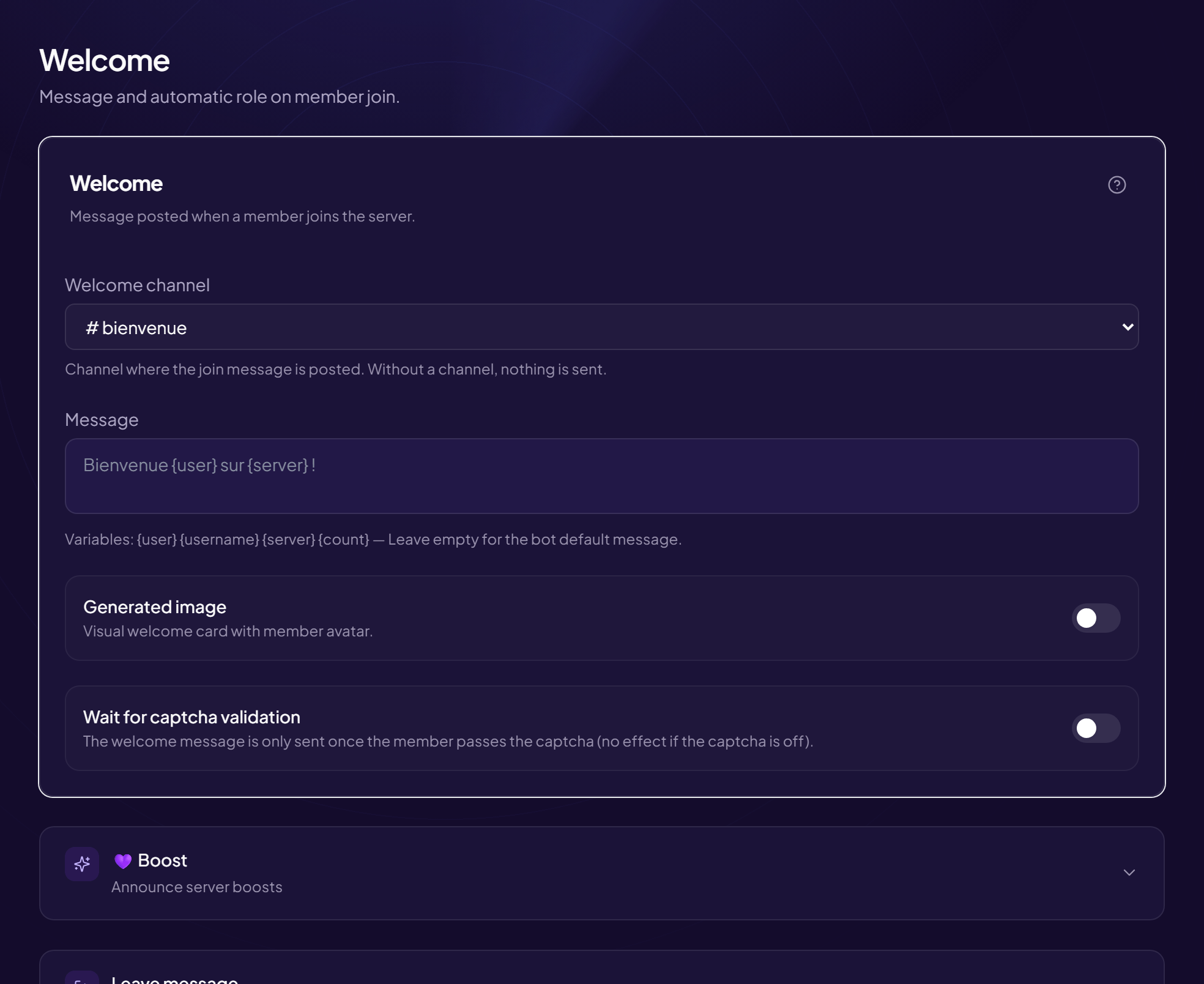
The welcome message is posted by the bot for every newcomer. It is the first contact with your community.
Set it up
- Open the page Members › Welcome & Boost menu (title: Welcome).
- Choose the “Welcome channel”
The channel where the bot says welcome (for example
#bienvenue). With no channel chosen, no message is sent. - Write the “Message”
You can use variables (see the list). Empty = default message.
Example:Bienvenue {user} sur {server} ! Tu es notre {count}e membre 🎉 - (Optional) Turn on “Wait for captcha validation” The message is only sent once the captcha is passed. It avoids welcoming bots that leave right away. No effect if the captcha is off.
- Click “Save” This page has a Save button: nothing is taken into account until you click it. If you leave the page with unsaved changes, the panel warns you.
Message examples
| Style | Message |
|---|---|
| Warm | Bienvenue {user} sur {server} ! 🎉 Passe lire le règlement, puis présente-toi. |
| Plain | {username} vient de rejoindre {server}. |
| With a counter | Bienvenue {user} ! Nous sommes maintenant {count}. |
Guide your new members
Mention a useful channel (rules, introductions) in the message with
#nom-du-salon. A newcomer who does not know where to go often leaves.Still stuck?
Contact support with the title of this article, the step where you are stuck and what you see on screen.
Contact support More articles: Welcoming membersLast checked: 13 November 2026.