 OriusBotHelp center
How do I automatically sanction after several warnings?
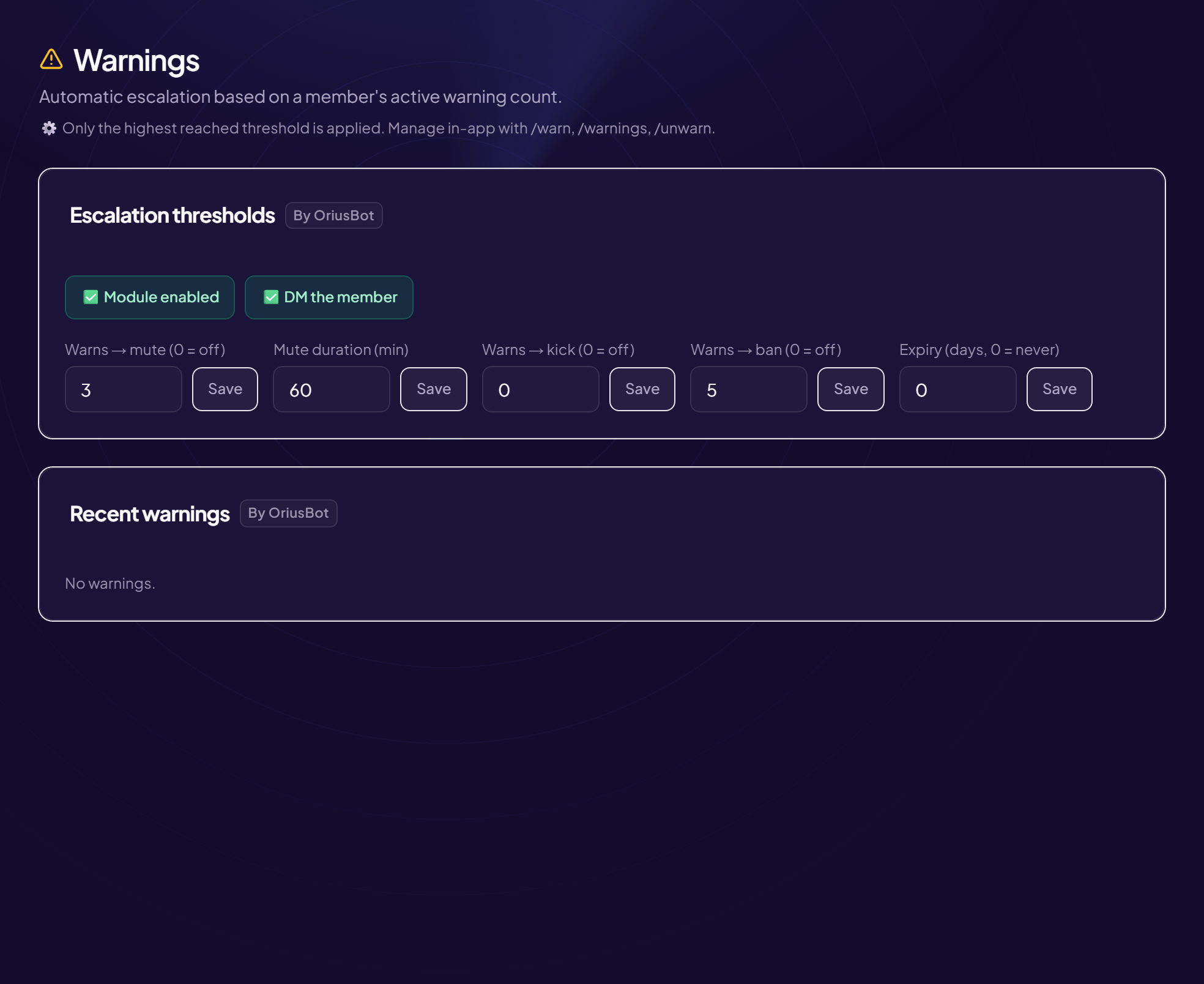
The escalation thresholds decide what happens to a member who builds up active warnings. You set three levels: mute, kick, ban.
Only the highest threshold reached is applied
If a member reaches the ban level, they are banned; the mute and the kick are not applied on top.
The fields of the “Escalation thresholds” card
| Field | What it does | Example |
|---|---|---|
| Warns → mute (0 = off) | From this number of warnings, the member is muted (temporarily timed out). 0 = never. | 3 |
| Mute duration (min) | Length of this mute, in minutes. | 60 = 1 hour, 1440 = 1 day |
| Warns → kick (0 = off) | From this number, the member is kicked (they can come back with an invitation). 0 = never. | 5 |
| Warns → ban (0 = off) | From this number, the member is banned permanently. 0 = never. | 7 |
Set them
- Open the page Moderation › Warnings menu.
- In “Escalation thresholds”, type a value in the field you want
- Click “Save” next to the field Each field has its own button. Without a click, the value is not saved.
Example
Mute at 3 (60 min), kick at 5, ban at 7:
| Active warnings | What happens |
|---|---|
| 1 – 2 | Nothing automatic. |
| 3 – 4 | 60-minute mute. |
| 5 – 6 | Kick. |
| 7 and more | Ban. |
Turn a level off
Put 0 in the matching field. Many servers only use mute and kick, and leave the ban to a human moderator.
Not to be confused
These thresholds count warnings. The repeat-offence setting of AutoMod counts offences of the same type.
Still stuck?
Contact support with the title of this article, the step where you are stuck and what you see on screen.
Contact support More articles: ModerationLast checked: 13 November 2026.