 OriusBotHelp center
How do I read my satisfaction ratings and ticket response times?
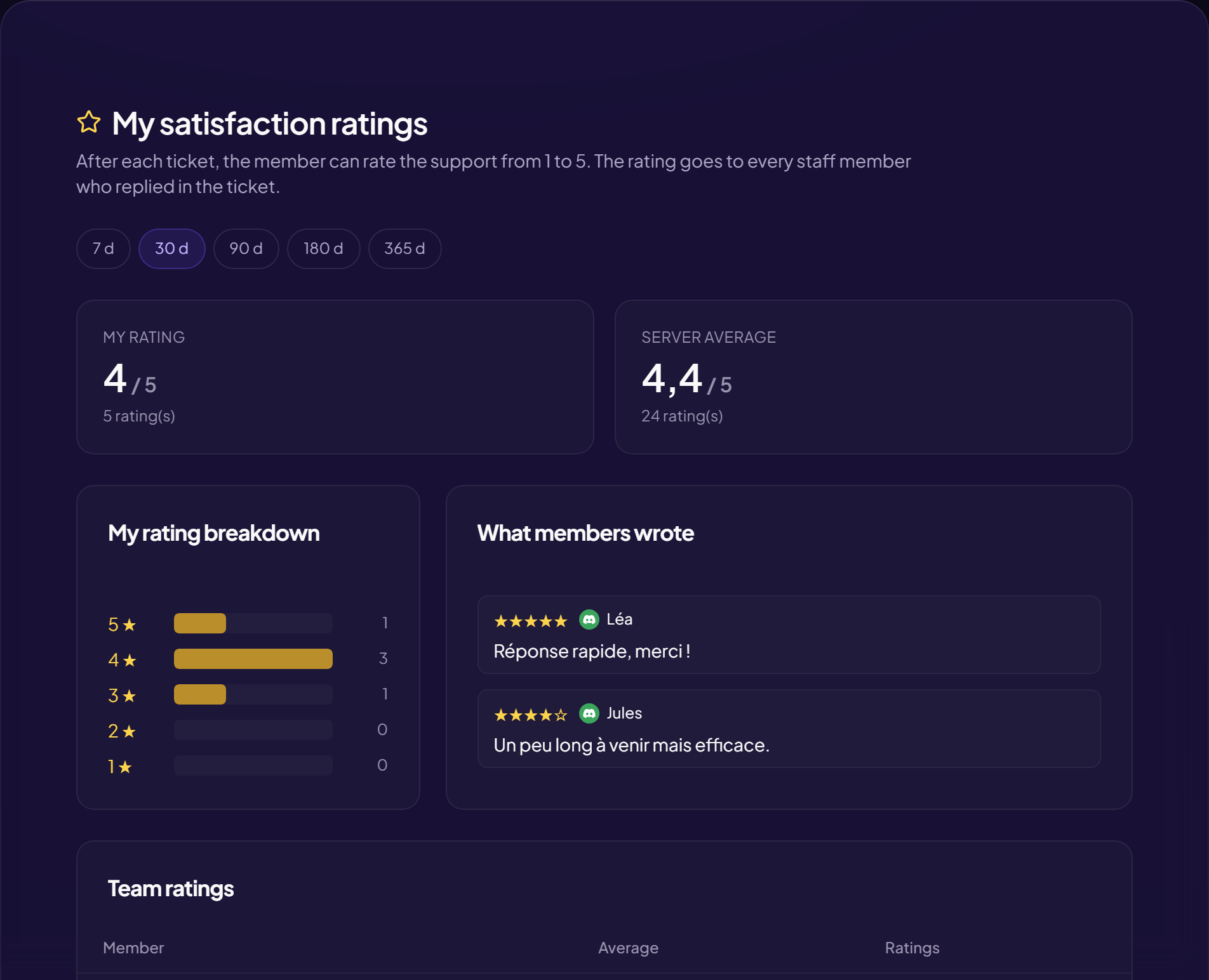
After each ticket, the member can rate the support from 1 to 5. The rating goes to every staff member who answered in the ticket.
For ratings to exist
Ratings only come in if the rating request is turned on in the tickets panel. With no ratings: “No rating over this period. Turn on the rating request in the tickets panel”. See Satisfaction ratings.
The “My ratings” page
| Block | Content |
|---|---|
| My rating | Your average and the number of ratings. |
| Server average | To place yourself. |
| My rating breakdown | How many 1s, 2s, 3s, 4s, 5s. |
| What members wrote | The comments (or “No comment over this period”). |
| Team ratings | Table per member: Average and number of Ratings (depending on your rights). |
You choose the period (in days); 180 and 365 days are available with Pro.
Ticket times per member
For each staff member: how long before the first response and before closing, as a median, over 30 days. A minimum number of tickets is needed (“Fewer than N tickets: no figure yet”). With no ticket: “No closed ticket with a staff response over the last 30 days”. This feature is tied to the Pro subscription (closed tickets are already measured: switching to Pro displays them right away).
Still stuck?
Contact support with the title of this article, the step where you are stuck and what you see on screen.
Contact support More articles: Tracking, notes and HRLast checked: 13 November 2026.