 OriusBotHelp center
How do I read activity tracking and the team’s involvement index?
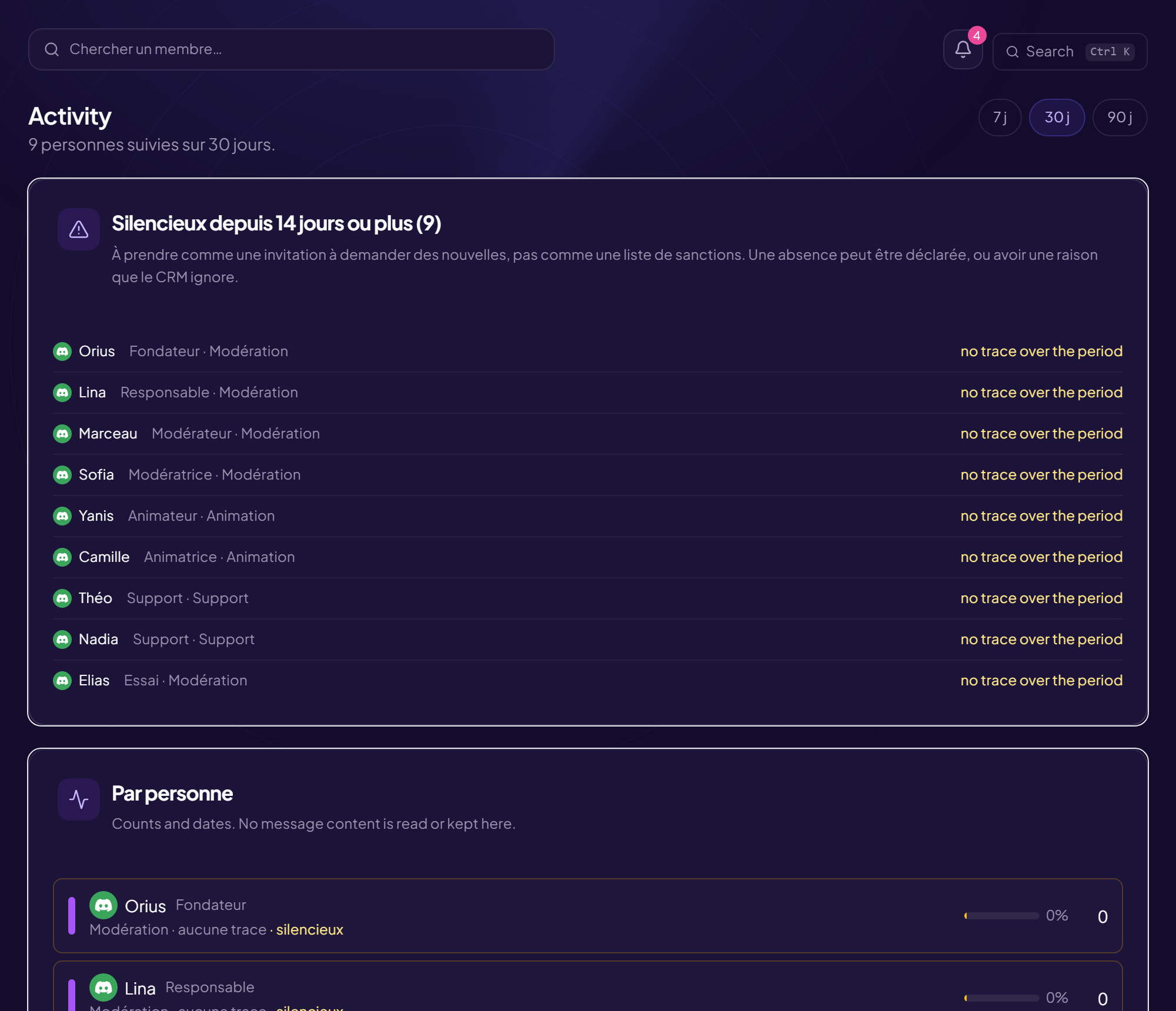
The Activity page measures what the team does. Everyone sees at least their own figures (“My figures”): being measured without being able to see the measurement turns a tool into surveillance. The table for the whole team requires the “View activity tracking” right.
The figures per person
| Figure | What it is |
|---|---|
| messages | Messages written. |
| voice min. | Minutes spent in voice. |
| active days | Days when the person left a trace. |
| tickets taken | Tickets taken on (see also tickets closed). |
| sanctions | Sanctions issued. |
You choose the window: 7, 30 or 90 days.
The involvement index
The index is for sorting, not grading. A ticket taken weighs thirty times more than a message: otherwise the first column would reward chatter and punish the quiet moderator who handles requests. Expanding the row shows the detail that makes it up.
Quiet members
“Quiet for N days or more”: no trace for the set delay and no declared time off. Take it as an invitation to check in, not a list of sanctions: an absence may have a reason the CRM does not know. The delay is set in the Settings (inactivity threshold).
Team goal
When a team has set itself expectations (messages, tickets taken, days present), the page shows progress (“Goal of … over N days”). The lowest criterion is the one that counts. A gap is not a fault: a training, a quiet period or a hard week produce one too.
Still stuck?
Contact support with the title of this article, the step where you are stuck and what you see on screen.
Contact support More articles: Tracking, notes and HRLast checked: 13 November 2026.