 OriusBotHelp center
What are the CRM’s “Analytics” and “Advice” pages for?
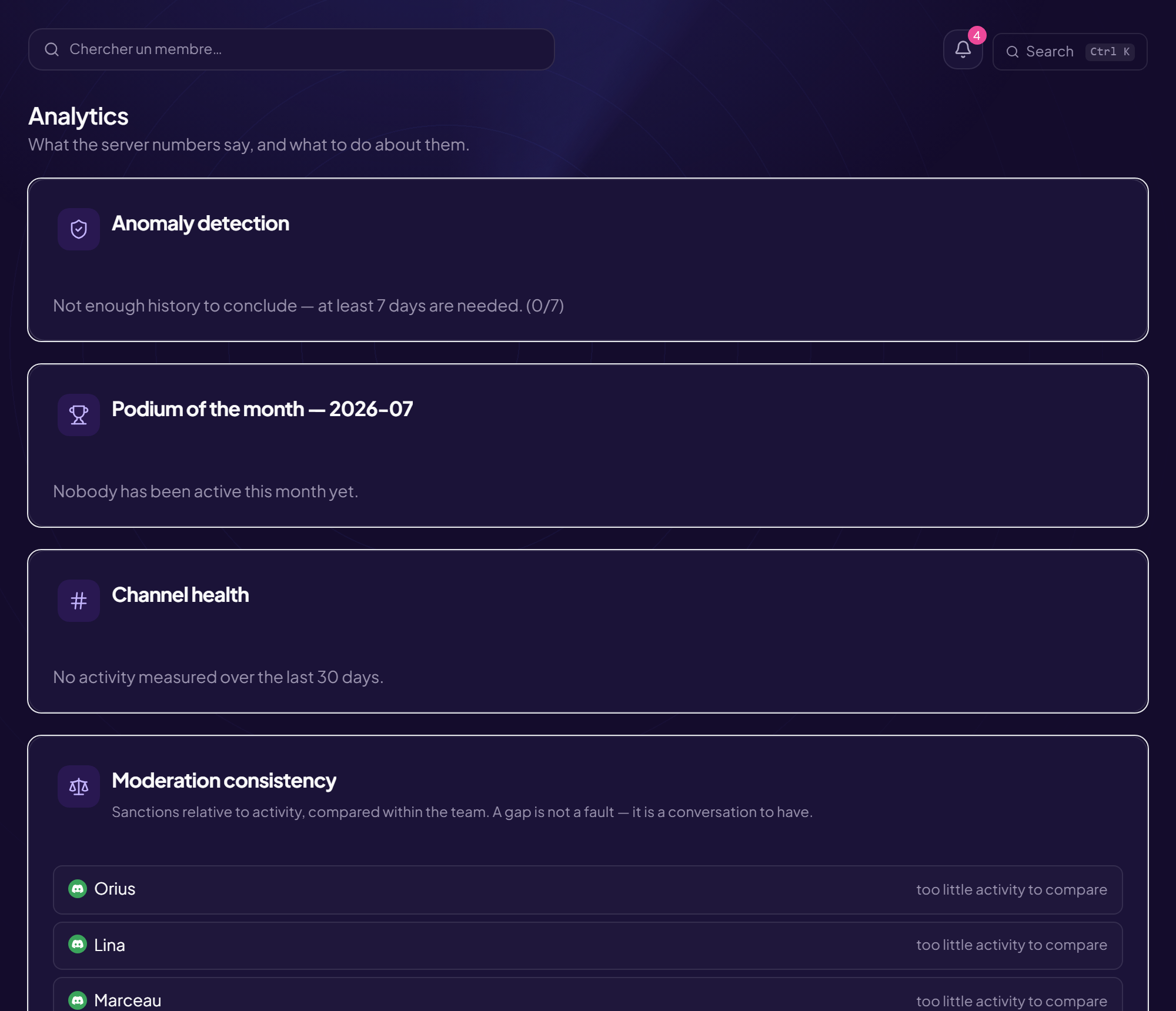
The Analytics page
“What the server’s figures say, and what is best done about it.”
| Block | What it shows |
|---|---|
| Anomaly detection | Compares today’s message volume with this server’s usual pattern (the median of previous days). “Abnormal activity: possible influx or raid” or “Nothing abnormal today”. It needs at least 7 days of history to conclude. Shows Today, Usual, Gap, Alert threshold. |
| Podium of the month | The previous, closed month (a ranking that moves every day gets disputed instead of read). Top ten by involvement index. |
| Channel health | The share of the last 30 days’ messages carried by each channel. Shares, not verdicts. |
| Recommendations | Actionable findings (for example: quiet members, a growing ticket queue, applications waiting for more than seven days, nearly empty channels, no role linked to the CRM). |
| Moderation consistency | Sanctions relative to activity (per 100 actions), compared with the team’s median. A gap is not a fault: it is a conversation to have. |
| Ticket load | Who carries the tickets over 30 days, each person’s share and closing rate: taking a ticket without closing it clutters the queue as much as not taking it. |
Each block has a help dot (“How this figure is calculated”) that explains the method.
Advice on an applicant
In an application, “What OriusBot observed” can show findings (recent account, messages deleted for scams, former staff, under watch…). These are facts, not verdicts.
The Advice page
An assistant gives an opinion on your server’s organization, your permissions or your sanction policy. It reads the server’s structure, never the messages.
- Choose the “Topic” Channel and category organization, Roles and permissions, Sanction policy, Security and protection, Engagement and growth. The topic decides what the assistant reads.
- Write your “Question” For example “are my permissions too broad?”
- Click “Ask for advice” Allow a few seconds to a few minutes depending on demand.
| It reads | It never reads |
|---|---|
| Channel and category names; role names, headcount and permissions; member count; the server’s Discord settings; what the bot has set up; sanction counts over 30 days. | Message content; anyone’s name; anything from another server. |
Availability
The assistant is not open everywhere: “The advice assistant is not open on this server yet” is shown if it is not (it opens server by server). There is a daily quota of advice requests. It is an opinion, not a decision.
Still stuck?
Contact support with the title of this article, the step where you are stuck and what you see on screen.
Contact support More articles: Tracking, notes and HRLast checked: 13 November 2026.