 OriusBotHelp center
What is the “My team” page for, for a lead?
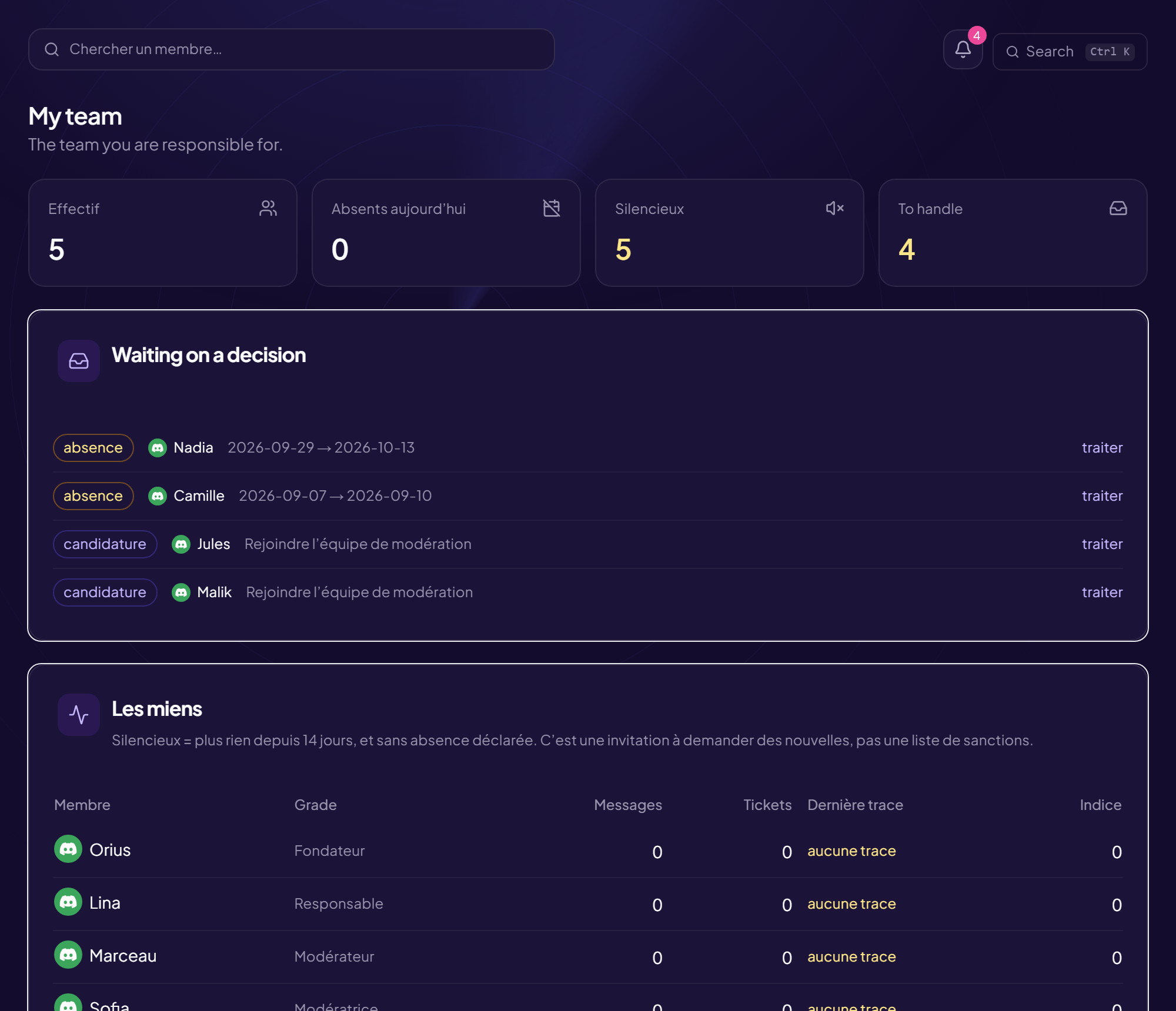
The My team page shows the team you answer for. It is visible to everyone: each person sees the team they belong to. With no team: “You are not a lead of any team and you are not attached to one” (an administrator can make you a lead, or link a Discord role to a team).
What the page shows
| Block | Content |
|---|---|
| Headcount | The number of people in the team. |
| Away today | Approved time off currently running. |
| Quiet | No trace for the set number of days, and no declared time off. It is an invitation to check in, not a list of sanctions. |
| To handle (“What awaits a decision”) | Time off and applications within your scope. My people filters to those who concern you. |
The member table
Columns: Rank, Messages, Tickets, Last trace (“no trace” if nothing), Index (involvement index). See How the index is calculated.
An empty team shows “This team has nobody”: attaching someone to a team decides who sees what and who answers for whom. The Open the register button takes you there.
How to use it
Each week, look at the “Quiet” and check in. A team you follow up costs less than a team you recruit.
Still stuck?
Contact support with the title of this article, the step where you are stuck and what you see on screen.
Contact support More articles: Team and organisationLast checked: 13 November 2026.