 OriusBotHelp center
What is the staff CRM and what is it for?
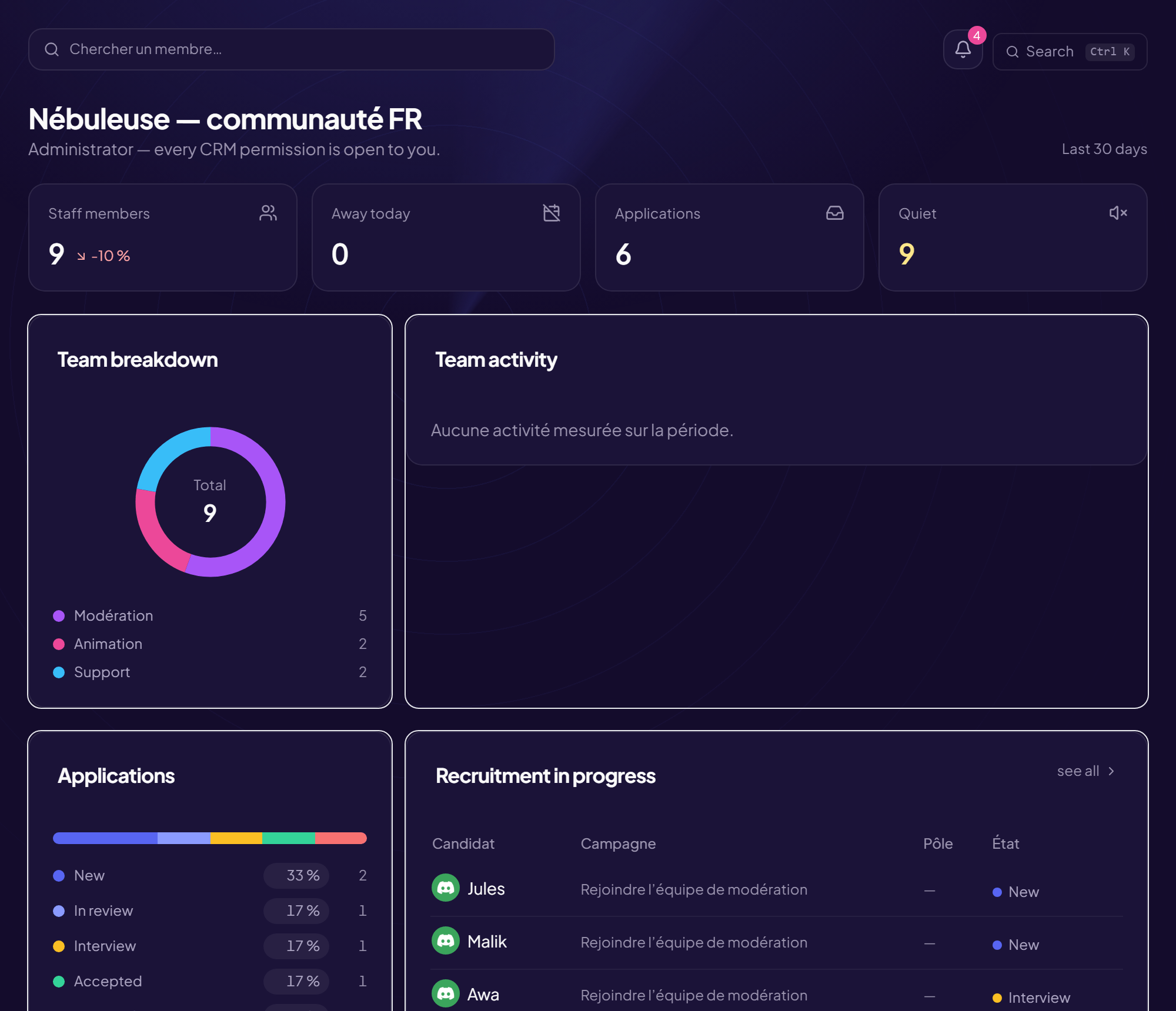
The staff CRM is a space reserved for your moderation team, separate from the admin panel. It is used to organise the team: who is staff, in which team, when they are available, who to recruit, how everyone is doing.
What you will find in it
| Feature | What it is for |
|---|---|
| Team and My team | Who is staff, since when, in which team, with which rank. |
| Schedule and Time off | Duty slots and leave. |
| Recruitment | Positions, announcement, forms, applications, interviews, trial period. |
| Activity, Analysis, Advice | The team’s numbers and what is best done with them. |
| Human resources, My notes, The Vault, Member file | Records, satisfaction notes, member files. |
| Internal guide | The rules and procedures the whole team must know. |
| Permissions, Security, Settings | Who can do what, account protection, the space’s settings. |
Who can enter?
- Server administrators, always.
- Everyone else, only if an administrator has linked their Discord role to the CRM with the “Access the CRM” permission. See Who sees what in the CRM.
- And only if the CRM is turned on for the server: How do I enable and open the CRM.
A separate space
A moderator without administrator permissions cannot open the admin panel. The CRM therefore has its own sidebar, which only shows what the person can really do.
Your team chooses its language
The CRM is available in French, English, Spanish and Portuguese. The choice is personal (it follows the account, not the server), with a language picker in the bar.
Still stuck?
Contact support with the title of this article, the step where you are stuck and what you see on screen.
Contact support More articles: Getting started with the CRMLast checked: 13 November 2026.