 OriusBotHelp center
What is each page of the CRM menu for?
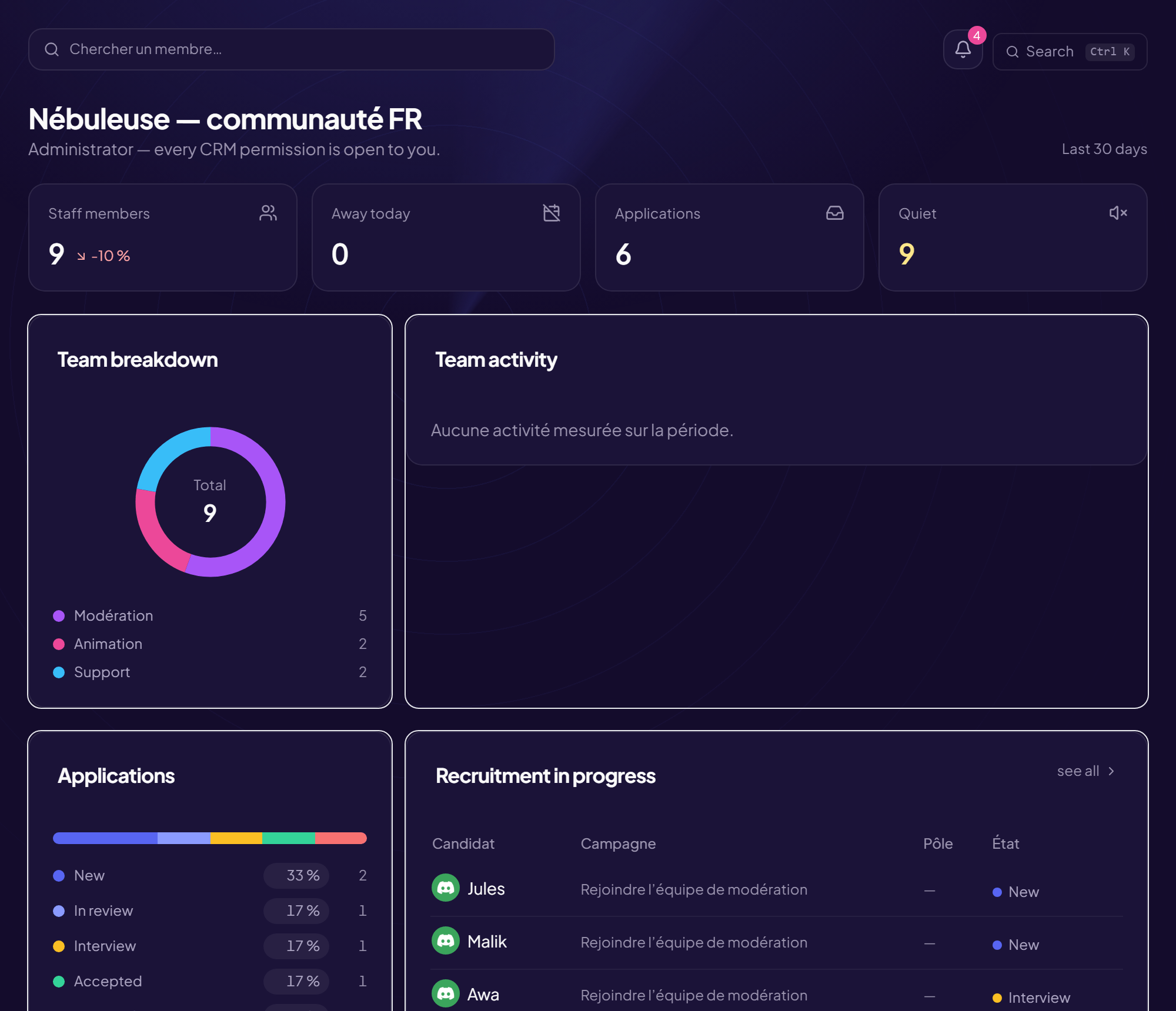
The CRM menu only shows what you can actually do. Two people on the same server can therefore see different menus.
| Page | What it is for | Visible to |
|---|---|---|
| Overview | The home page: team figures, applications in progress, latest decisions, your rights. | Everyone |
| Staff | The register: who is staff, rank, team, internal note. See | “View the staff register” right |
| My team | Your team: headcount, away, quiet, to handle. See | Everyone |
| Recruitment | Forms and applications. See | “View applications” right |
| Activity | Activity figures (messages, tickets). See | Everyone (at least your own figures) |
| Schedule | The duty shifts. See | Everyone |
| Time off | Declare or approve time off. See | Everyone |
| Human resources, My ratings | Records and satisfaction ratings. See | Depending on your rights (everyone reads their own record) |
| The Vault, Member file | Member files. See | “View a member’s file” right |
| Analytics, Advice | What the server’s figures say and what to do. See | Depending on your rights |
| Internal guide | The team’s rules. See | Everyone |
| Permissions | Who can do what. See | Administrators |
| Security | Two-factor authentication, notifications, audit log. See | Everyone |
| Settings | CRM opening, thresholds, trial period. See | Read-only except for administrators |
Why are so many pages open to everyone?
Being measured without being able to see the measurement turns a tool into surveillance. So everyone sees at least their own figures, their own record, the schedule and the guide.
At the bottom of the menu
Admin panel (for administrators), the Language selector, and Log out.
Still stuck?
Contact support with the title of this article, the step where you are stuck and what you see on screen.
Contact support More articles: Getting started with the CRMLast checked: 13 November 2026.