 OriusBotHelp center
How do I create a duty shift in the schedule (5 types)?
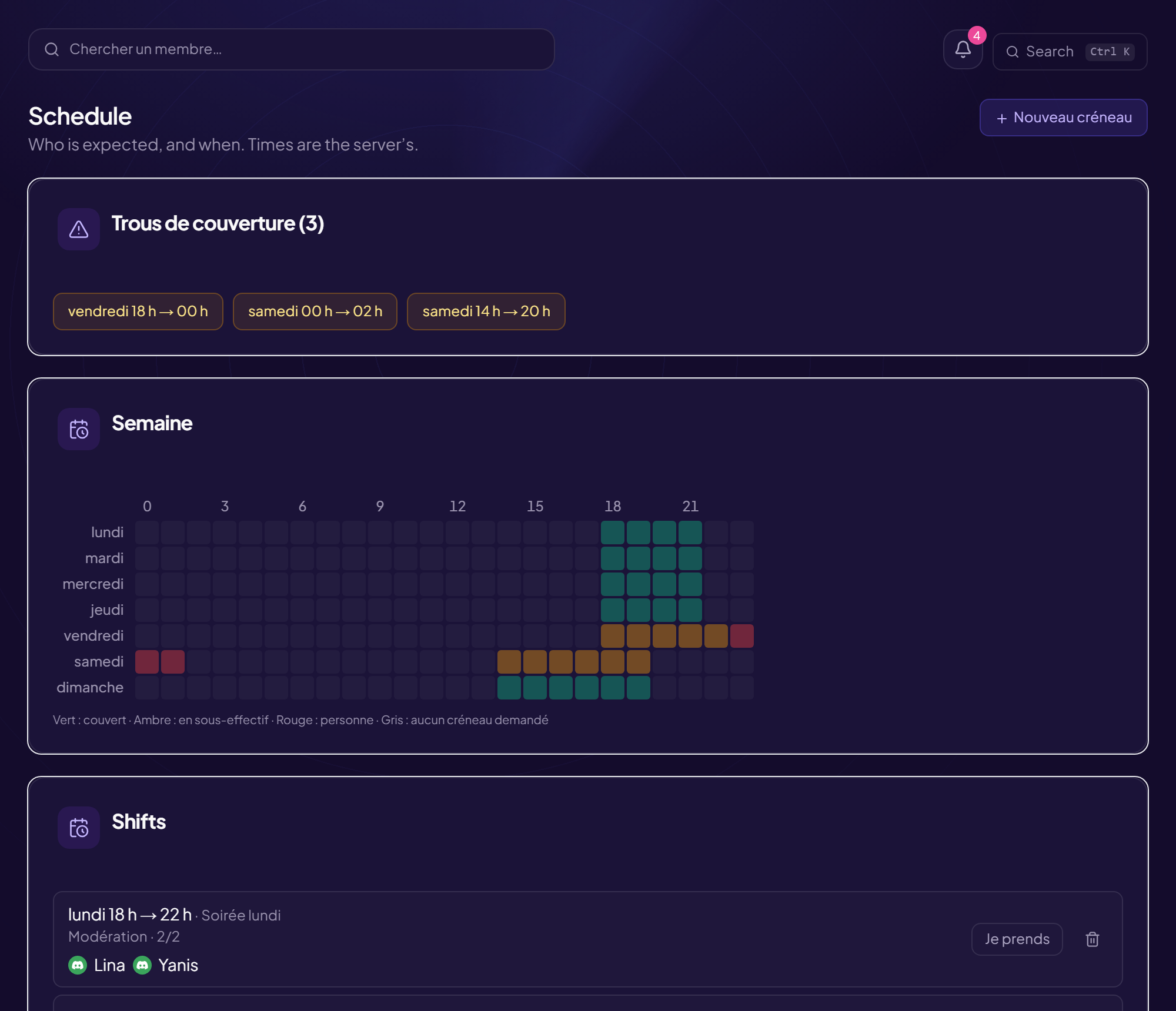
The schedule says who is supposed to be there, and when. Times are the server’s (see the time zone). As long as the schedule is empty, the CRM knows who is away, never who should be there.
Create a shift
- Open the page CRM Schedule menu. Creating requires team management rights.
- Click “New shift”
- Choose the type
| Type | What it is for | Fields to fill in |
|---|---|---|
| Every week | The same day, the same hours: a night watch, a duty. | Day, From (hour) To (hour) |
| A specific date | A one-off, movable shift: change the date, those signed up follow. | Date, From, To |
| An announced stream | “Saturday 8:30 p.m., about 3 h”. It can be cancelled without erasing those signed up and moved by changing the date. | Date, Start time, Planned duration (min, empty = we’ll see), Channel |
| During a stream | No hour to guess: the shift opens when the live starts and closes when it stops. | Channel (“Doesn’t matter” = all) |
| No set time | A free presence (“keep an eye on the Discord”). | Optional date (empty = permanently) |
Streamer mode
On an ordinary server, the schedule is weekly (“Every week”). The other types (specific date, announced stream, during a stream, no set time) open with streamer mode, and stream-related types assume a linked Twitch channel. See CRM Settings.
The common fields
| Field | Effect |
|---|---|
| Shift name | What you read in the list. E.g. Live Valorant, night watch. With no name, the line only shows the time. |
| People wanted | How many people are needed. Zero = “as many as possible”: the shift is never flagged as short-staffed (useful when the number of moderators is not fixed). |
| Team | The team concerned (or all staff). |
A shift that crosses midnight is flagged (“This shift crosses midnight: 22:00 → 06:00 the next day”).
Edit or delete
Edit the shift keeps those signed up (“the N person(s) signed up are kept”). Delete the shift erases it.
Still stuck?
Contact support with the title of this article, the step where you are stuck and what you see on screen.
Contact support More articles: Schedule and absencesLast checked: 13 November 2026.