 OriusBotHelp center
How do CRM rights work (who can see and do what)?
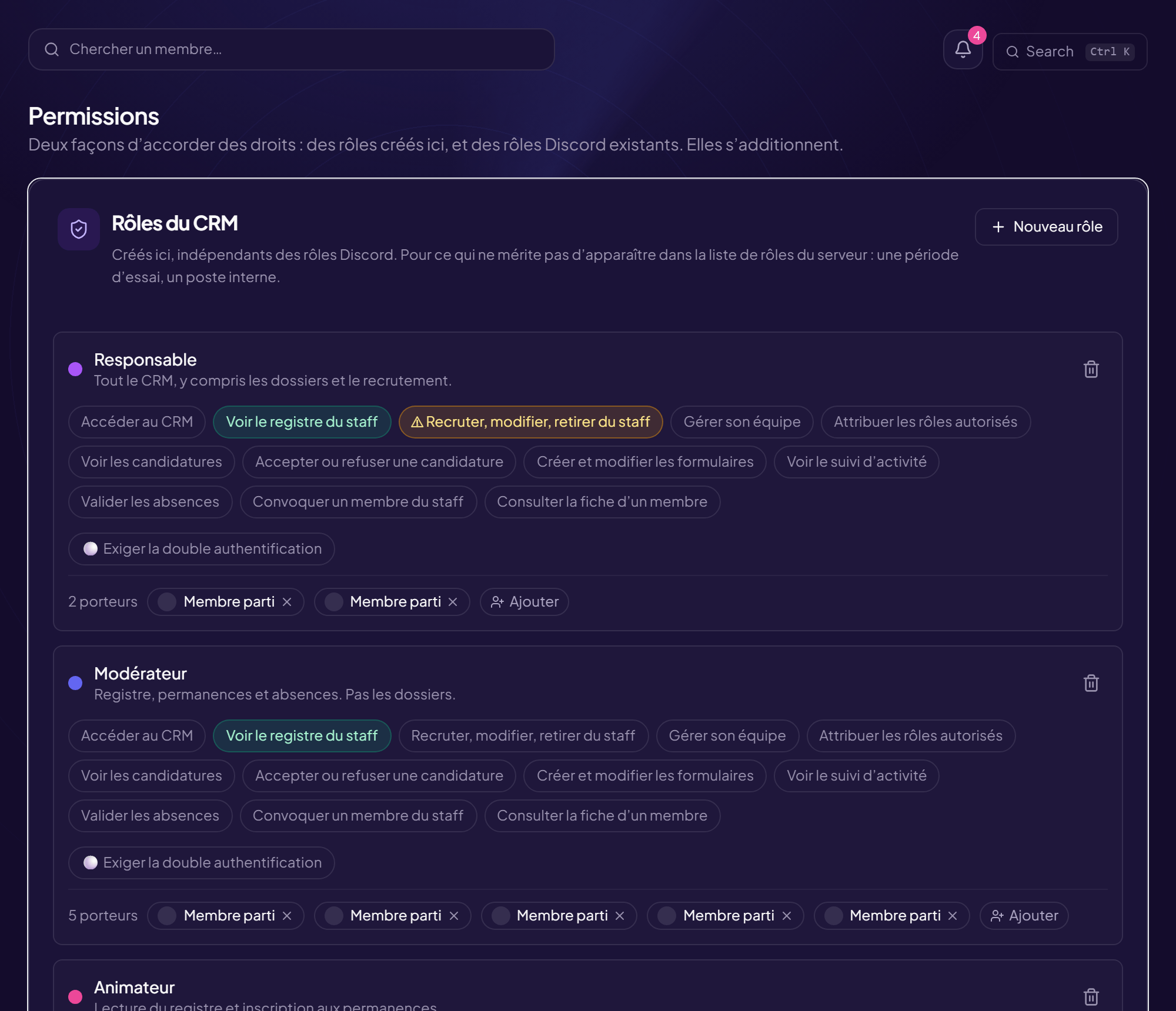
In the CRM, what each person sees and can do depends on their rights. Only a server administrator can change them: anyone who could write here could grant themselves any right by giving themselves the matching role.
Two ways to grant rights
- Roles created in the CRM (independent of Discord). See Create a CRM role.
- Existing Discord roles linked to the CRM. See Link a Discord role.
They add up: nobody loses a right by gaining a role. A person gets the sum of the rights of all the roles they hold.
Without “Access the CRM”, nothing opens
A role without this right opens nothing, even with all the other rights ticked.
The available rights
| Right | Lets you… |
|---|---|
| Access the CRM | Enter the staff space. |
| View the staff register | See the Staff page (who is staff, rank, team). |
| Recruit, edit, remove from staff | Add someone to or remove someone from the register. |
| Manage your team | Administer the teams and their members. |
| Grant the allowed roles | Give the Discord roles the administrator has declared “delegable” (see Settings). |
| View applications | Open the Recruitment page. |
| Accept or refuse an application | Decide. |
| Create and edit forms | Manage the recruitment forms. |
| View activity tracking | See the whole team’s figures (everyone sees at least their own). |
| Approve time off | Accept or refuse a time-off request. |
| Summon a staff member | Send a summons. |
| View a member’s file | Open the Vault and a member’s file. |
The orange rights
Some rights give a hold on the server itself, not only on the CRM (“This right gives a hold on the server itself”). Grant them only knowingly.
Find out which rights I have
On the CRM Overview, the Your permissions here card lists your rights. Crossed-out rights are not granted to you: they come from the Discord roles you hold, and an administrator decides which role gives what. An administrator sees “all the CRM rights are open to you”.
Still stuck?
Contact support with the title of this article, the step where you are stuck and what you see on screen.
Contact support More articles: Permissions and rolesLast checked: 13 November 2026.