 OriusBotHelp center
How do I track applications in the pipeline, propose an interview and decide?
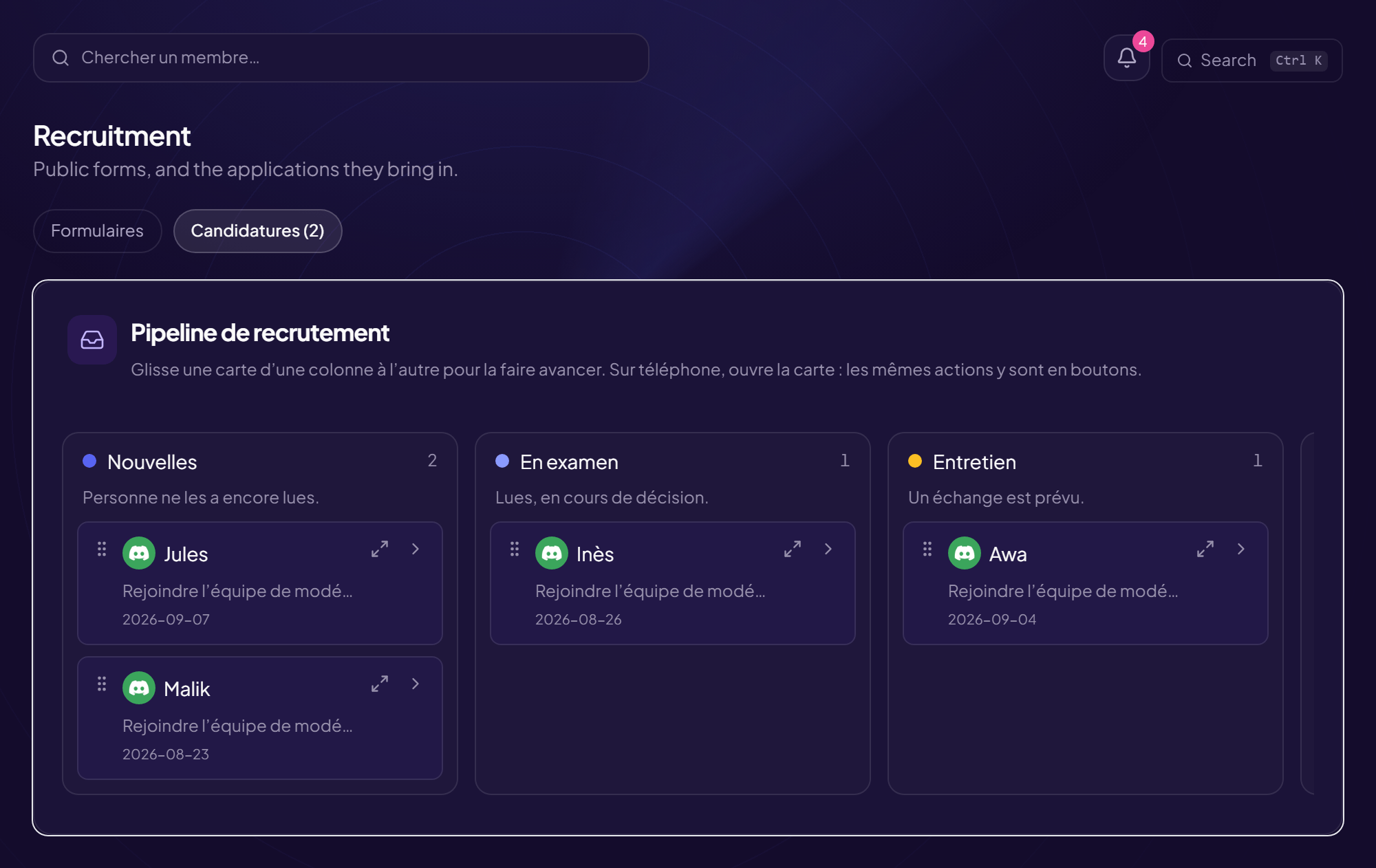
The Applications tab shows the Recruitment pipeline: each application received appears as “New” and moves column by column until the decision.
The columns
- New Nobody has read them yet.
- In review
- Interview
- Accepted or Rejected See below.
Drag a card from one column to another to move it forward. On a phone, open the card: the same actions are there as buttons. Accepting or rejecting requires the “Accept or reject an application” permission.
Read an application
- The answers (or “No answer”).
- “What OriusBot observed”: facts already recorded by the bot, set next to the answers (last trace, messages per day, active warnings, security alerts, former staff…). No verdict: you decide.
- “Worth checking before you decide” or “Nothing of note in the history”.
- The age of the Discord account, the history, the previous applications.
Propose an interview
- Open the application and click “Summon”
- Add one or more “Proposed slots” Date, time, details (voice channel…). The applicant picks one from their tracking link. You receive a DM as soon as they have chosen.
- (Optional) Write a covering note For example “We just want to chat, nothing to prepare”.
- Click “Summon (N slot(s))” With no slot: Invite without a date; the applicant learns that an interview is planned and the date is set together.
Proposing slots again cancels the choice the applicant has already made.
Decide
Accept or reject. If a role is set, it is given on acceptance; otherwise the message “Decision recorded, but the role could not be assigned (bot permissions?)” means you need to check the role hierarchy. A trial period starts if it is enabled (see the article).
The archives
When a form moves to “Closed”, its applications arrive in Archives (read-only). They still count in each applicant’s history. Back to tracking returns to the pipeline.
Still stuck?
Contact support with the title of this article, the step where you are stuck and what you see on screen.
Contact support More articles: RecruitmentLast checked: 13 November 2026.