 OriusBotHelp center
How do I turn on the level (XP) system and set what earns experience?
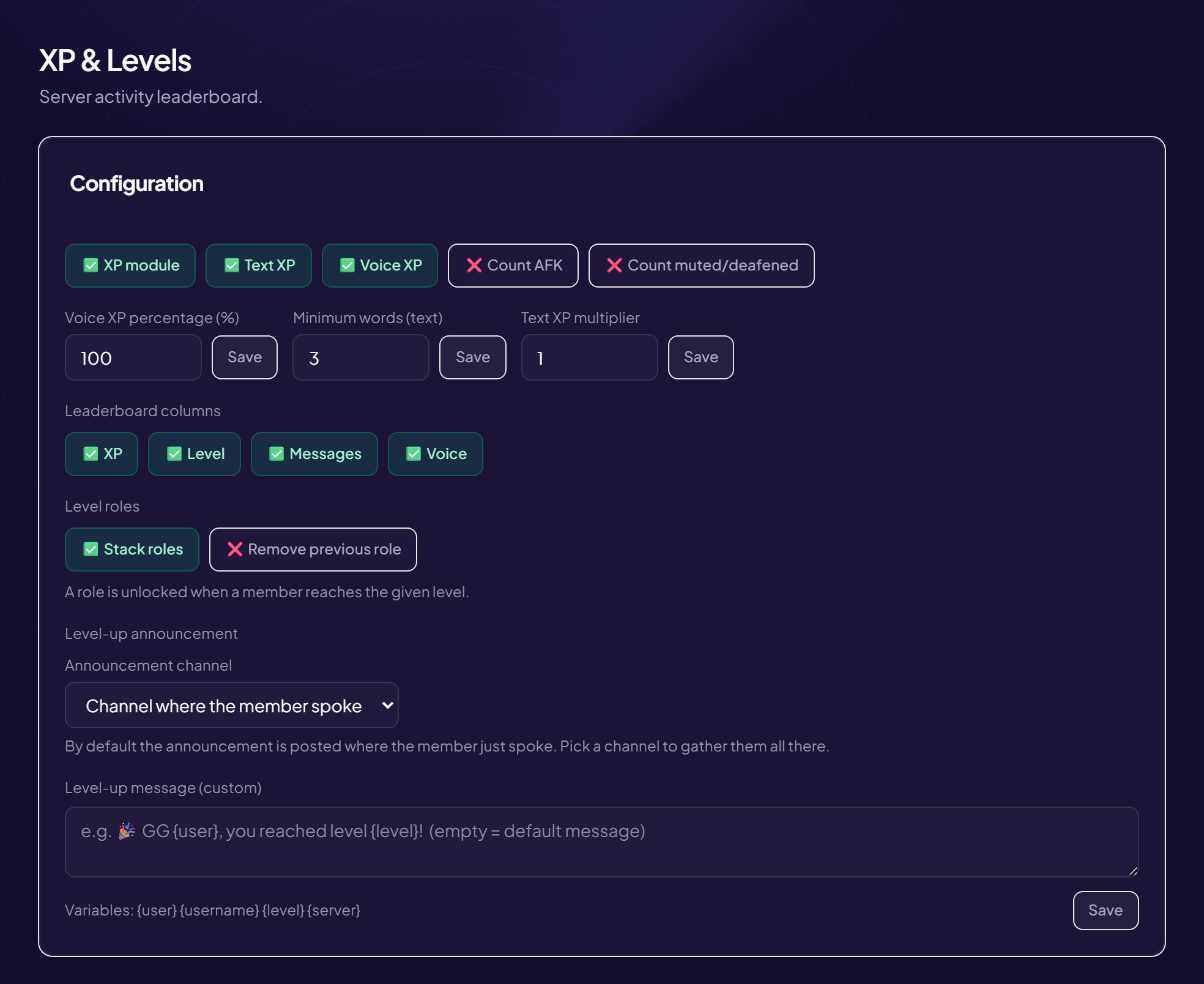
The level system (XP & Levels) rewards activity: your members earn XP by chatting, level up and appear in a leaderboard (/xp rank and /leaderboard commands, and a web page).
Go there and turn it on
- Open the page Engagement › XP & Levels menu. At the top, the leaderboard table (Rank, Member, Level, Total XP, Messages, Voice). With no activity: “No activity recorded”.
- In “Configuration”, turn on “XP module” Turns on the whole level system.
Set the gains
| Setting | Effect |
|---|---|
| Text XP | Messages earn XP. One gain per minute at most, so flooding is pointless. |
| Voice XP | Time spent in a voice channel also earns XP. |
| Count AFK | Counts time spent in the AFK channel. Off = staying AFK does not level you up. |
| Count muted/deafened | Counts the time of members who have muted their mic or their sound. Off = you have to actually take part. |
| Voice XP percentage (%) | What voice earns compared with text. 100 = the same, 50 = half as much, 200 = twice as much. |
| Minimum words (text) | A message must have at least this many words to earn. Stops “ok” or “lol” from levelling people up. E.g. 3. |
| Text XP multiplier | 1 = normal, 2 = twice as fast, 0.5 = twice as slow. E.g. 1.5. |
Click Save (the “Saved” note confirms it).
The progression curve
The Progression curve card estimates what each level takes, in messages or minutes of voice. These are estimates: about 20 XP per message on average (multiplier included, one gain per minute at most) and 10 XP per minute of voice.
Choose the leaderboard columns
“Leaderboard columns” sets the information shown for each member (command and web page). Tick what you want to show.
Twitch
The Invite members to link Twitch option invites members to earn XP by watching your streams, either on the captcha page or by private message on arrival (never both).
Still stuck?
Contact support with the title of this article, the step where you are stuck and what you see on screen.
Contact support More articles: Community activityLast checked: 13 November 2026.