 OriusBotHelp center
How do I give a role automatically at a certain level?
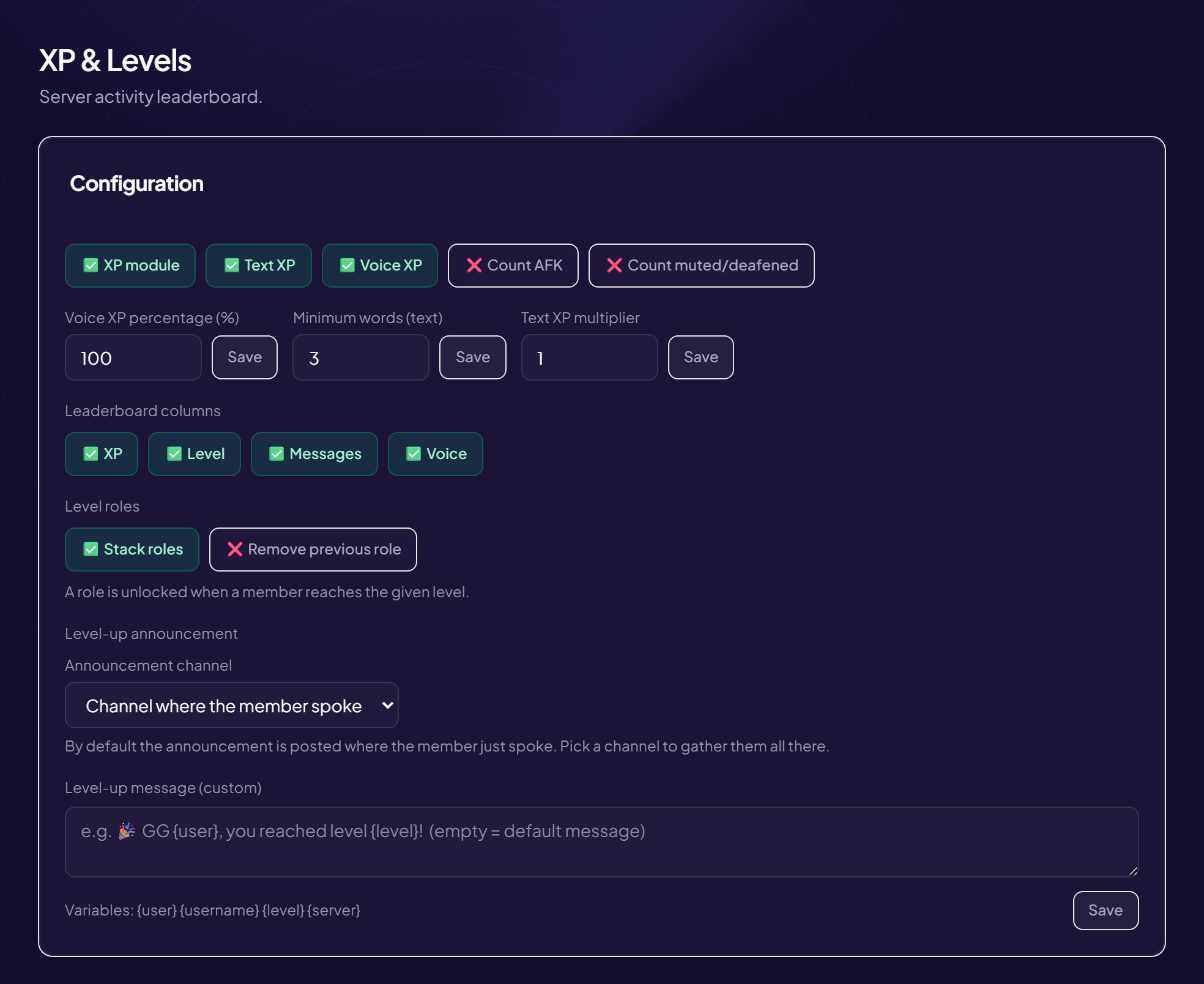
Level roles reward progression: when a member reaches a level, they automatically receive the linked role (for example @Regular at level 10).
Add a level role
- Open the page Engagement › XP & Levels menu, Level roles area.
- Type the “Level” The level to reach. E.g. 10.
- Choose the “Role”
- Click “Add / update” To edit an existing level, do the same again with the same level. With no rule: “No level role configured”.
Stack or replace
| Setting | Effect |
|---|---|
| Stack roles | The member keeps all the level roles already earned. E.g. at level 20, they have the roles of levels 5, 10 and 20. |
| Remove previous role | When they earn a new role, the old one is removed: they only have the role of their current tier. |
The bot’s role must be above
To give a role, OriusBot must be placed above it in Discord’s role list (Server Settings › Roles). Otherwise the role is never given.
Idea
At level 5, give the right to send images or access to a restricted channel: it is a concrete reward that motivates.
Still stuck?
Contact support with the title of this article, the step where you are stuck and what you see on screen.
Contact support More articles: Community activityLast checked: 13 November 2026.