Guide · September 1, 2026 · 4 min read
The Twitch chat and the Discord server, linked
A creator always ends up with two communities that never meet: the people watching the stream, and the people who stay on Discord. Linking the two does not mean merging them — a few bridges are enough.
Contents
Chat commands
A Twitch chat lives on repeated questions: the setup, the leaderboard, the socials, the next stream. Answering them by hand during a stream is impossible; that is exactly what commands automate.
Two families coexist. Built-in commands — stream uptime, current category, viewer count, clip, shouting out another channel — which fetch real information. And custom commands, which return text you wrote.
One precaution when creating a custom command: if its name is already that of a built-in command, it will be saved but never fire — the built-in comes first. A decent bot refuses the name and says which one, rather than accepting in silence.
Who can run what
A command must be restrictable to part of the chat, and that choice is made at creation time. Creating it first and restricting it afterwards leaves a window during which it is open to everyone — which is exactly the moment when, live, the whole chat tries it.
Four levels are enough: the whole chat, subscribers, VIPs, staff. Each level also opens to those above: a subscriber-only command remains usable by moderators and by you. Worth knowing — otherwise you end up creating one command per rank.
The commands that actually earn their place
- Ready-made answers — setup, socials, chat rules, the Discord link.
- Shout-outs — introducing another channel, often after a raid.
- Clip — to capture a moment without leaving the game.
- Moderation — timeouts and bans without going through the Twitch interface.
- Recurring messages — a reminder every twenty minutes, not every two.
Moderating the chat
Twitch chat gets the same attacks as Discord: advertising spam, dubious links, insults, waves of accounts created for the occasion. Reusing the detection already in place on the Discord side avoids maintaining two sets of rules that drift apart over time.
Two practical differences. On Twitch, a deleted message is deleted for everyone immediately, which makes the reaction more visible. And the chat scrolls much faster: an over-talkative filter produces more noise than it removes. Moderation announcements should therefore stay discreet, or even silent.
The bridge between the two chats
Linking a Discord channel to the Twitch chat both ways lets people who are not watching the stream follow along anyway, and take part. It is the most visible bridge, and the one needing the most care.
The loop. A message posted to Twitch by the bot must not come back to Discord, otherwise every message appears twice. Two guards exist, one at each end; their absence shows immediately.
The volume. A chat with a thousand viewers pours out several messages a second. The bridge only makes sense on a modest-sized channel, or with filtering — only the streamer's and the moderators' messages, for instance.
The lag. The video stream runs several seconds behind: an answer coming from Discord can land in chat before the viewer has seen what it answers. That is inherent to live, and it is better to know it than to go hunting for a bug.
Shared XP
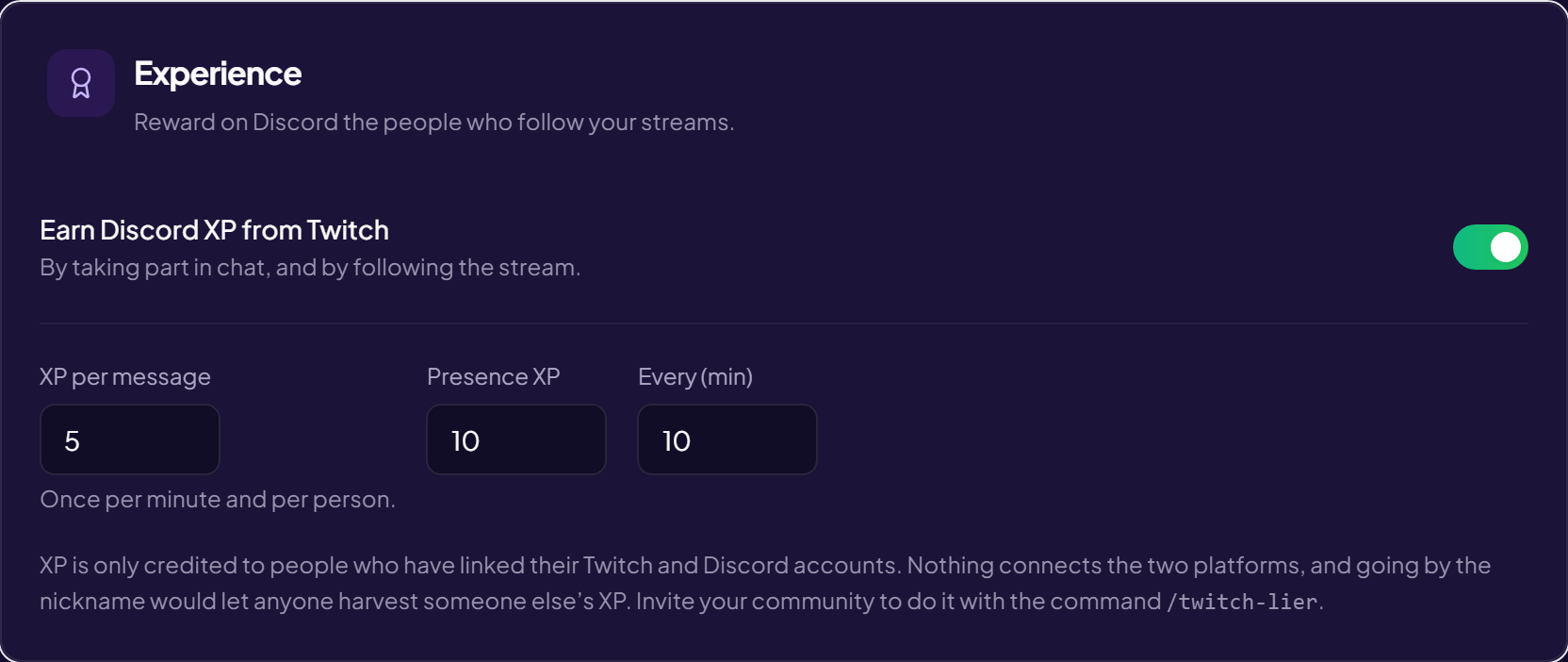
This is the most interesting bridge and the least visible: talking in the Twitch chat, or simply watching the stream, makes you progress on the Discord server. Time spent in front of a stream becomes the equivalent of time spent in voice.
The effect sought is not the reward in itself: it is to make one community exist with two doors, rather than two audiences that ignore each other.
The exact rules — what a message is worth, what presence is worth, why both accounts have to be linked and what happens when they are not — live in a guide of their own: shared XP between Twitch chat and Discord.
Frequently asked questions
Do you have to give the bot your Twitch credentials?
No: the link goes through a Twitch authorisation, revocable at any time from your account settings. No password is passed on.
Does the bot have to be a channel moderator?
To moderate, yes. To answer commands, no — but a non-moderator bot is subject to the chat's sending limits, and its messages can be slowed down.
What happens while the channel is offline?
Commands keep working; the ones that depend on the stream reply that there is none. The bridge to Discord stays active, which is not always desirable.
Can the bot be used on several channels?
Yes, each channel having its own commands and settings. Nothing is shared between them.
Read next : Shared Twitch–Discord XP, Twitch alerts, XP and levels.