Guide · September 21, 2026 · 5 min read
One leaderboard for the Twitch chat and the Discord
A creator ends up with two audiences that never meet : the people who live in the stream chat, and the people who live on the server. The first group is often the most loyal, and it appears nowhere in the server's leaderboard. Shared XP fixes exactly that — here is what it counts, what it requires, and what it does not measure.
Contents
- The problem, before the solution
- Two sources, deliberately separate
- The guardrails, in numbers
- Why the accounts must be linked
- How your members link their accounts
- Several channels, one server
- What is needed on the Twitch side
- On the Discord side, nothing changes
- The traps, and what they mean
- What this system does not do
The problem, before the solution
Someone who follows three hours of live every week, answers in chat and keeps the conversation going does more for your community than plenty of people active on Discord. On the server, though, they are level 1, at zero XP, because nothing they do shows up there.
So the point is not the reward itself: it is making one community with two front doors exist, rather than two audiences ignoring each other and a leaderboard that reflects only one of them.
Two sources, deliberately separate
The system counts two things, and nothing else:
- Talking — a message in the Twitch chat is worth XP, just like a Discord message.
- Being there — following the stream earns XP too, in slices. It is the exact counterpart of voice XP: presence counts, even without speaking.
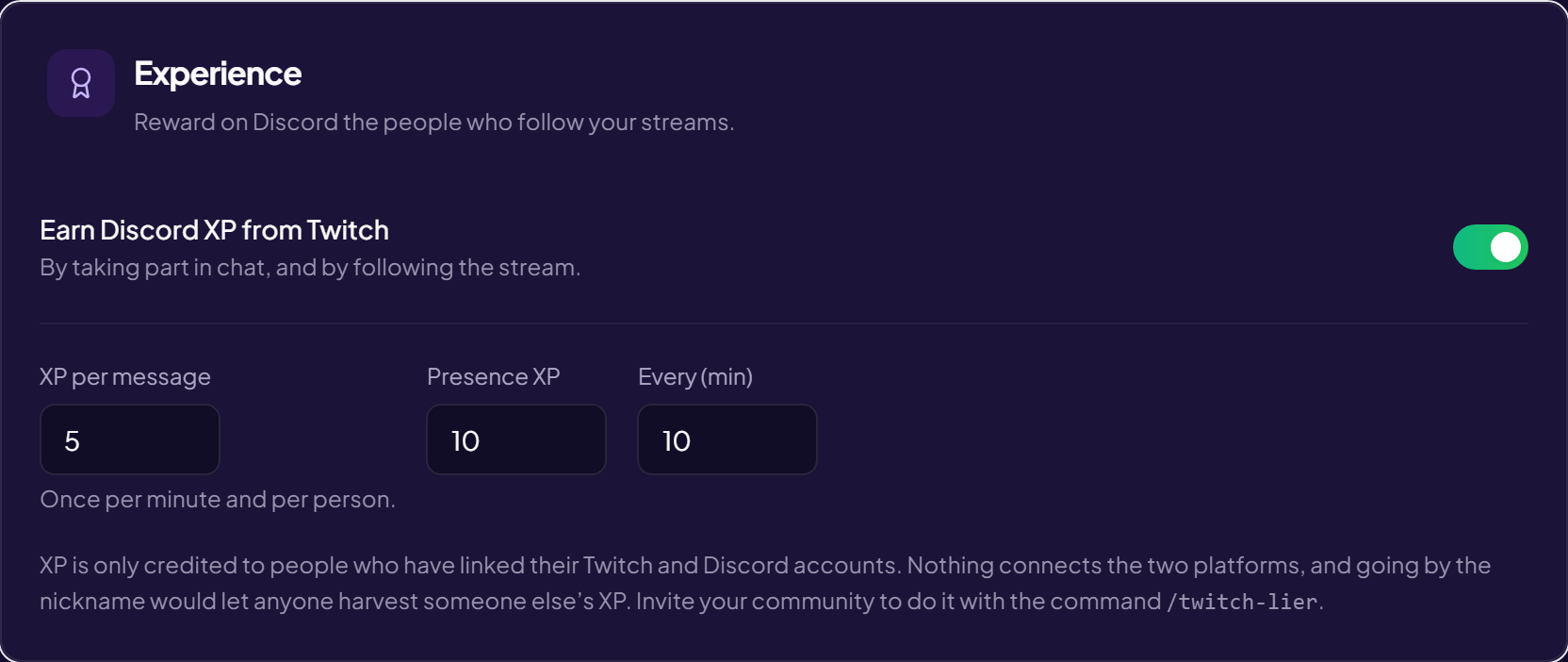
The three settings live in your streamer space, Discord link tab, Experience section. The starting values are 5 XP per message, 10 XP for presence and a 10-minute slice.
The guardrails, in numbers
A Twitch chat scrolls far faster than a Discord channel. Without a limit, ten minutes of spam would carry someone up ten levels, and the server's leaderboard would be worthless.
- One message per minute and per person counts. The rest are ignored — the same rule as Discord's written XP.
- A message under 4 characters earns nothing. "ok", "lol" and lone emotes are not activity.
- Presence is only paid during a stream. Off air, nobody is "watching".
- The bot never rewards itself.
Worth noting: messages do count while the channel is offline. A chat lives between streams, and there is no reason to punish it.
Why the accounts must be linked
This is the most important point on this page, and the one that surprises people most: nothing connects a Twitch account to a Discord account. Neither platform publishes that link, and there is no way to guess it.
Going by the nickname would be worse than doing nothing: taking someone else's name on Twitch would be enough to harvest their XP. So the person has to link the two accounts themselves, by signing in to both in turn.
Without a link: no credit, and that is normal. Most of the people in a chat have linked nothing — they lose nothing, they simply gain nothing.
One Discord account, one Twitch account
The rule is held by the database, not by the discipline of the code: one Twitch account cannot credit two Discord accounts, and one Discord account cannot collect the XP of two Twitch accounts. Without that guarantee, a second Twitch account was all it took to earn twice.
How your members link their accounts
Four paths exist, and they serve different moments:
/twitch-lier— the command to run in a channel: it posts the invitation, with its button.- At the end of the captcha — the person has just proved they are human and has the page in front of them: the best moment, and it costs nothing.
- A private message, for those who never go through it (image captcha, captcha off, member who arrived earlier). Sent once only, in their language.
- An "I don't have a Twitch account" button — whoever says so is never asked again, on any server. A button that does nothing is worse than no button.
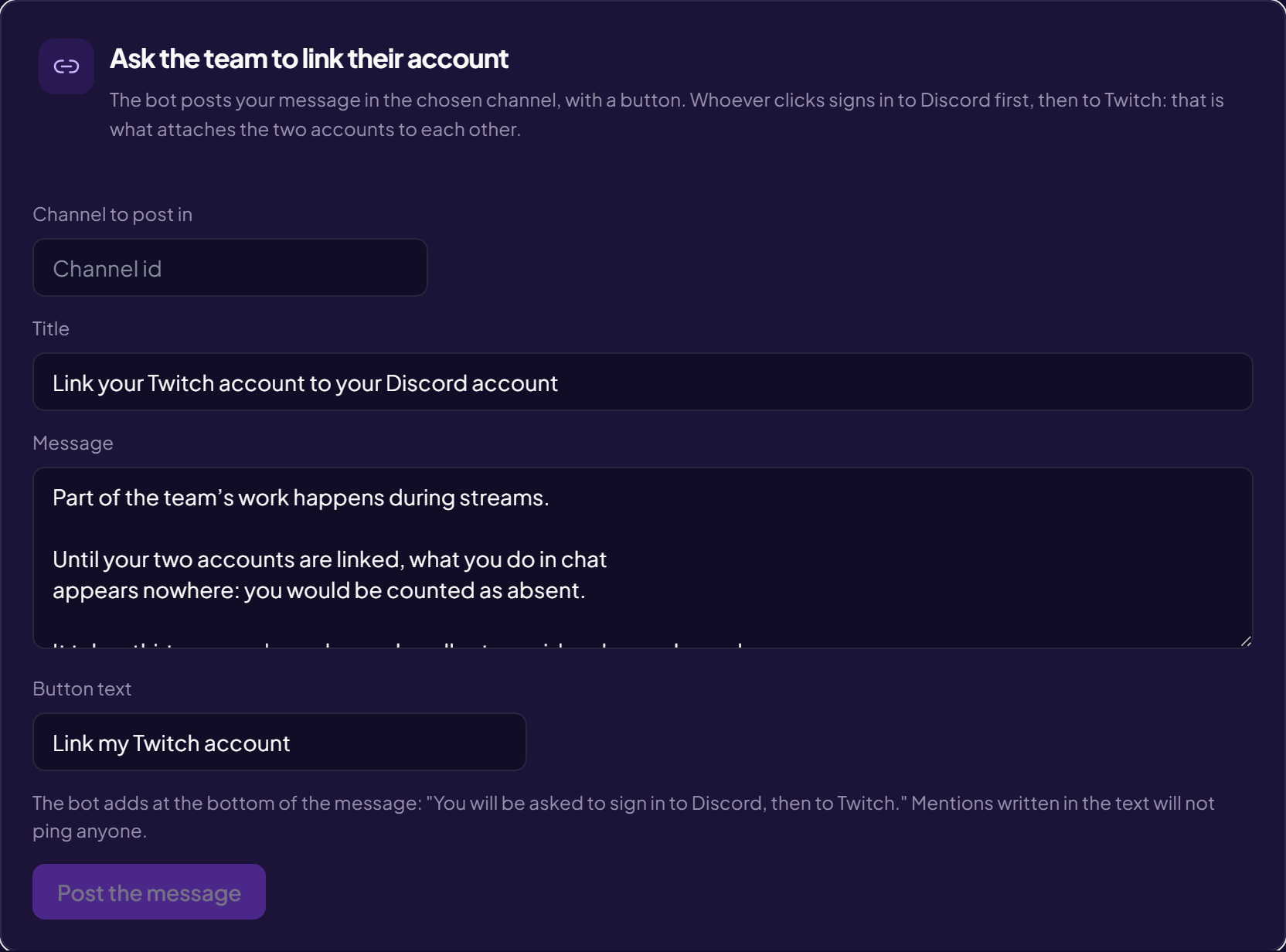
If your staff has to link their accounts — which is the case as soon as the CRM switches to streamer mode — the streamer space can post the message for you:
Several channels, one server
Nothing forces you to have a single channel. Several Twitch channels can point at the same Discord server — a duo, a team, a project with several voices. Each channel keeps its own settings (one can give 5 XP per message and another 2), and the XP lands on the same profile, in the same leaderboard.
The person only has one linked Twitch account: they are recognised across every channel in the group without doing anything again.
What is needed on the Twitch side
Presence XP requires an extra permission on your channel (the one that allows reading the list of people connected to the chat). Without it, the sync keeps working but only messages earn — and you will see no error anywhere except in the log.
It has to be said plainly: Twitch does not say who is watching, only how many. The list of people connected to the chat is the only measure by name that exists, and it is the one every loyalty system on the platform uses. Someone who watches without ever opening the chat is therefore not counted.
On the Discord side, nothing changes
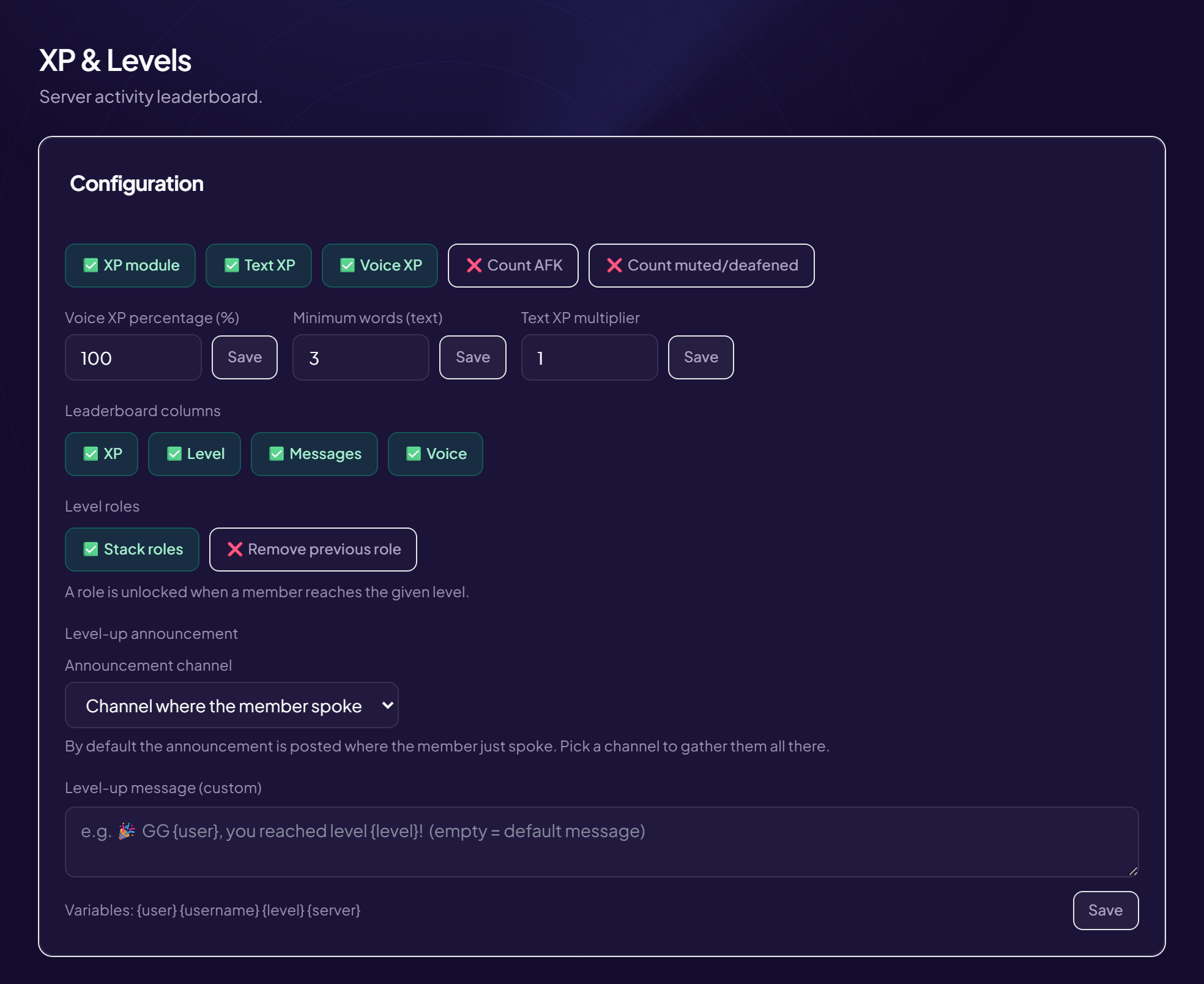
XP coming from Twitch is not a separate counter: it takes the same path as written and voice XP. Level-up announcements, roles per tier, the web leaderboard: everything works identically, and your usual settings apply.
The traps, and what they mean
- "Nobody earns anything." Almost always: no linked account. Check on yourself first — you are the only person whose state you actually know.
- "Chat earns, presence doesn't." The viewer-list permission is missing on the channel.
- "My nickname changed and I'm not recognised any more." Impossible: the link is held by the account id, which never changes. The nickname is only a label, refreshed on its own.
- "I linked my account and nothing goes up." The channel has to be attached to a server: with no server linked, there is no leaderboard to credit.
What this system does not do
It never reads the content of your messages beyond measuring their length. It asks for no permission on your viewers' own channels — only their account name, enough to recognise them. And it comes undone: a link can be removed at any time, from either side.
Read next : Twitch bot, XP and levels, Twitch alerts.