Guide · September 1, 2026 · 3 min read
Bot messages that look like your server
A well-made embed reads in three seconds. A badly made one looks like an administrative form — and across the automatic messages the bot sends every day, the difference becomes visible.
Contents
The limits, worth knowing before you design
Discord imposes ceilings that only show up at send time. A message refused for going over does not clearly say what overflowed.
- 256 characters for the title.
- 4096 for the description.
- 1024 per field, 25 fields maximum.
- 6000 characters for the whole embed, everything included.
- 2000 characters for the text outside the embed.
Those limits start to bite as soon as a text contains variables: a long username, a list of roles, a penalty reason written by a talkative moderator.
What makes an embed readable
One idea per embed. A message that announces a level-up, restates the rules and offers a voting link will be read for none of the three.
A colour that means something. Using the same shade for a success and for a penalty wastes the only instant signal you have. Green for what succeeds, orange for what warns, red for what blocks: it is conventional, and it is read effortlessly.
Short fields, or no fields. Fields exist to line up label-value pairs. Putting paragraphs in them produces two columns of text unreadable on a phone, where the embed shows in a single column anyway.
Text, not decoration. Emoji separators and dashed frames age badly and make reading harder for screen readers.
Variables
A message template contains variables replaced on sending: the username, the server name, the member count, the level reached. That is what separates a personalised message from fixed text.
One precaution is required: test with extreme values. A template validated with “Bob” overflows on the first thirty-character username, and the problem only appears in production. The same goes for a five-figure member count, or a two-line penalty reason.
Generated images
A welcome or level-up card is made of a background, the member's avatar and text. Three points come up every time.
Text contrast against the background. A light background image with white text is unreadable, and a photographic background varies from area to area. A dark veil under the text area settles it once and for all.
Availability of the avatar. It is fetched from Discord, which hiccups from time to time. A decent system retries, then draws a fallback badge — rather than dropping the whole image and falling back to text one time in ten.
Emoji. They do not appear in generated images: the font used to compose the image does not contain them, and they come out as empty boxes. Keep them for the message text, not the image.
Working with a preview
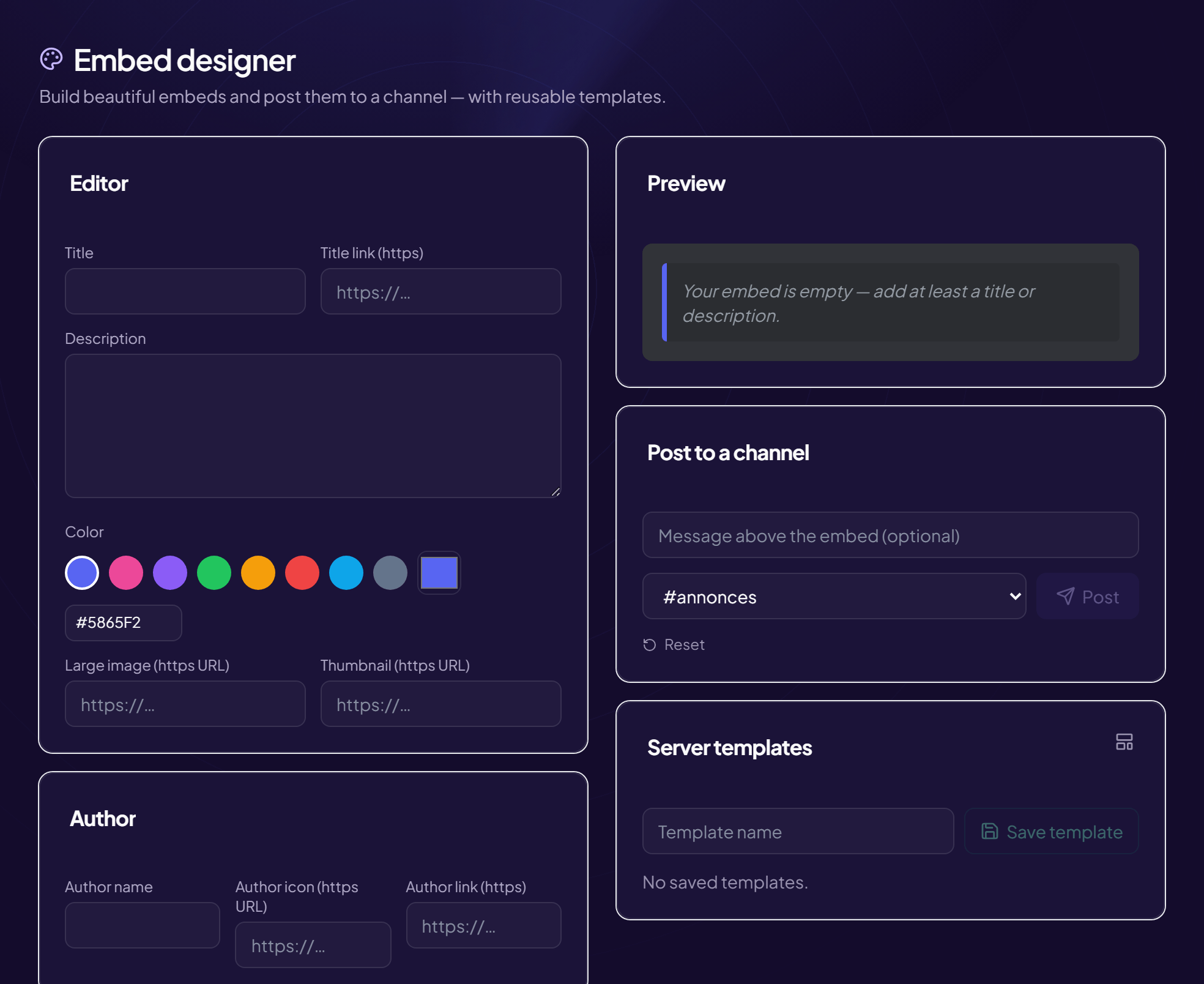
Composing an embed blind and then sending it to see the result costs three or four round trips per change. An editor with a live preview removes that loop, and above all lets you check the rendering before an automatic message goes out to the whole server.
Saving reusable templates — announcement, event, warning — avoids rebuilding the same layout every week, and guarantees that the server's messages look alike.
Frequently asked questions
Can an embed be sent under the server's name?
The embed always carries the bot's name. A webhook allows another name and another image, with a trade-off: anybody holding the webhook's address can post in that place.
Why does my embed not appear?
Most often, a limit exceeded or an invalid colour. Next, the missing embed-links permission in the channel.
Do images have to be hosted somewhere?
Yes, the embed references an address. An image hosted on a service that disappears leaves an empty frame several months later.
How many embeds in one message?
Up to ten, and it is very rarely a good idea. Two are almost always enough; beyond that the message becomes a wall.
Read next : Welcome message, The web panel, XP and levels.