Guide · September 1, 2026 · 3 min read
A team that is covered at the hours that matter
A moderation team is judged on one thing: is somebody there when things go wrong? Almost every team is oversized on Saturday night and absent on Tuesday at three in the morning — precisely when raids get launched.
Contents
The problem is not the headcount
A team of twelve moderators can have worse coverage than a team of five. What matters is the spread — and it naturally goes wrong, because everybody is available at the same hours.
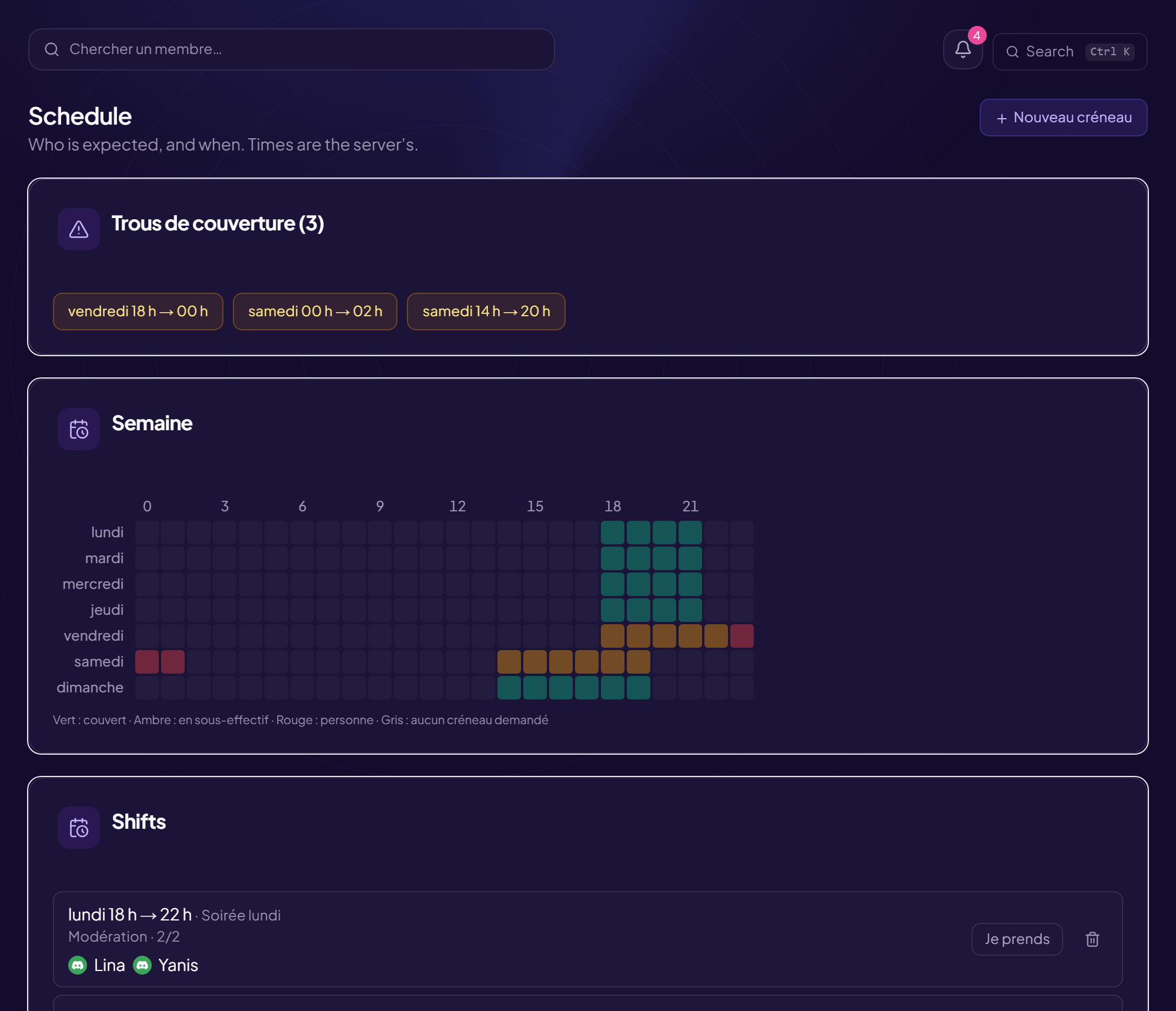
The classic picture: ten people online between 8 p.m. and midnight, nobody between 2 and 8 a.m. Yet automated attacks do not pick their hours based on your team's availability, and time zones do the rest.
Slots, not good intentions
“I drop in when I can” produces random coverage nobody is responsible for. A named slot changes two things: you know who to call, and you can see the gaps.
A slot does not have to be restrictive. Two hours a week, at a time the person picks themselves, is enough to cover a week with six moderators. It is not an on-call rota: it is a commitment to be reachable, not to sit in front of the screen.
What a rota must show at a glance
- Who is on duty right now.
- The gaps in the coming week, before you get there.
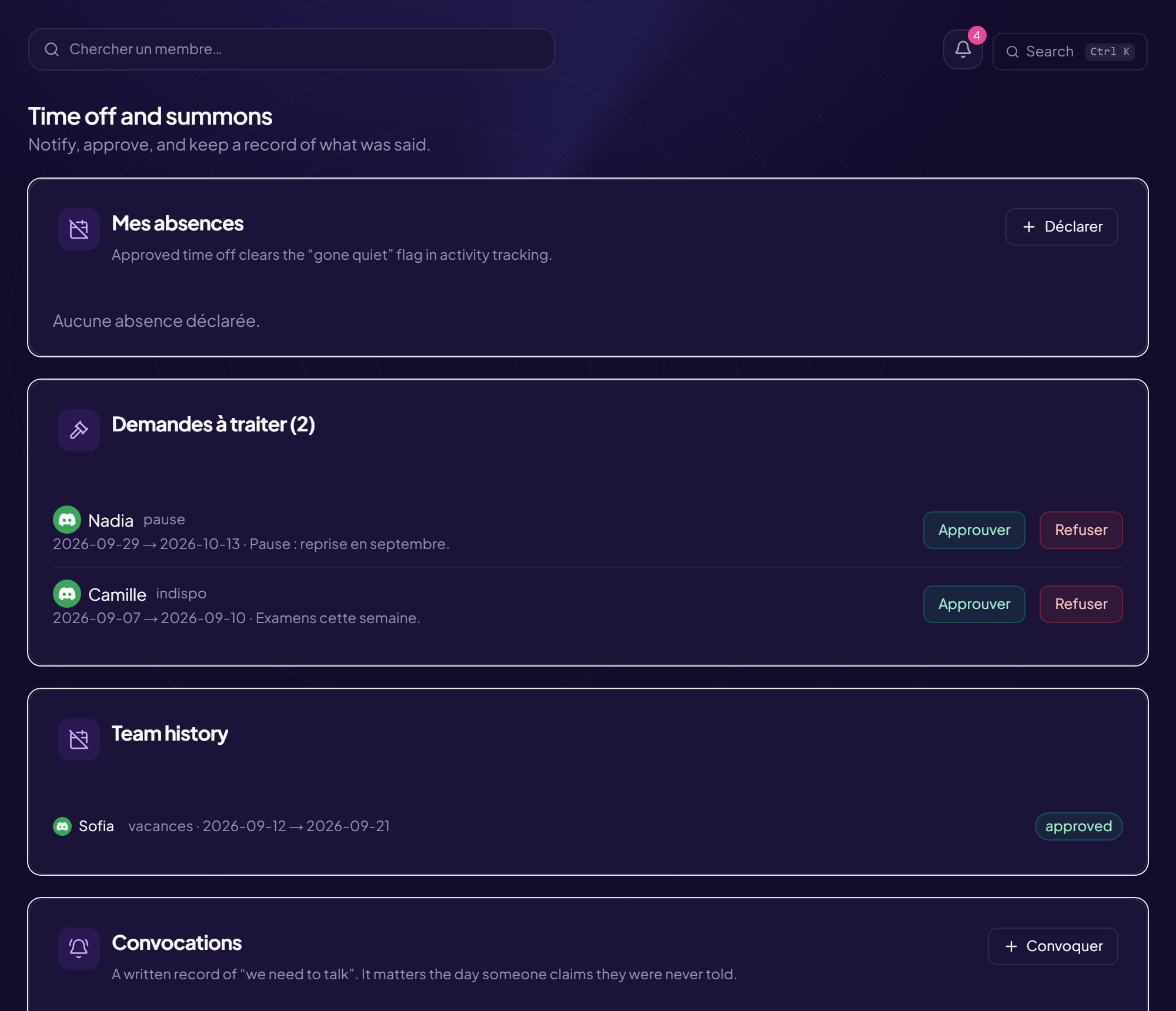
- Declared absences, and until when.
- Times in the server's time zone — never in UTC, nor in the viewer's own.
Slots that cross midnight
A technical detail that breaks most improvised rotas: a slot from 11 p.m. to 2 a.m. is not an increasing interval. A naive calculation treats it as empty, or as covering twenty-one hours.
That is exactly the night slot you need, so it is the case to handle first. If your tool shows “0 hours of coverage” for a declared night shift, that is where the problem comes from.
Absences get declared
A moderator on holiday should not show up as having gone quiet, nor count towards coverage. A declared absence settles both at once: their slot is marked as needing cover, and no inactivity alert concerns them.
It is a detail that changes a team's mood. Without it, somebody coming back from two weeks away finds three automatic nudges asking whether they are still around — which rarely makes anyone want to stay.
Spotting the ones drifting away
A moderator who is drifting away almost never says so: they answer less and less, then not at all. With no measurement, you notice three months later, on realising the official team has twelve people and the real one four.
The useful measure is not the message count, which rewards the talkative. It is moderation activity: penalties issued, tickets handled, slots covered. And it must be relative to the server's activity — a quiet month mechanically produces fewer actions without anyone having drifted off.
An alert of that kind is not a disciplinary tool. It is a signal to go and talk to somebody, usually well before they leave of their own accord.
Expectations are not the same everywhere
A text-channel moderator, a recruitment lead and an events host do not leave the same trace. Applying the same activity threshold to all three makes the third look inactive while they are working.
Per-team expectations settle it: each group has its own benchmarks, and the alert only fires relative to what is expected of that group.
Frequently asked questions
Should a number of hours be imposed?
No: with volunteers, an hours requirement drives people away. A slot chosen and kept beats a quota endured.
How do you cover the nights?
By recruiting in other time zones, explicitly. It is the only solution that works — asking the existing team to stay up at night does not last three weeks.
Should the rota be public?
Knowing who is on duty helps members. But a public rota also shows the hours when nobody is there: better to show who is reachable now, without publishing the gaps.
What about a moderator inactive for a long time?
Talk to them before removing anything. Stripping the rights of an account nobody is watching any more is good security practice, but it comes after the conversation, not instead of it.
Read next : Staff CRM: recruiting and running your team, Support tickets, Warnings and penalties.