 OriusBotHelp center
How do I change the bot’s profile picture and bio on my server?
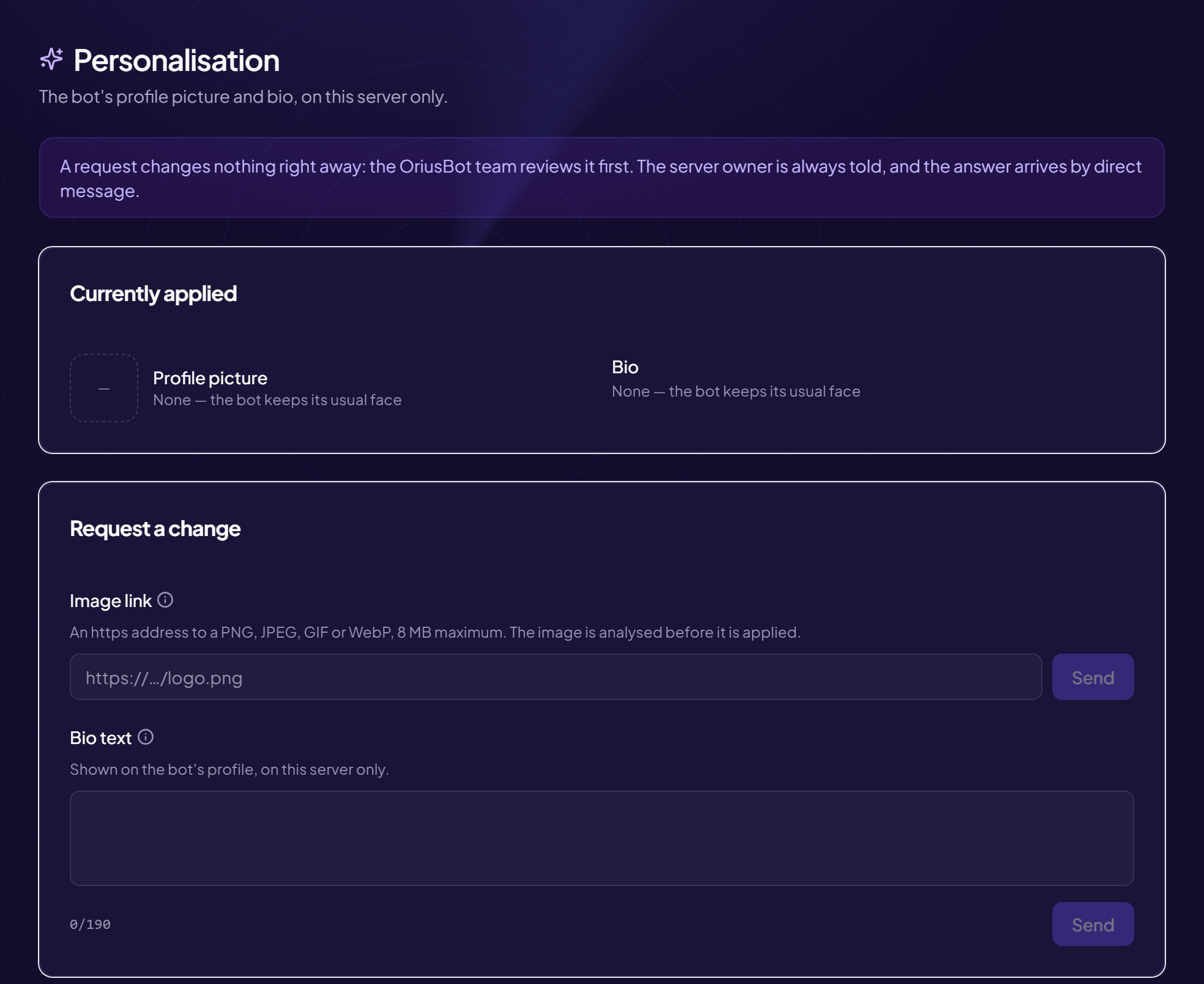
You can give the bot a face in your own image, on your server only: a profile picture and a bio text. The page is called Personalisation.
A request, not an instant change
A request changes nothing right away: the OriusBot team reviews it first. The server owner is notified in every case, and the answer arrives by direct message.
Request a change
- Open the page Configuration › Personalisation menu. The Currently applied card shows the current state (“None — the bot keeps its usual face”).
- In “Request a change”, choose the picture, the bio, or both
- Profile picture: paste the “Image link”
An
https://address pointing to a PNG, JPEG, GIF or WebP, 8 MB maximum. The image is analysed before it is applied. - Bio: write the “Bio text” Visible on the bot’s profile, on this server only. E.g. Le bot officiel de Nébuleuse 💜 Tape /aide pour commencer.
- Click “Send” “Request sent. You will get the answer by direct message.”
Follow your requests
The Your requests card lists the history (“No request yet.” at the start). If a request of the same type is already waiting for an answer, the panel says so: wait for the answer before making another.
Remove the personalisation
The Remove button on the “Currently applied” card gives the bot back its usual face.
Access withdrawn
If a server loses access to personalisation (rules not respected), the panel shows “This server no longer has access to personalisation.”
Still stuck?
Contact support with the title of this article, the step where you are stuck and what you see on screen.
Contact support More articles: ConfigurationLast checked: 13 November 2026.