 OriusBotHelp center
What is the “Modules” page for and how do I turn a feature on or off?
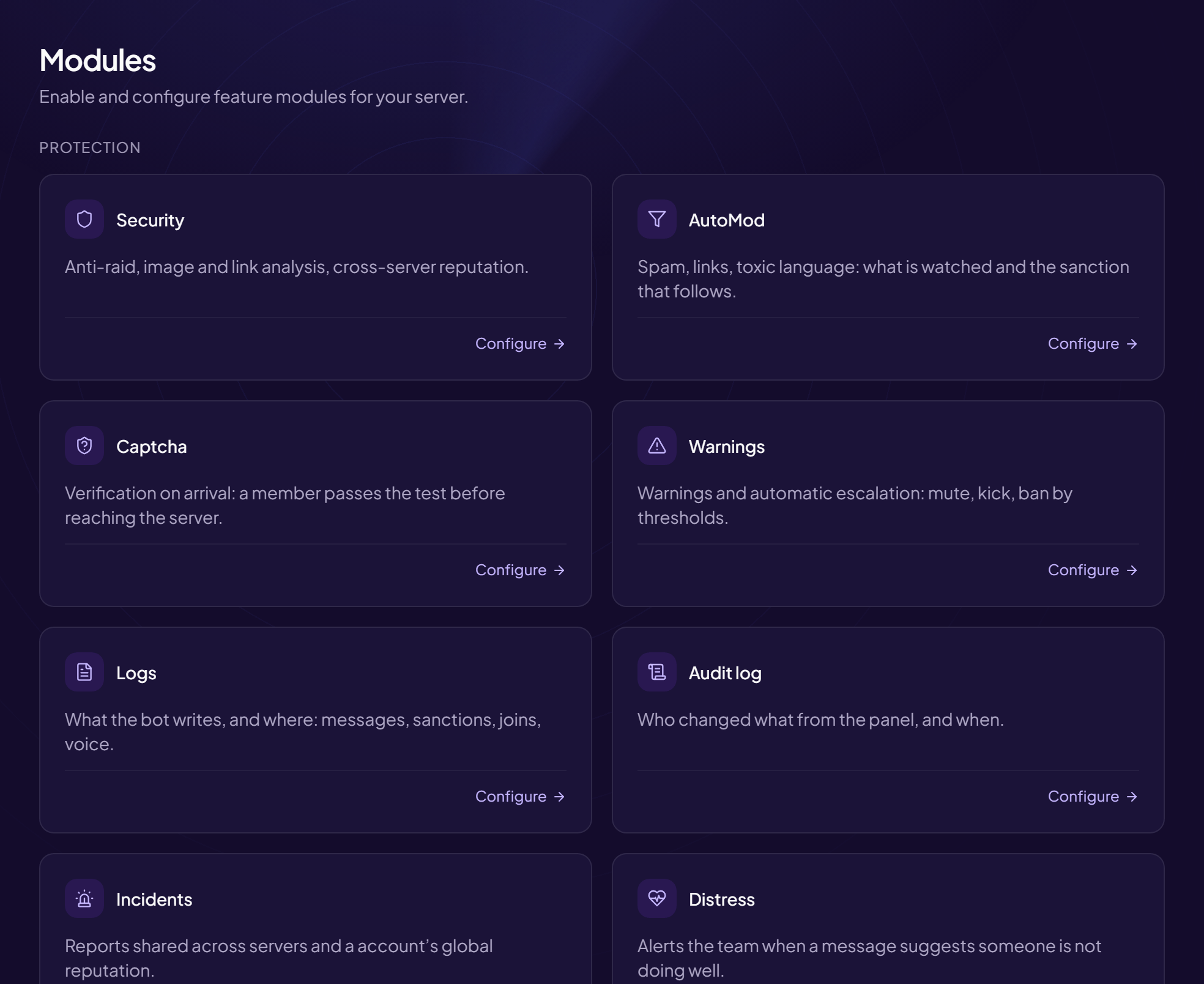
The Modules page lists all the bot’s features. It is an activation screen: from there, you open the configuration of each one.
Go there
Configuration › Modules menu. Title: Modules — Enable and configure your server’s modules.
Open a module
- Find the module’s card Each card sums up what the module does. Some show a counter (for example the number of open tickets or ranked members).
- Click “Configure” You land on the module’s page.
The available modules
| Module | What it does |
|---|---|
| Security | Anti-raid, image and link scanning, cross-server reputation. |
| AutoMod | Spam, links, toxic language and the sanction that follows. |
| Anti-raid | Joins read as a crowd, live anti-nuke, watch over bots and webhooks. |
| Honeypot | Trap channel for hijacked accounts. |
| Server map | Server plan and one-click rebuild. |
| Captcha | Verification on arrival. |
| Warnings | Automatic escalation by thresholds. |
| Logs, Audit log, Incidents, Distress | Tracking and traces. |
| Welcome, Auto-role, Role pickers, Rules, Birthdays | Welcome and member life. |
| XP, Shop, Animation, Giveaways, Events | Animation and engagement. |
| Notifications | Twitch, YouTube, RSS feeds. |
| Tickets, Temporary voice channels, Embed designer, Recordings | Tools. |
| Customisation | The bot’s profile picture and description (reviewed by the OriusBot team). |
Only turn on what you need
Each module adds messages and settings. A server just starting out can make do with protection, welcome and tickets.
Still stuck?
Contact support with the title of this article, the step where you are stuck and what you see on screen.
Contact support More articles: ConfigurationLast checked: 13 November 2026.