 OriusBotHelp center
How do I get notified of CRM requests (Discord, Telegram) and read the audit log?
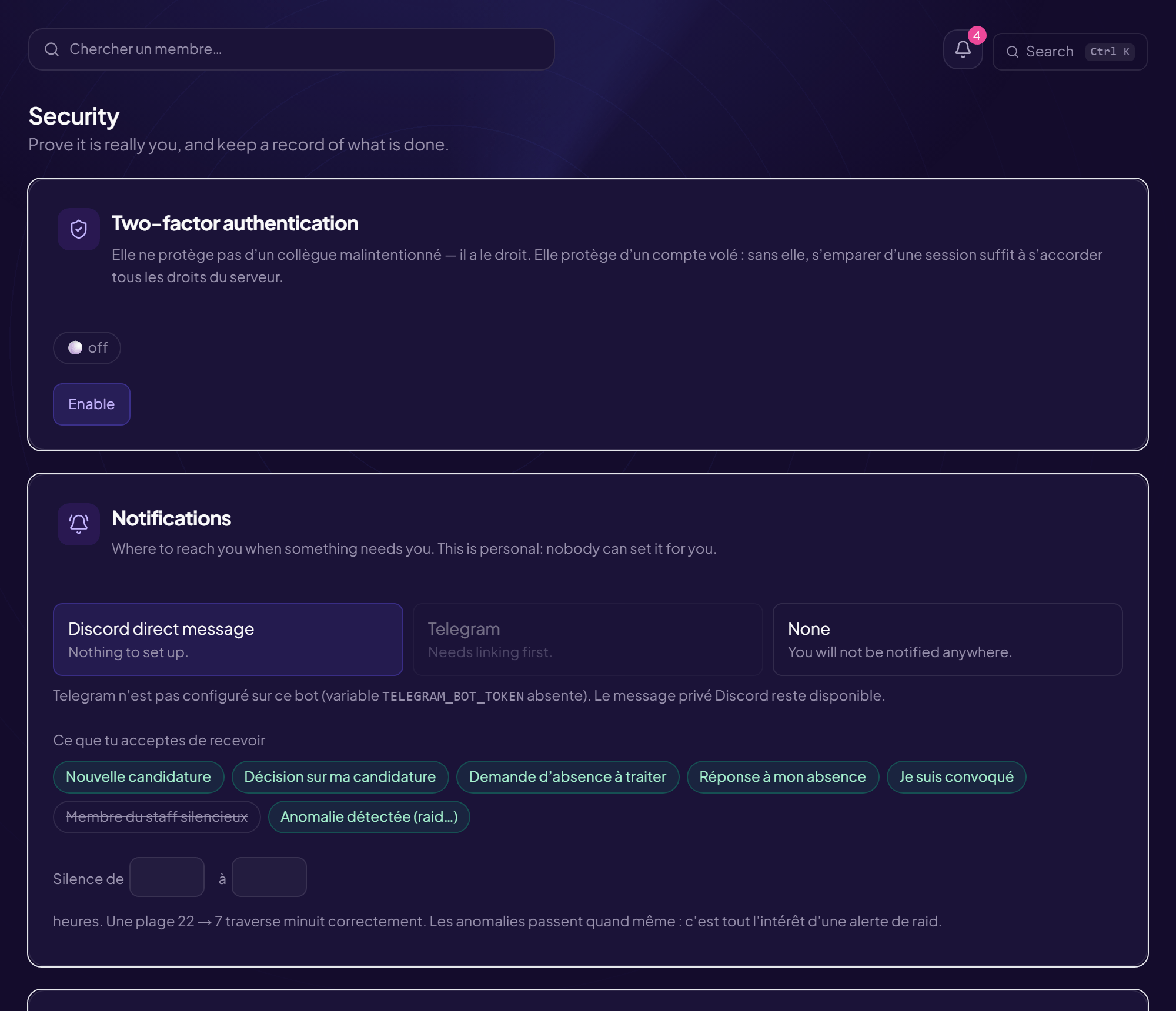
The CRM Security page also holds your notifications (a personal setting, nobody can force it for you) and the audit log.
Choose where to be notified
| Channel | What it is |
|---|---|
| Discord direct message | Nothing to set up. |
| Telegram | Must be linked first (see below). Only available if Telegram is configured on the bot. |
| None | You will not be notified anywhere. |
- Click “Enable” under the channel you want
- Test with “Send a test” The page says “Sent by …”. If “Nothing was sent”, check your channel.
Link Telegram
- Click “Link Telegram”
- Open the Telegram bot and send it the code shown It expires in fifteen minutes. The code comes from OriusBot’s side, never from Telegram.
To remove it: Unlink Telegram.
What you agree to receive
- New application
- Decision on my application
- Time-off request to handle
- Answer to my time off
- I have been summoned
- Staff member gone quiet
- Anomaly detected (raid…)
Quiet hours: “Quiet from … to … o’clock”. A 22 → 7 range correctly crosses midnight. Anomalies still get through (that is the whole point of a raid alert).
The audit log
Every CRM action (login, role created, 2FA turned on…) is recorded there, chained to the previous one: each entry carries the fingerprint of the previous one. You cannot prevent a rewrite on a database you administer, but you can make it visible.
- Chain intact: “N entry(ies) verified”.
- Chain BROKEN: “at entry no. N. A line was modified or deleted in the database”. Report it to support.
IP address
The log keeps a fingerprint of the address, comparable (“this is not the usual place”) but never reconstructable.
Still stuck?
Contact support with the title of this article, the step where you are stuck and what you see on screen.
Contact support More articles: Account securityLast checked: 13 November 2026.