 OriusBotHelp center
How do I organise a session or event with sign-ups?
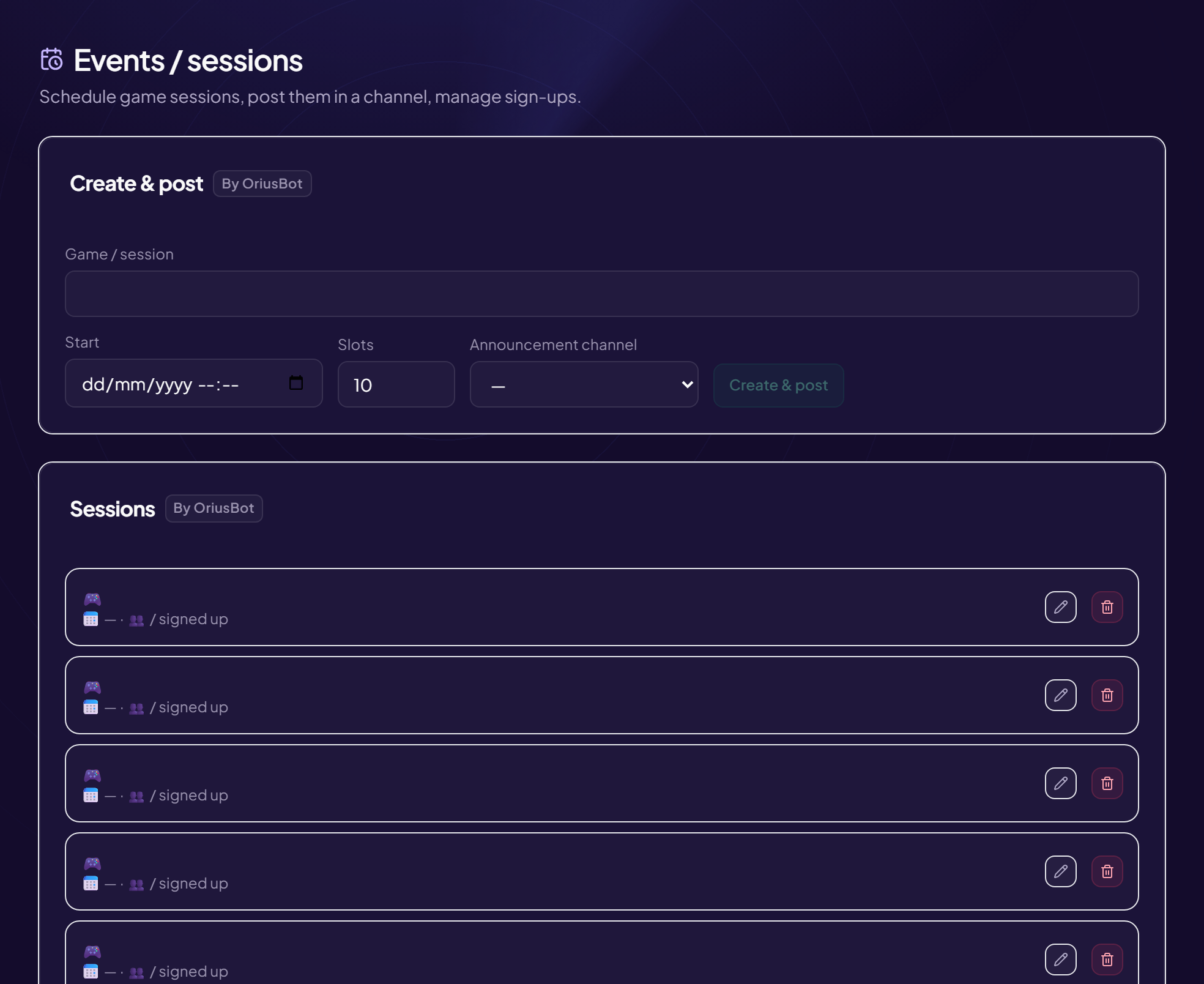
The Events page (title: Events / sessions) schedules game sessions, posts them in a channel and manages the sign-ups.
Create a session
- Open the page Engagement › Events menu.
- Choose the “Announcement channel”
Where the announcement with the sign-up button is posted. E.g.
#événements. The choice is kept for future sessions. - Fill in “Game / session” The name shown in the announcement. E.g. Among Us night.
- Choose the “Start” Day and time, in the server’s time zone. Each member will see the time converted to their own.
- Type the number of “Slots” E.g. 10.
- Click “Create & post”
Sign-ups
- Each member signs up with the announcement’s button.
- Once the slots are full, sign-ups close and the next people go on a waiting list, which fills itself if someone drops out.
- A Reminder sent mention appears in the list when the bot has notified the people signed up.
Manage sessions
The Sessions card lists the sessions with the number of sign-ups. Buttons: Edit (then Save or Cancel) and Delete. With no session: “No session.”
Time zone
Check that the server’s is correct: see the article.
Still stuck?
Contact support with the title of this article, the step where you are stuck and what you see on screen.
Contact support More articles: Community activityLast checked: 13 November 2026.