 OriusBotHelp center
How do I turn on link scanning against scams and phishing?
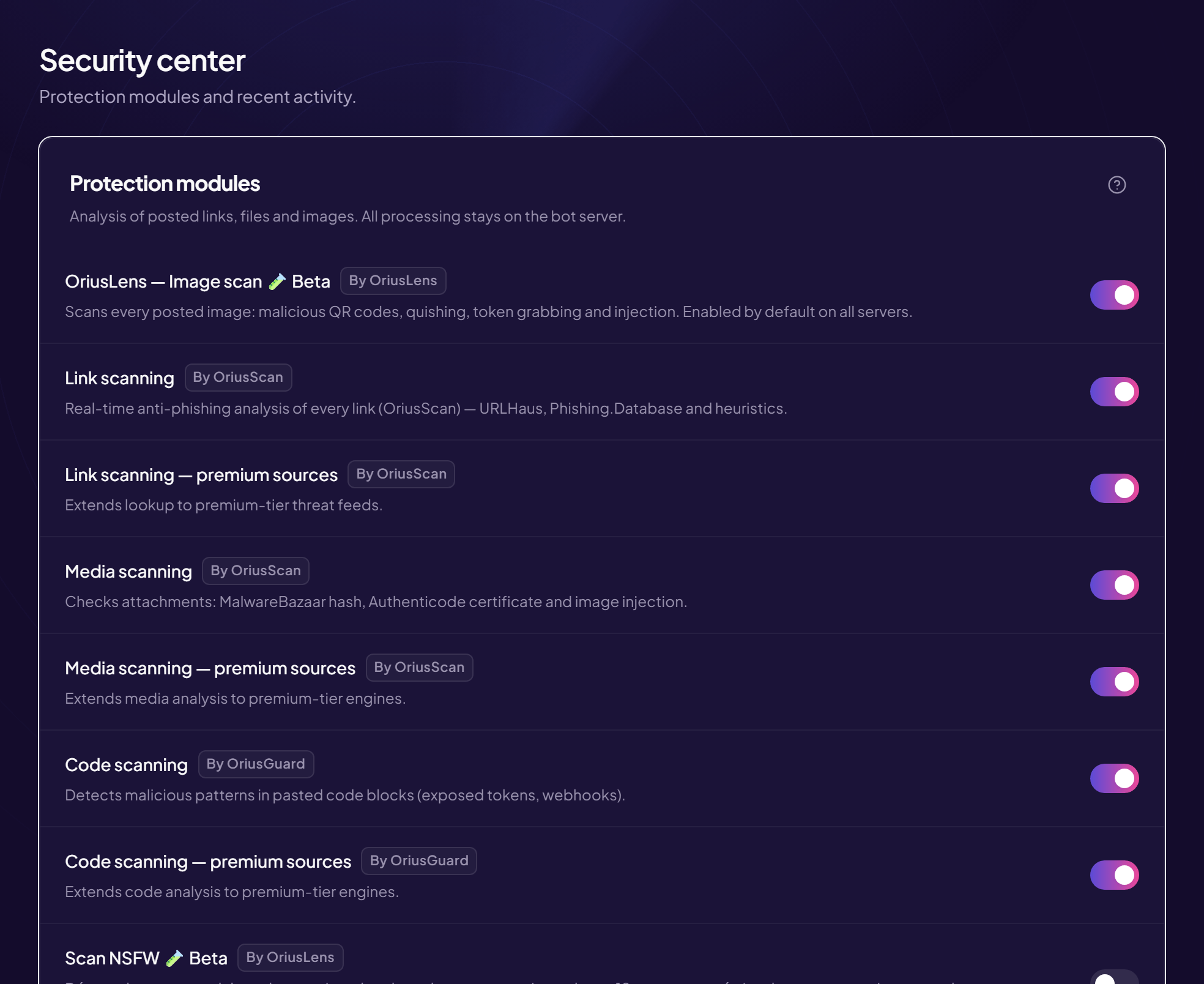
When this check is on, every posted link is compared with scam and phishing lists. A dangerous link is deleted before anyone clicks it. The analysis is done by the OriusBotWebGuard tool.
Turn it on
- Open the Security page Left menu, Protection section, then Security.
- Find the “Link scanning” line Its description mentions real-time anti-phishing analysis of every link, with known threat lists and a heuristic.
- Turn the switch on The change is saved immediately, no button needed.
Add threat sources
Just below, a second line adds extra, more up-to-date threat lists. Depending on your server it is called Link scanning — extended sources or Link scanning — premium sources. If the switch is greyed out, your plan does not include it: it carries a Pro badge.
What happens to the message
The dangerous link is deleted. What the bot does in addition to the member (nothing, a warning, a timeout…) depends on the sanction set on the Malicious link line of the “Automatic sanctions” card on the AutoMod page. See The sanction triggers.
Is this the same as AutoMod’s anti-link?
No. They are two different protections.
- Link scanning (this article) deletes dangerous links.
- Anti-link (AutoMod page) deletes every message containing a link, except exemptions. See How do I block all links?
Dangerous links are blocked even if anti-link is off.
If it does not work
- A scam link got through — check the switch is on, then report the exact link to support. No list is complete at the moment a scam has just been created.
- A safe link was deleted — check the event log for the reason, then contact support.
Still stuck?
Contact support with the title of this article, the step where you are stuck and what you see on screen.
Contact support More articles: ProtectionLast checked: 13 November 2026.