 OriusBotHelp center
What is the panel’s “Security” page for?
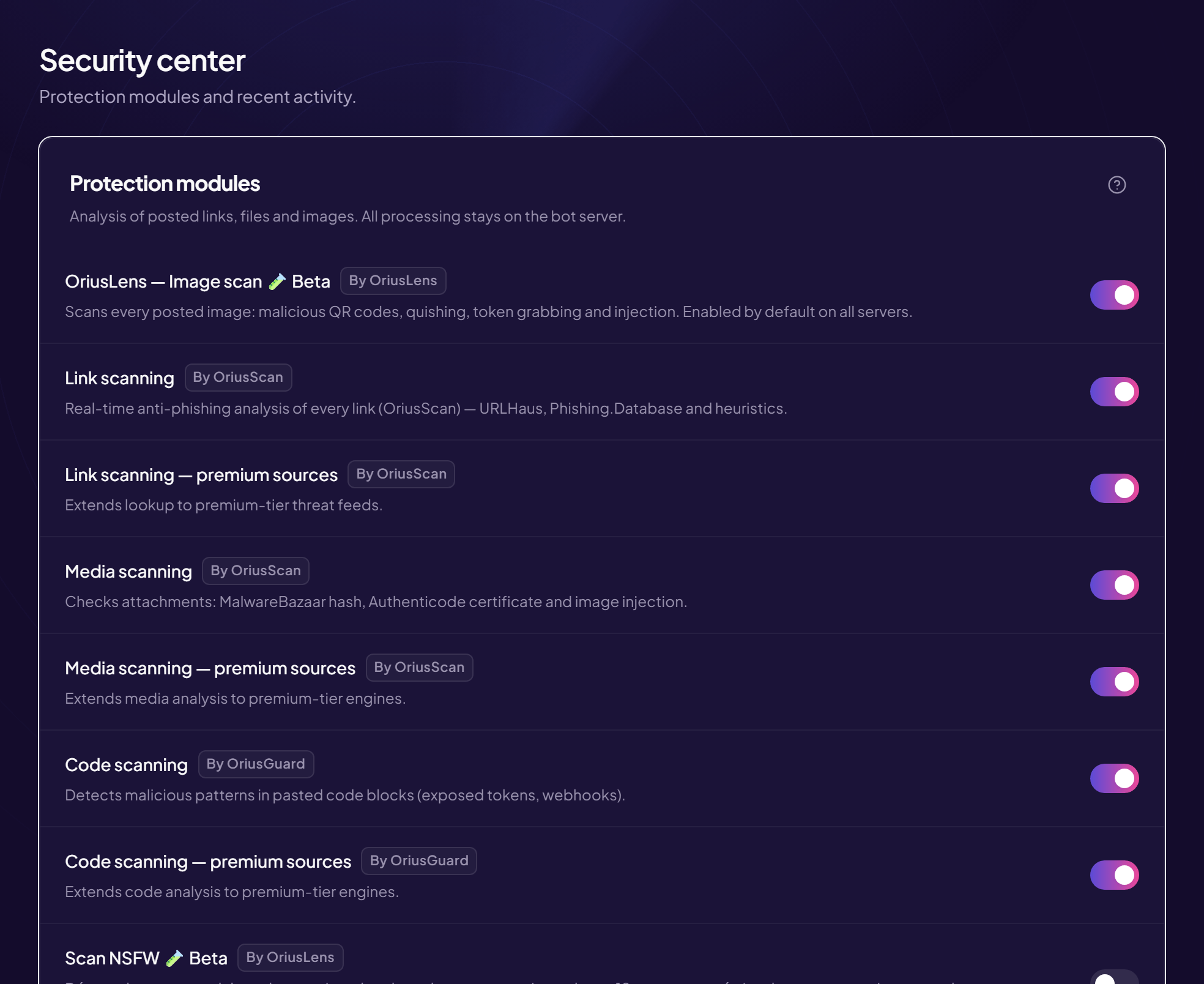
The Security page (displayed title: Security center) groups what OriusBot checks automatically in what your members post: images, links, files, code. Each check is a switch you turn on or off.
How to get there
- Open the panel See How do I open the panel?
- Click “Security” In the left menu, Protection section, first line.
What the page contains
The page is split into three areas.
- Protection modules (left, large card): one line per check, with a switch. Each line shows the tool in charge (OriusBotLens, OriusBotWebGuard or OriusBotGuard).
- Module status (right): the “on / off” summary of each check at a glance. At the bottom of this card, the code scanning Threat threshold setting.
- Event log (bottom): the last 50 incidents spotted. See How do I read the event log?
The available checks
| Line in the panel | What it watches | Article |
|---|---|---|
| OriusBotLens — Image scan | Posted images (trapped QR codes, fake login pages). | Image scanning |
| Link scanning | Links (scams, phishing). | Link scanning |
| Media scanning | Attached files (programs, archives). | File scanning |
| Code scanning | Code blocks (tokens, webhooks, malicious code). | Code scanning |
| NSFW scan (beta) | Adult images in normal channels. | NSFW scan |
| Pause DMs during an image raid | Cuts private messages between non-friends during an attack. | Pausing DMs |
| Quarantine a hijacked account | Removes the powers of a hijacked moderator. | Quarantine |
| Hold files while they are scanned | Sets a file aside while it is checked. | File scanning |
Turn a check on or off
- Find the line The name is on the left, a sentence explains what it does.
- Click the switch on the right There is no “Save” button: the change applies immediately, and the word Saving briefly appears at the top of the page.
- Check the “Module status” card The matching line must show the new state.
Some checks ask for confirmation before being turned off
If you turn off image scanning or code scanning, a window appears to explain what you would lose. It offers Cancel or Disable anyway.
A setting you cannot change
You sometimes see a greyed-out switch or field: the feature depends on your subscription. The lines concerned carry a badge (for example Pro) and unlock with the subscription.
Still stuck?
Contact support with the title of this article, the step where you are stuck and what you see on screen.
Contact support More articles: ProtectionLast checked: 13 November 2026.