 OriusBotHelp center
How do I turn image scanning (OriusBotLens) on or off?
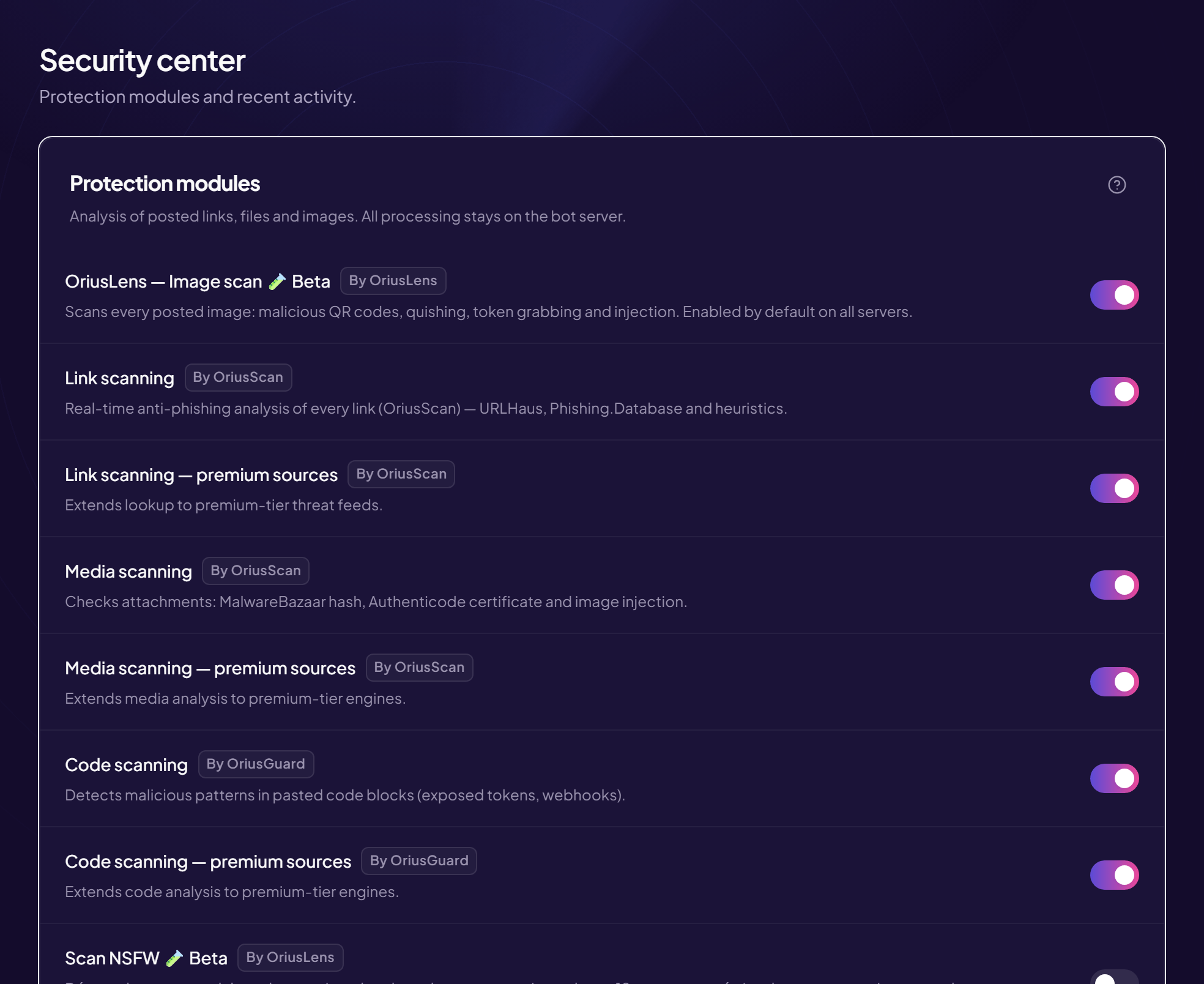
OriusBotLens is the tool that looks at every image posted on your server. It spots trapped QR codes, fake login pages and account theft attempts. A dangerous image is deleted. It is on by default on every server, and it is recommended to leave it that way.
Why images?
A filter that only looks at links does not see a scam hidden in an image (for example a fake “giveaway” or a QR code leading to a fake Discord login page). The image itself must be examined.
Check that scanning is on
- Open the Security page Left menu, Protection section, then Security.
- Find the first line of “Protection modules” It is called OriusBotLens — Image scan, followed by the word “Beta”.
- Look at the switch On = scanning is active. In the Module status card, the line shows On or Off.
Turn it off (not recommended)
- Click the switch to turn it off
- Read the “Disable OriusBotLens?” window It warns that your server would then be exposed to fake cryptocurrency scams, malicious files and image-based attacks (QR/quishing, token grabbing), which get through classic link filters.
- Choose Cancel to keep the protection, or Disable anyway to turn it off.
Turn it back on
Just click the switch: no confirmation is asked to turn it back on.
Related settings
- Pause DMs during an image raid — reinforced reaction to a massive attack: see the article.
- NSFW scan — deleting adult images: see the article.
- In automatic sanctions, the Scam image line decides what happens to the member who posted the image: see the triggers.
Frequently asked questions
Can my members still post normal images?
Yes. Only images judged dangerous are deleted.
Are my images sent to an outside provider?
No: the panel’s sign-in page states that the analysis of images, links, files and QR codes is done locally, with nothing sent to a provider.
A normal image was deleted
Check the event log to see the reason, then contact support with the time and the channel.
Still stuck?
Contact support with the title of this article, the step where you are stuck and what you see on screen.
Contact support More articles: ProtectionLast checked: 13 November 2026.