 OriusBotHelp center
How do I run a “double XP” weekend?
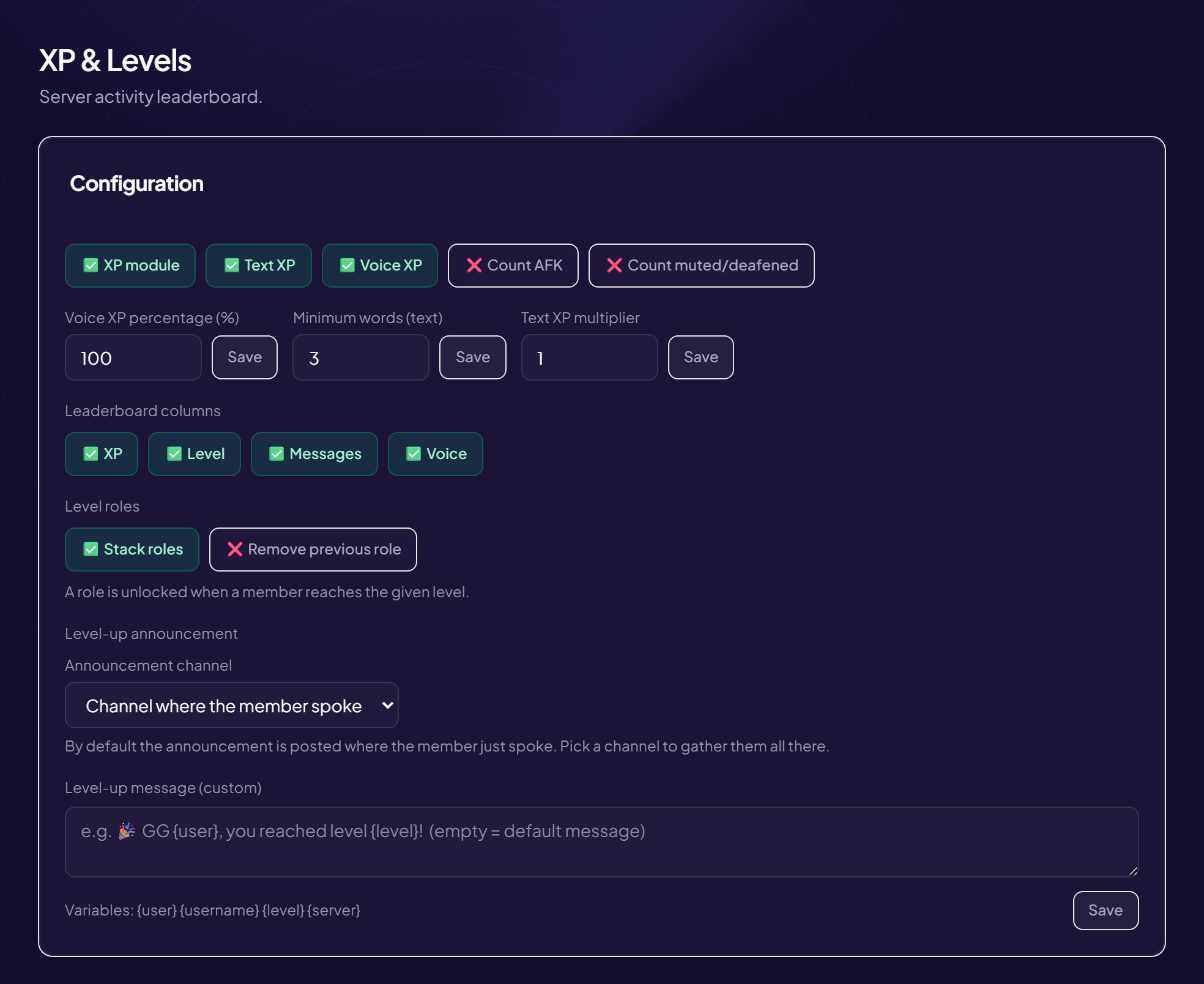
- Open the page Engagement › XP & Levels menu, “Configuration” card.
- Double the text XP Set “Text XP multiplier” to 2.
- Double the voice XP (optional) Set “Voice XP percentage (%)” to 200.
- Click “Save”
- When the event ends, put back 1 and 100 Remember to save again.
A word on the values
1 = normal, 2 = twice as fast, 0.5 = twice as slow. The voice percentage is read relative to text: 100 = the same, 200 = twice as much.
For a permanent boost reserved for some members
You can sell an “XP Booster” in the server shop: see the server item shop.
Still stuck?
Contact support with the title of this article, the step where you are stuck and what you see on screen.
Contact support More articles: Community activityLast checked: 13 November 2026.