Guide · July 28, 2026 · 6 min read
Discord scams: spotting and blocking fake Nitro and giveaways
Discord scams no longer look like dodgy links: they are clean images, QR codes, private messages from a friend whose account has just been stolen. Here are the five forms in circulation, how to recognise them, and how to block them before the first click.
Contents
Why Discord is an ideal target
Three reasons, and they stack. First, a Discord account has value: it opens private servers, conversation histories, sometimes a paid subscription, and above all it lets someone scam the victim's contacts while posing as them.
Second, trust is high. A message arriving from a friend of two years raises no suspicion, even when that friend suddenly writes in broken English to offer a gift.
Third, the population is young. Gaming, crypto and NFT communities concentrate users used to clicking quickly on time-limited offers — exactly the reflex the scam exploits.
The five most common scams
1. Fake Nitro
The most widespread. A message announces a free Nitro subscription, with a link to a page
faithfully reproducing Discord's login screen. The password typed in goes straight to the attacker.
The domain mimics the original: discord-nitro.com, dlscord.gift,
discordapp-gift.ru.
Discord has never given away Nitro by private message, nor through a bot, nor via a third-party site. Without exception.
2. The fake giveaway
A contest announces a desirable prize — a graphics card, a game key, cryptocurrency. To take part you have to “verify your wallet” or “connect your account”. The visual is often a polished image, carrying a real brand's logo, which gives it a credibility a plain link would not have.
3. The booby-trapped QR code (quishing)
A QR code is posted in a channel, presented as a quick login, access to a members-only channel or a reward. Scanning it with the Discord app approves a login on the attacker's device. No password is asked for, no alert is raised: the victim authorised the access themselves.
This is the fastest-growing technique, precisely because no conventional filter decodes the content of an image to check where the QR code leads.
4. The fake team member
An account adopts a server moderator's name and avatar, often with one letter replaced by a
visually identical character (a capital l in place of an I, a
0 in place of an O). It contacts members privately about a “verification
problem” that requires a code or a screenshot.
5. Fake technical support
A variant of the previous one, applied to brands: fake Steam support, fake support for a game, fake support for a trading platform. The pretext is always a “suspended” account that must be unlocked urgently. Urgency is the heart of the mechanism: it stops people thinking.
The signals that give a scam away
- An unsolicited gift. Nobody spontaneously offers something valuable to a stranger.
- Artificial urgency. “Only 3 spots left”, “expires in 10 minutes”.
- A domain that is almost right. Always read the link character by character up to the first slash.
- A request to log in. No legitimate service asks you to log in again from a link received in a private message.
- A friend who writes differently. A change of tone, unusual mistakes, a copy-pasted message: the account is probably stolen.
- A QR code. On Discord there is virtually no legitimate reason to scan one coming from a public channel.
Why link filters are no longer enough
Most moderation bots analyse the text of a message: they compare URLs with a list of domains known to be malicious. That approach has two gaping holes.
The first: domains are disposable. A phishing domain lives a few hours. By the time it enters a public list, the campaign has already moved to the next one.
The second, more serious: the modern scam is inside the image. A screenshot of a fake giveaway, with the address written large in the visual, contains no clickable link. The message itself carries three innocuous words. A text filter sees strictly nothing.
Blocking scams automatically
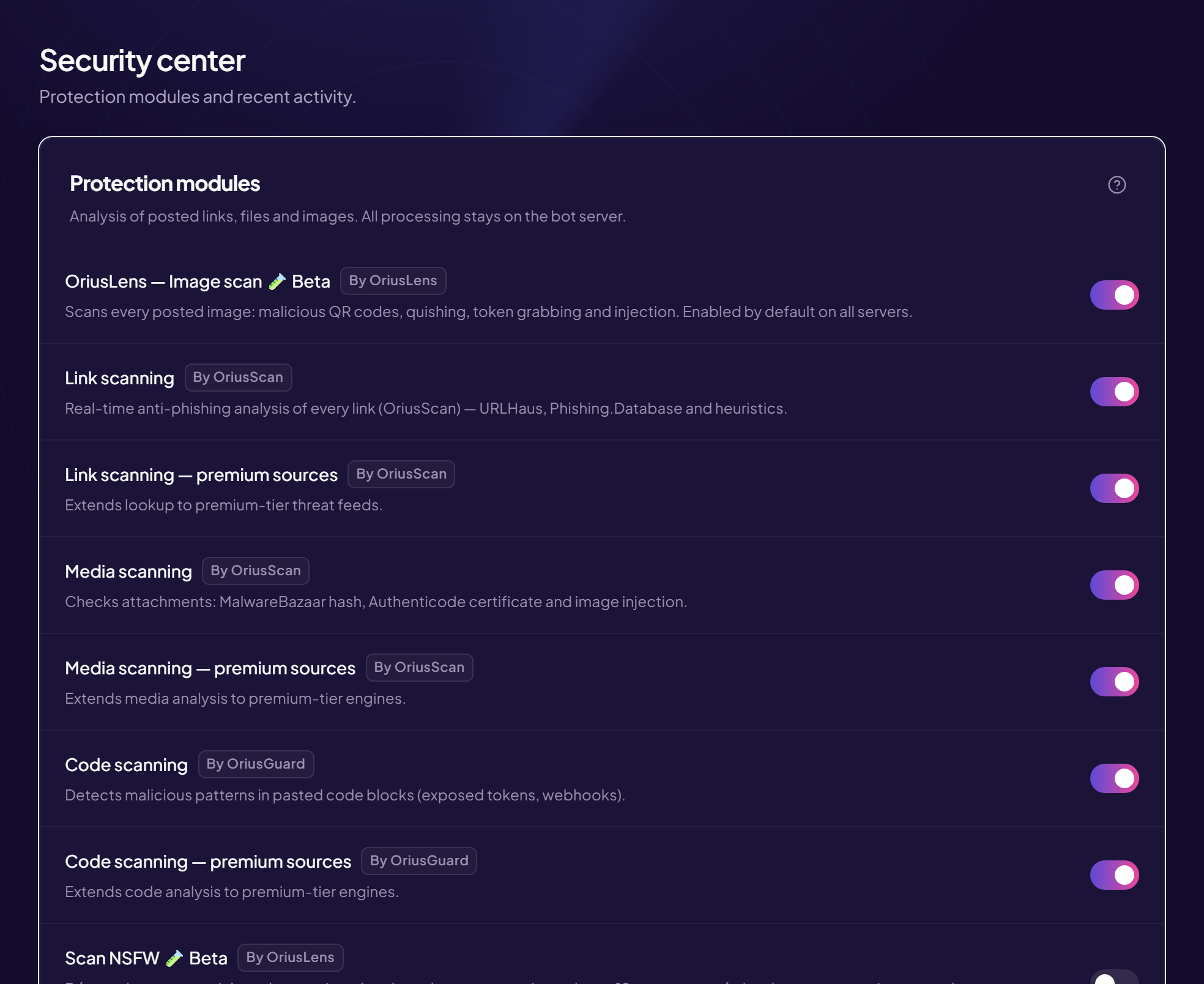
This is the problem OriusLens, OriusBot's image analysis module, solves. Every image posted is examined by four independent vectors, whose results combine:
- Perceptual fingerprint — a scam image already identified is recognised even when cropped, recompressed or slightly altered. That is what breaks the reuse of one visual from campaign to campaign.
- Reading embedded text (OCR) — the address written in the image is extracted and then analysed like an ordinary link, including on dark-background screenshots where many engines fail.
- QR code decoding — the QR is decoded and its destination checked. A QR leading to a Discord login page is blocked immediately.
- Behavioural analysis — an account that arrived twelve minutes ago and posts the same image in four channels does not look like an ordinary member.
An important point: the analysis runs locally on Orius's infrastructure. No image from your server is sent to a third-party AI provider, nor kept to train a commercial model.
The server team can report a false positive in one click under the alert. The correction feeds the model, and it benefits every equipped server: a scam blocked somewhere protects the others before they even see it.
This layer is completed by two others: attachment analysis, covered in the guide on malicious files on Discord, and verification on arrival, detailed in the guide on captchas and verifying new members.
The Discord settings not to forget
No bot replaces two native settings, free and immediate:
- Block private messages between server members (Server settings › Moderation). It closes scammers' main channel.
- Remove the right to send images and links from unverified members, or from accounts that joined less than twenty-four hours ago.
Reacting when a member has been caught
In order, and fast:
- Change the password on the account concerned.
- Enable two-factor authentication if it was not already on.
- Log out of every session from Discord's settings. This is the step people forget, and the only one that invalidates the stolen token: without it, the attacker keeps access despite the new password.
- Temporarily remove their privileged roles if they had any, while things are checked.
- Tell the server. The messages sent from their account reached their contacts; saying so publicly limits the spread far more than embarrassed silence.
- Delete the messages sent during the compromise, and check the logs to see what else the account did.
Frequently asked questions
How do I spot a fake Nitro scam on Discord?
Discord never gives away Nitro by private message or through a bot. A free Nitro offer that asks
you to log in on a website is always an account-theft attempt. The link mimics
discord.com with a changed letter, an added hyphen or a different extension.
What is a booby-trapped QR code?
A QR code posted in a channel, presented as a quick login or a reward. Scanning it with the Discord app approves a login on the attacker's device, who takes control of the account without ever having had the password.
Is a link filter enough?
No. Most current scams arrive as images, with the address written into the visual. A filter that only reads the message text sees nothing.
What should I do if a member's account is stolen?
Password changed, two-factor authentication enabled, then log out of every session — that last step invalidates the stolen token. Remove their privileged roles while things are checked.
How do I stop scams sent by private message?
Block private messages between server members, in the privacy settings. It is the most effective and the most underused setting there is.
Read next : Malicious files on Discord, Security checklist, Protecting your server from raids.