Guide · July 28, 2026 · 5 min read
Discord captcha: verifying new members without scaring them off
The front door is the cheapest place to stop a problem. This guide goes through the verification methods, the settings that work, and the classic mistakes that cost you legitimate members.
Contents
Why verify at the door
Every attack described in our other guides — raids, scams, advertising spam — starts with the same thing: accounts joining. Filtering at the door therefore treats the cause rather than the symptoms.
The point is above all economic, from the attacker's side. Making a hundred automated accounts join costs nothing. Making them solve a hundred challenges costs time, or money if a solving service has to be paid. Most campaigns stop there, simply because the next target is easier.
Discord's verification levels
Switch these on first, they are free and immediate (Server Settings › Moderation):
| Level | Requirement | When to use it |
|---|---|---|
| Low | Verified email address | Absolute minimum |
| Medium | Discord account older than 5 minutes | A sensible default |
| High | Member of the server for more than 10 minutes | Exposed server |
| Highest | Verified phone number | During an attack only |
The “highest” level is effective but expensive: many users refuse, quite rightly, to link a phone number. Keep it for crisis periods.
These levels slow down a mass arrival, but do not count it and do not react on their own. They are no substitute for active verification.
The three verification methods
1. Rules to accept
A welcome message with an “I accept” button that grants the access role. Simple, frictionless, and useful in legal terms: nobody can claim not to have read them. But a click is trivially automated: this is not protection, it is a contract.
2. The captcha
A challenge a human solves and a script does not solve reliably. It is the best effectiveness-to-annoyance ratio: five seconds for the member, a real obstacle for automation.
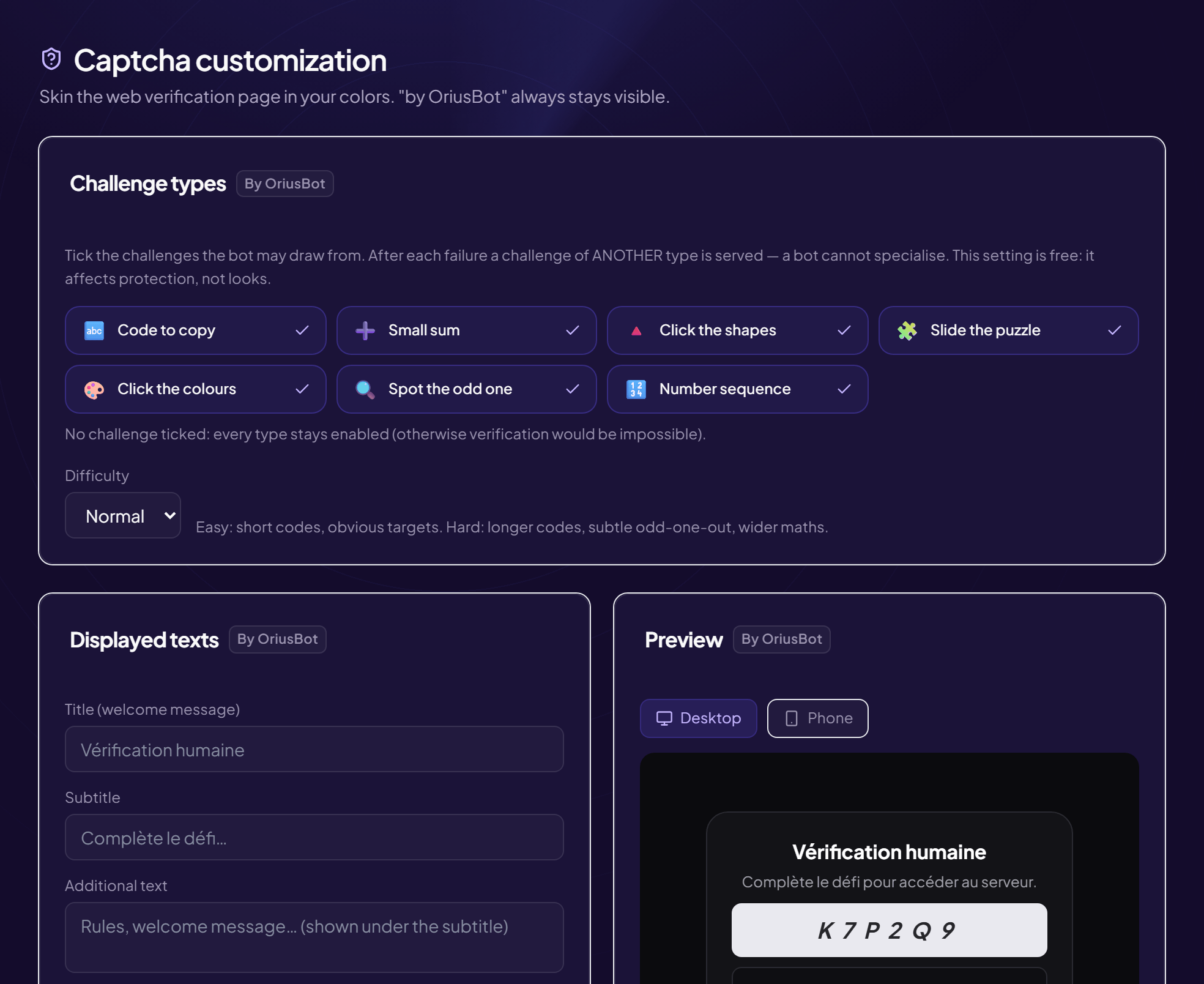
On OriusBot, verification is freely available to every server. It offers several challenge formats — a code to copy, a simple sum, shape recognition, assembly — drawn at random, with a new challenge on every failure rather than the same image repeated. Two settings matter: the time allowed and the number of attempts before being kicked.
3. Custom questions
“How did you hear about the server?”, “what is your main game?”. An excellent qualitative filter, a very poor quantitative one: somebody has to read them. Keep it for closed communities, where selection is precisely the point.
Throwaway accounts and VPNs
Two signals are worth using on arrival.
Account age. This is the best available signal, and the cheapest. Attack accounts are created in batches just before the operation. A threshold of seven days keeps out the bulk of them without blocking genuine newcomers. Thirty days is defensible on a regularly targeted server, accepting that some legitimate members discovering Discord will be turned away.
VPNs. Beware the reflex of blocking them all: many legitimate users run one permanently, and some live in countries where it is necessary. A VPN alone proves nothing. VPN + account created the same day + no avatar, on the other hand, is a cluster that justifies stronger verification — not a flat refusal.
On OriusBot, the IP addresses used for that detection are hashed, never stored in the clear, and used for nothing else.
Impersonation, a case of its own
An account can pass the captcha and still be dangerous: the one that takes a moderator's username and avatar to contact members privately. OriusBot analyses the profile on arrival: visually identical characters substituted in, letters written as digits, scam keywords in the username. The suspicious account is quarantined before its first message, with the option to appeal if it is a coincidence.
Only grant roles after validation
This is the point many servers miss, and it cancels out everything else. If auto-role applies on arrival, a spam account gets access to the channels before it has even seen the captcha. Verification then serves no purpose at all.
The right sequence:
- The member arrives with no role at all;
- They see only a verification channel, and nothing else;
- They pass the challenge;
- Only then are the roles granted, and the welcome message posted.
That last detail matters: announcing a member who never validated amounts to filling the welcome channel with messages for accounts that never came in. On OriusBot, both the auto-role and the welcome message can be made conditional on passing the captcha.
Five mistakes that drive people away
- No channel visible before validation. A stuck member then cannot tell anyone. Leave a help channel reachable without a role.
- Not explaining. “Verify yourself” without saying why or how. Two sentences are enough: why it is there, how long it takes.
- Too short a time limit. On mobile: opening the message, reading, solving, coming back — be generous. Two to five minutes.
- A single attempt. Humans make mistakes. Three attempts is a good balance; one punishes honest people.
- Stacking verifications. Captcha, plus rules, plus questions, plus manual approval: nobody reaches the end. Pick one main method.
Frequently asked questions
Is a captcha really useful?
Yes, as soon as the server is public. Five seconds for a human, a real obstacle for the automation that makes a hundred accounts join at once.
Does a captcha scare people off?
A well-tuned captcha scares nobody off. What does: an unreadable challenge, failing in a loop with no explanation, a verification whose purpose is unclear.
Should VPNs be blocked?
Not systematically: many legitimate users have one. A VPN combined with a same-day account is a strong signal justifying stronger verification, not a refusal.
How do I grant roles after verification?
By making auto-role conditional on validation: arrival with no role, one visible channel, roles granted once the challenge is passed.
What minimum account age?
Seven days keeps out the bulk of attack accounts. Thirty days is defensible on a regularly targeted server, accepting that some legitimate members will be refused.
Read next : Protecting your server from raids, Auto-moderation, Security checklist.