 OriusBotHelp center
How do I turn on distress detection (worrying messages)?
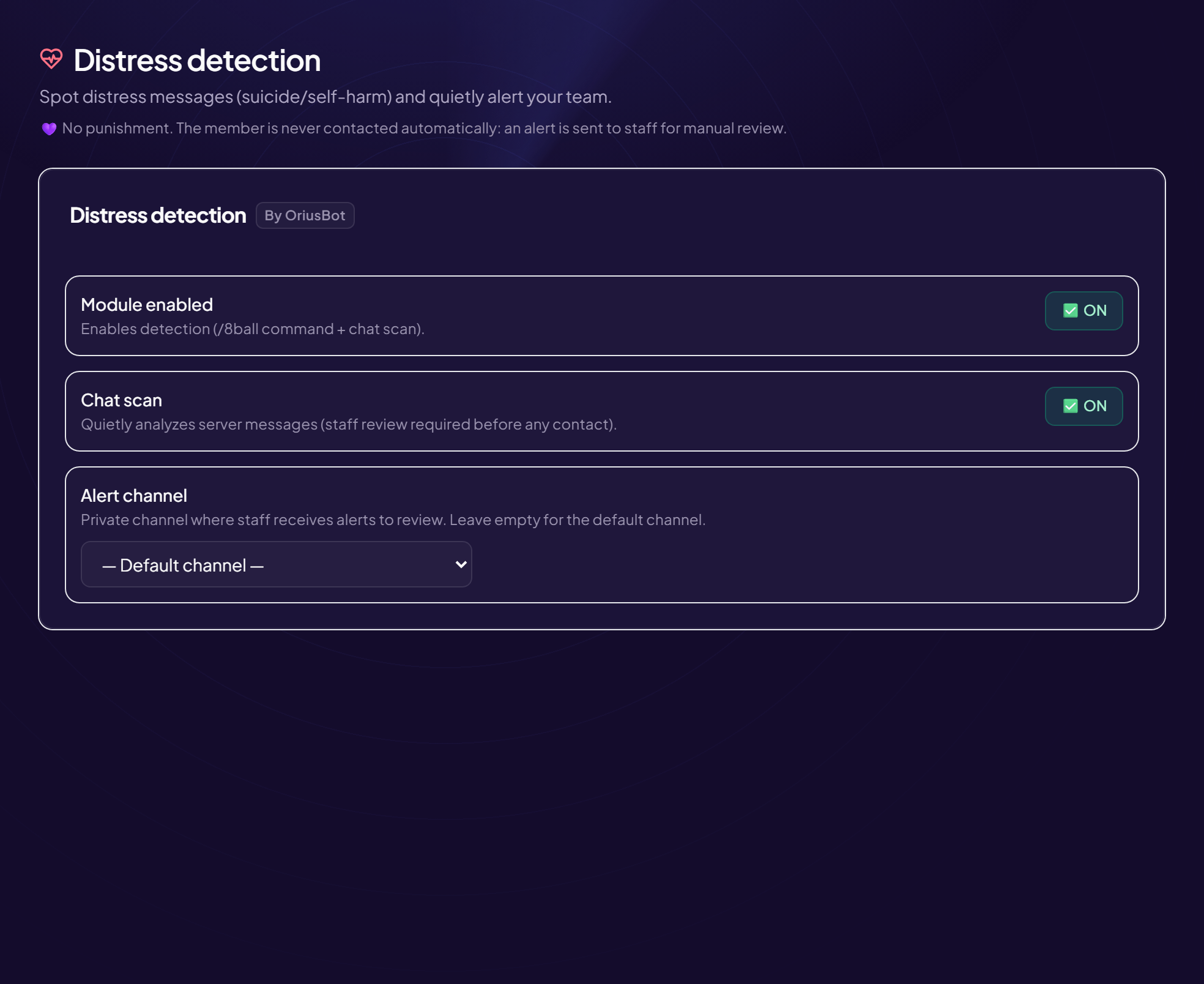
The Distress detection module spots messages from a member who is in a very bad place (suicidal thoughts, self-harm) and discreetly alerts your team. It is designed so that you can react with humanity.
What it never does
No sanction. The member is never contacted automatically: an alert is sent to the staff, who validate and decide whether to act.
Turn it on
- Open the page Moderation › Distress menu.
- Switch on “Module enabled”
Turns on detection (the
/8ballcommand and the chat scan). - Switch on “Chat scan” The bot discreetly reads the server’s messages to spot someone who is struggling, and only alerts your staff.
- Choose the “Alert channel”
A private channel that only trusted people can see (for example
#staff-bienveillance). Left on “Default channel”, the bot uses the default channel.
Each setting is saved right away (the “Saved” label appears).
Choose the channel carefully
Alerts contain very personal messages. Keep the channel for a small group of trusted moderators, and remind them to be discreet.
When an alert arrives
- A moderator reads the context To decide whether it is real distress or a joke.
- They validate, or not Nothing is sent to the member until a human has validated.
- The contact is human A simple, caring DM that offers to talk.
Prepare beforehand
Decide in advance who contacts the person, and keep your country’s helpline numbers handy.
Still stuck?
Contact support with the title of this article, the step where you are stuck and what you see on screen.
Contact support More articles: ModerationLast checked: 13 November 2026.