 OriusBotHelp center
How do I handle incidents reported on my server?
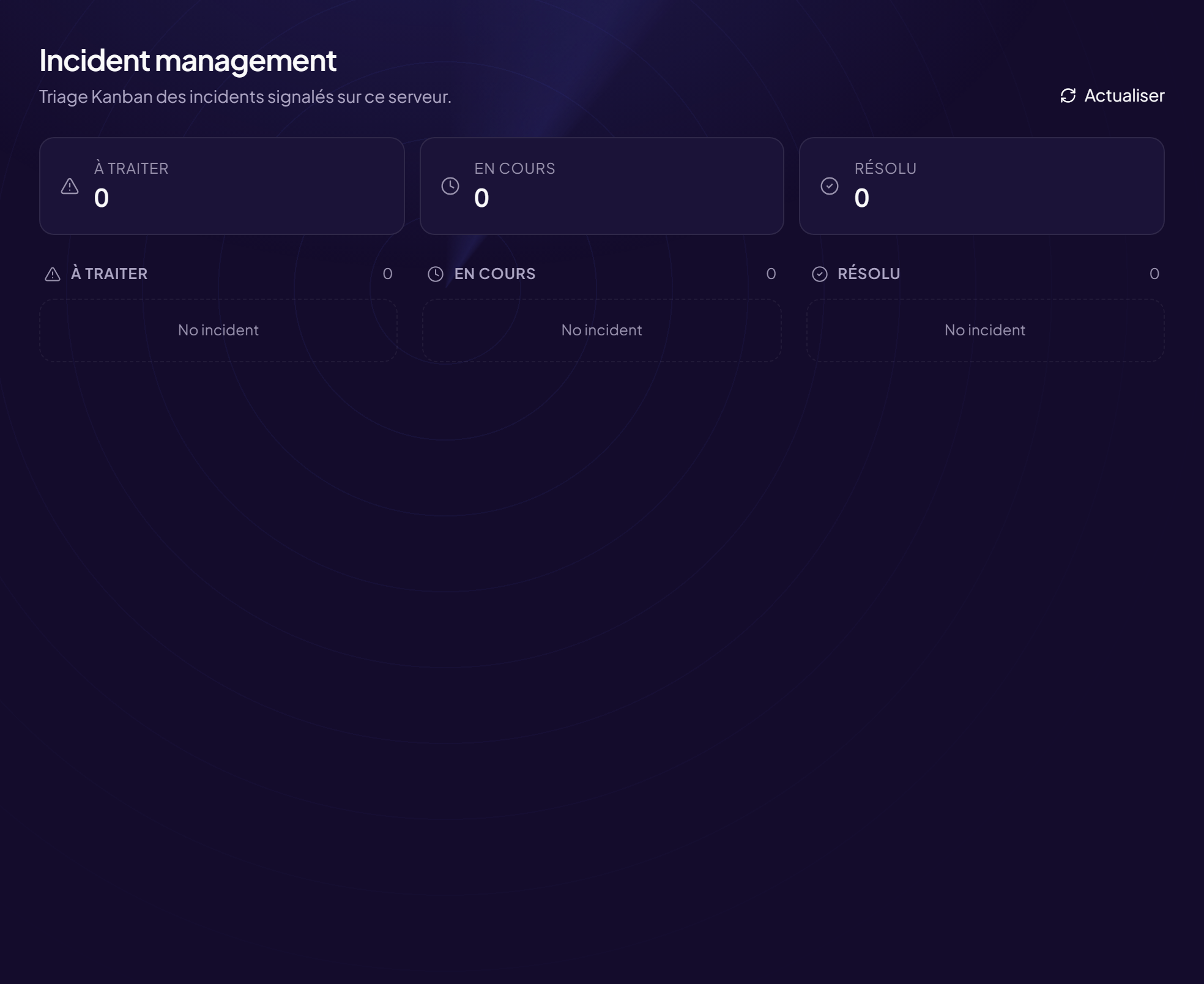
The Incidents page (title: Incident management) is a tracking board for incidents reported on your server, including those coming from other servers. It makes sure nothing is forgotten by your team.
Go there
Moderation › Incidents menu. With no incident: “No incident — Cross-server reports will appear here”.
The three columns
| Column | What it contains |
|---|---|
| To handle | New reports that nobody has looked at yet. |
| Running | Those a team member has taken on. |
| Resolved | Those that are finished. |
Read an incident card
- The severity: Low, Medium, or CRITICAL.
- Who reported (“Reported by:”) and the author concerned, or “Anonymous”.
- The target (
[CIBLE]). - A Show context button (or Hide context) to read the messages around the event.
Move an incident forward
- Click “Claim” On a card in the To handle column: it moves to Running.
- Deal with the problem Warn, sanction, contact the member…
- Click “Mark resolved” The card moves to Resolved.
The Refresh button reloads the list.
Share the work
Claiming an incident tells the others you are on it. Avoid two moderators doing the same thing.
Still stuck?
Contact support with the title of this article, the step where you are stuck and what you see on screen.
Contact support More articles: ModerationLast checked: 13 November 2026.