 OriusBotHelp center
How do I read my server’s “Overview”?
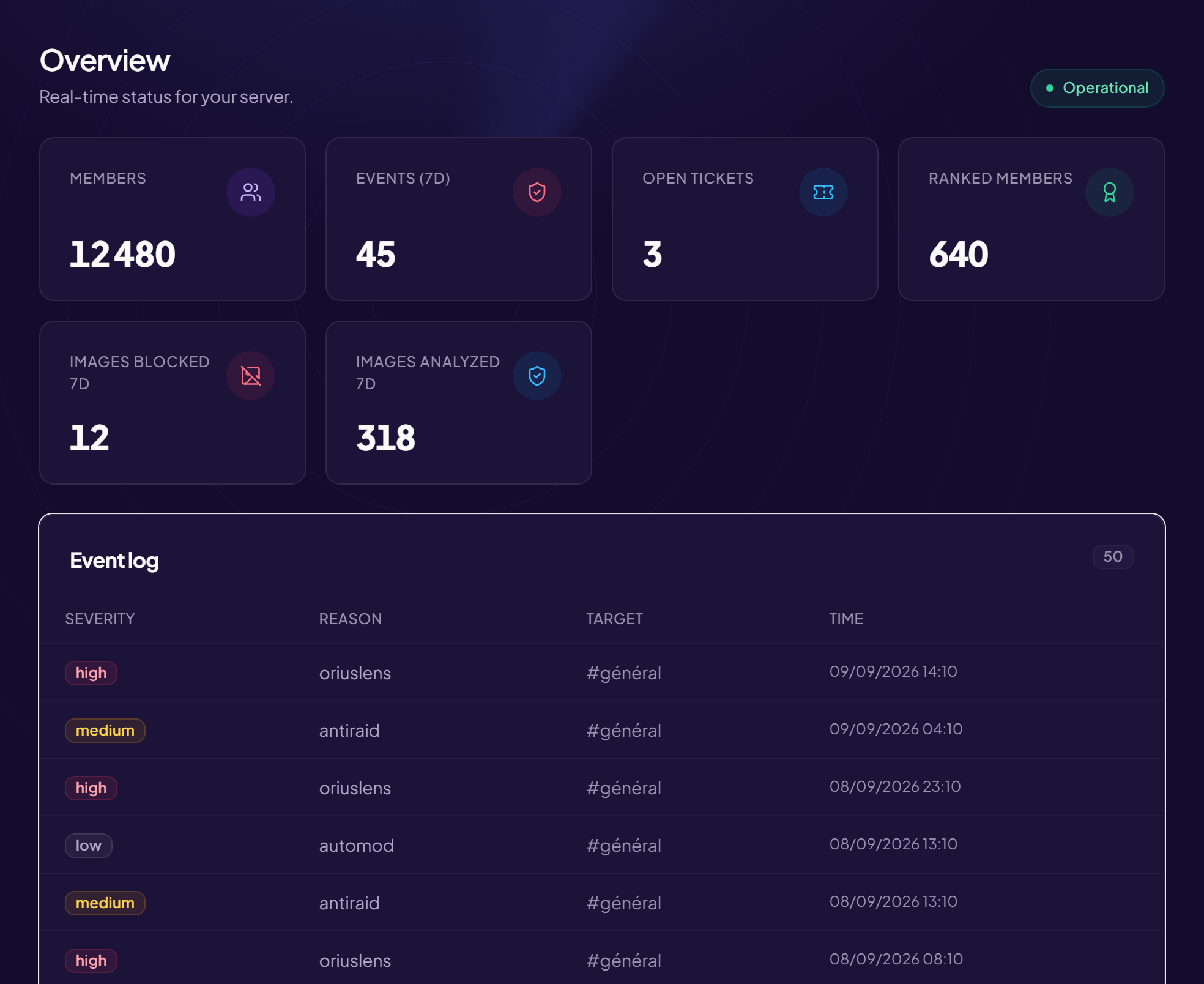
The Overview is the first page of the panel when you choose a server. Title: Overview — Your server’s real-time status. The “Operational” banner means everything is working.
The counters
| Counter | What it shows |
|---|---|
| Members | The number of members, with those online. |
| Events 7 days | The number of security and moderation events over the last 7 days. |
| Open tickets | Current tickets (see the article). |
| Ranked members | Members present in the XP leaderboard. |
| Images scanned 7d / Images blocked 7d | The activity of image scanning. |
The information blocks
- Server status: the bot is Online, with its Uptime.
- Language and Plan of the server (free or Pro).
- Server listing: Published or Not published, with the Manage listing, Edit or Create buttons, and the secure invite link. See Publish the listing.
A daily glance
Open the Overview then To handle: in two minutes you know whether your team has anything to do.
Still stuck?
Contact support with the title of this article, the step where you are stuck and what you see on screen.
Contact support More articles: Overview and serverLast checked: 13 November 2026.