Guide · September 21, 2026 · 8 min read
Every CRM number, explained plainly
A table full of numbers nobody can read helps no one : either it gets ignored, or — worse — someone makes a decision on it without knowing what it measures. Here is every number in the team space, the exact rule that produces it, and what it does not say.
Contents
First: it sorts, it does not grade
The score is not a school mark. It is a column to sort by, and it exists for one precise reason: without it, people sort by whatever column comes first — the message count. And sorting by messages rewards whoever chats the most while punishing the quiet moderator who empties the ticket queue.
A low score therefore does not mean "bad". It means "few traces over the last thirty days", which can be an absence, a change of rhythm, or simply someone working somewhere we don't count.
The full calculation
Each action is worth a number of points, over a 30-day window. Nothing is hidden:
What each thing is worth
- One message: 0.2 points — capped at 500 messages.
- One minute in voice: 0.05 points — capped at 3000 minutes.
- One day present: 3 points.
- One ticket claimed: 6 points. One ticket closed: 6 points.
- One warning issued: 4 points.
- One application reviewed: 4 points.
- One CRM action: 2 points.
Two figures deserve a pause. First: a claimed ticket is worth thirty messages (6 against 0.2). That is not an accident, it is the heart of the scale — handling a request is the work, chatting in channels is only part of it.
Then the caps. Past 500 messages, writing more earns nothing. Nobody can push their score up by talking; it takes claiming tickets, being around several days, handling cases.
Two moderators, to see the difference
Take two people over the same month. Camille writes a lot and never touches a ticket. Sacha barely speaks, but handles requests.
Camille — 400 messages, 12 days present, 0 tickets
- 400 messages × 0.2 = 80
- 12 days × 3 = 36
- Total: 116
Sacha — 60 messages, 14 days present, 18 tickets claimed and closed
- 60 messages × 0.2 = 12
- 14 days × 3 = 42
- 18 claimed × 6 + 18 closed × 6 = 216
- Total: 270
Camille wrote almost seven times more than Sacha, and her score is half as high. That is exactly the intended effect. Had you sorted by the "messages" column, you would have concluded the opposite.
The columns in "My team"
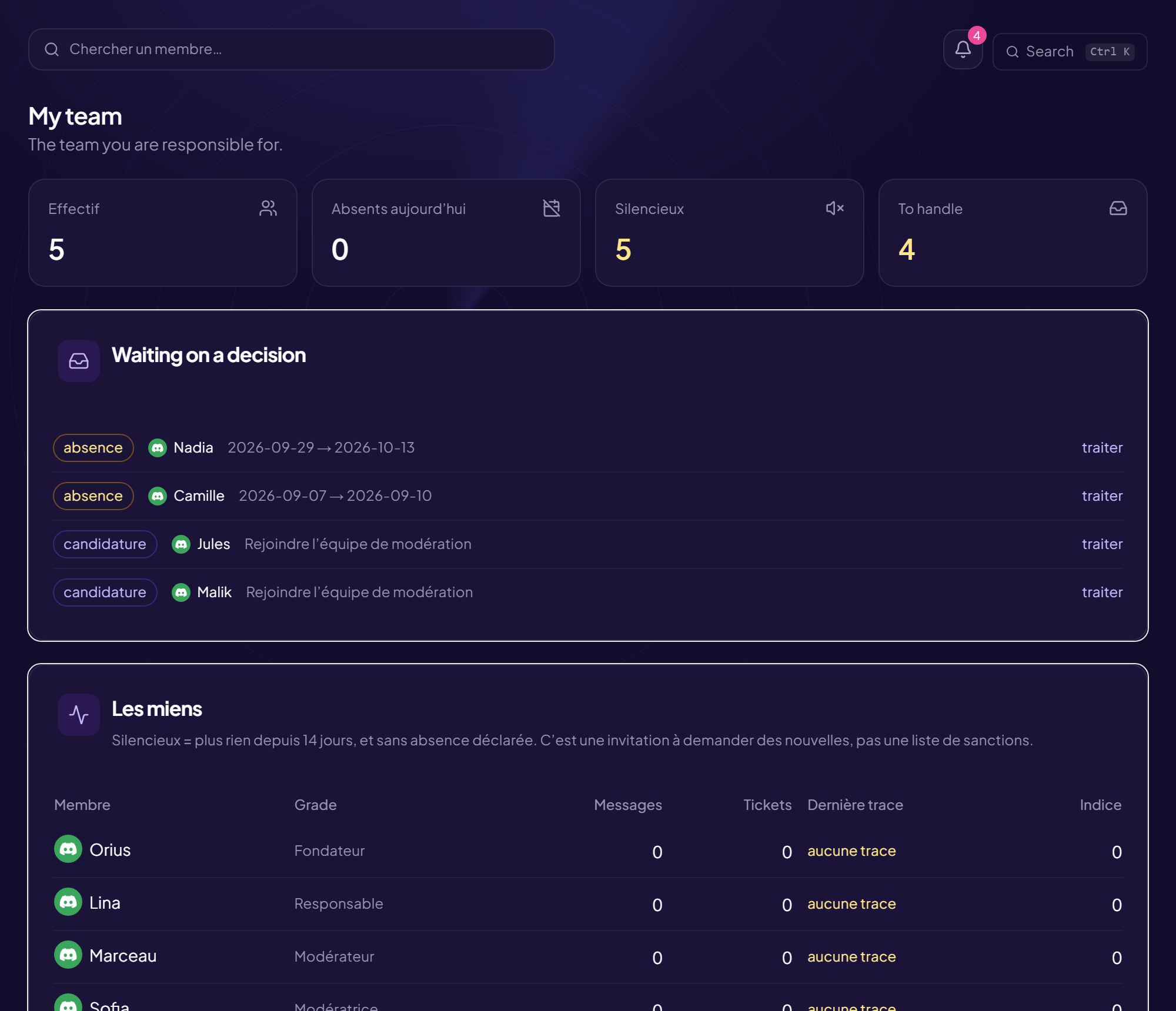
- Messages: how many messages were written over the window. A volume, never a content.
- Tickets: tickets claimed plus tickets closed.
- Last seen: the last day the person did anything. "No trace" means they were not seen at all over the period.
- Score: the total above.
An amber row flags someone quiet: no trace since the delay you configured, and no declared absence. This is not a punishment list — it is a nudge to go ask how they are. An approved absence switches the signal off, on purpose: nobody should come back from holiday to three automatic reminders.
The "Activity" tab
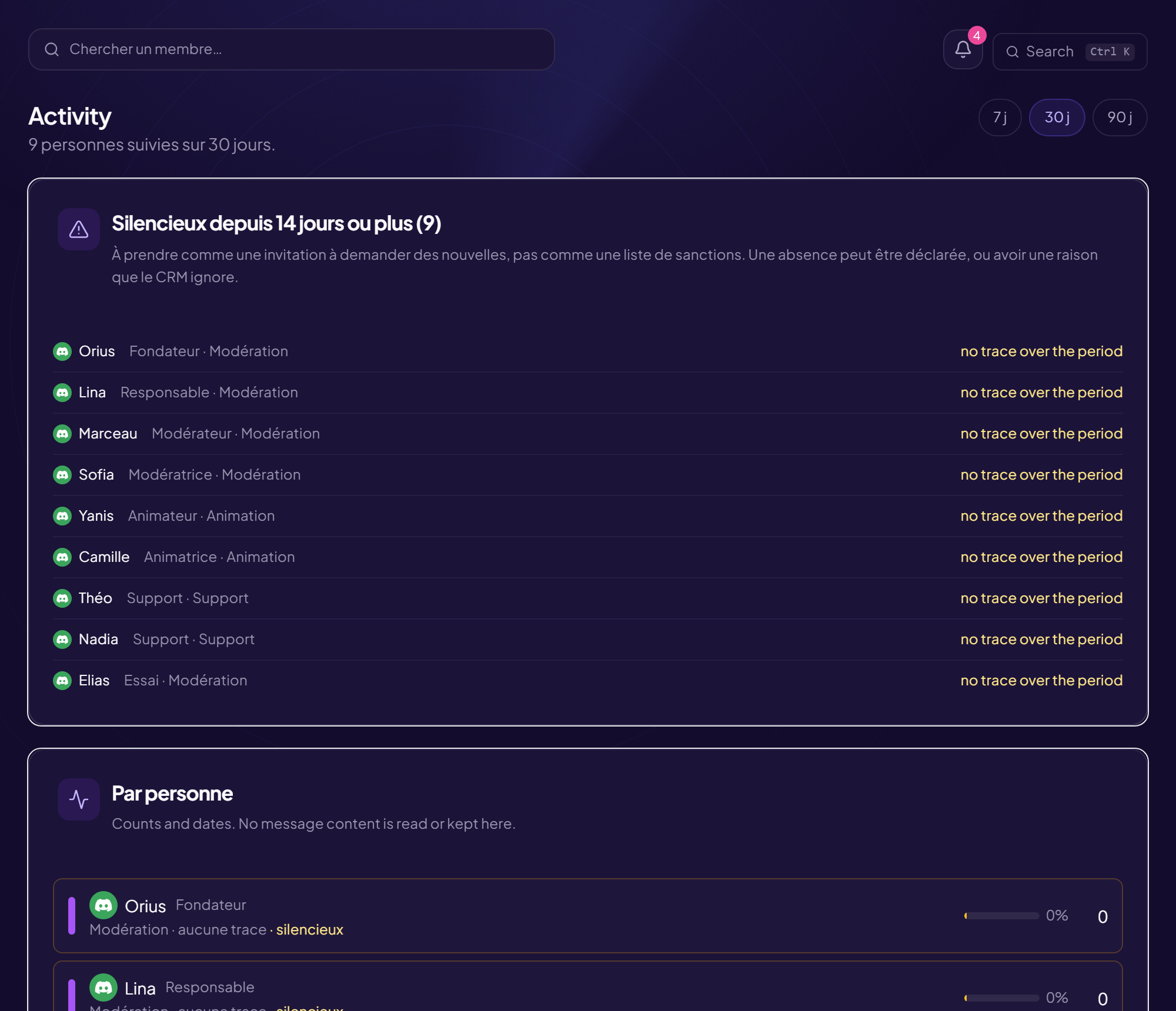
The number shown to the right of each name is the same score. One difference though: here it follows the window selected at the top of the page — 7, 30 or 90 days. Over 7 days every figure is naturally smaller; that is not a drop in activity.
Expand a row and you get the detail behind the total. If a small bar with a percentage appears just before it, that is something else: progress towards the target that team set itself. It stays hidden until a target is defined.
The "Insights" tab, block by block
The podium
The ten highest scores of the previous, finished month — not the current one. A ranking that moves every day gets argued with instead of read; a closed month no longer moves.
The small figures next to each name: the message count, then tickets closed / tickets claimed.
Anomaly detection
It does not compare your server to a universal threshold, but to its own habit. A hundred messages in ten minutes is an ordinary Sunday on a large server and an attack on a small one.
Concretely: today's message volume is compared to the median of the previous days, and we look at how far it strays. The alert fires beyond four deviations. The window is 21 days, and at least 7 days of history are needed to conclude anything — below that, the page shows the progress (for example "3/7") and decides nothing. A brand new server would otherwise raise an alert a day, and you would switch the feature off by the second.
Channels
The percentage is each channel's share of the last 30 days of messages, followed by the number of distinct people who spoke there. These are shares, not verdicts: "this channel carries 62% of messages" can be discussed in a meeting, "this channel is saturated" is simply endured.
Moderation consistency
The problem being measured: as a team grows, the written rule stays the same while its application drifts. One warns at the first wrong word, another lets it slide. Members notice before the leads do — they learn which moderator is on duty.
Counting raw sanctions would simply point at whoever is around the most. So they are related to activity. The fraction reads warnings issued / acts of presence, where an act is a message or a claimed ticket (worth ten). Below 20 acts no rate is shown: it would mean nothing.
The "×" compares to the median of their own group, never to the whole team — a moderator and a host do not do the same job. "×1" means "in line with their group". No verdict is given: a gap can come from the time slot, the channel, or a spam wave that landed on a single shift. The badge only appears once three comparable people are in the group: with two, the "group median" would simply be the other person.
Ticket load
Who carries what, over 30 days, with each person's close rate. Claiming a ticket without closing it clogs the queue as much as not claiming it — and it is often the first sign of someone drifting away. "Concentration" is the share carried by the top third of the team: a single number that says whether the load is spread or endured by a handful.
So what about "0/0"?
It is the most common question. That "0/0" belongs to the podium, and it reads tickets closed / tickets claimed: no ticket claimed or closed over the measured month. Nothing else on the page prints that shape.
Moderation consistency in particular never writes "0/0": below the threshold it says "too little activity to compare", and above it, it shows a fraction like "0 / 34" — zero warnings over 34 acts. That one is not a gap: it is a month with no sanction to hand out.
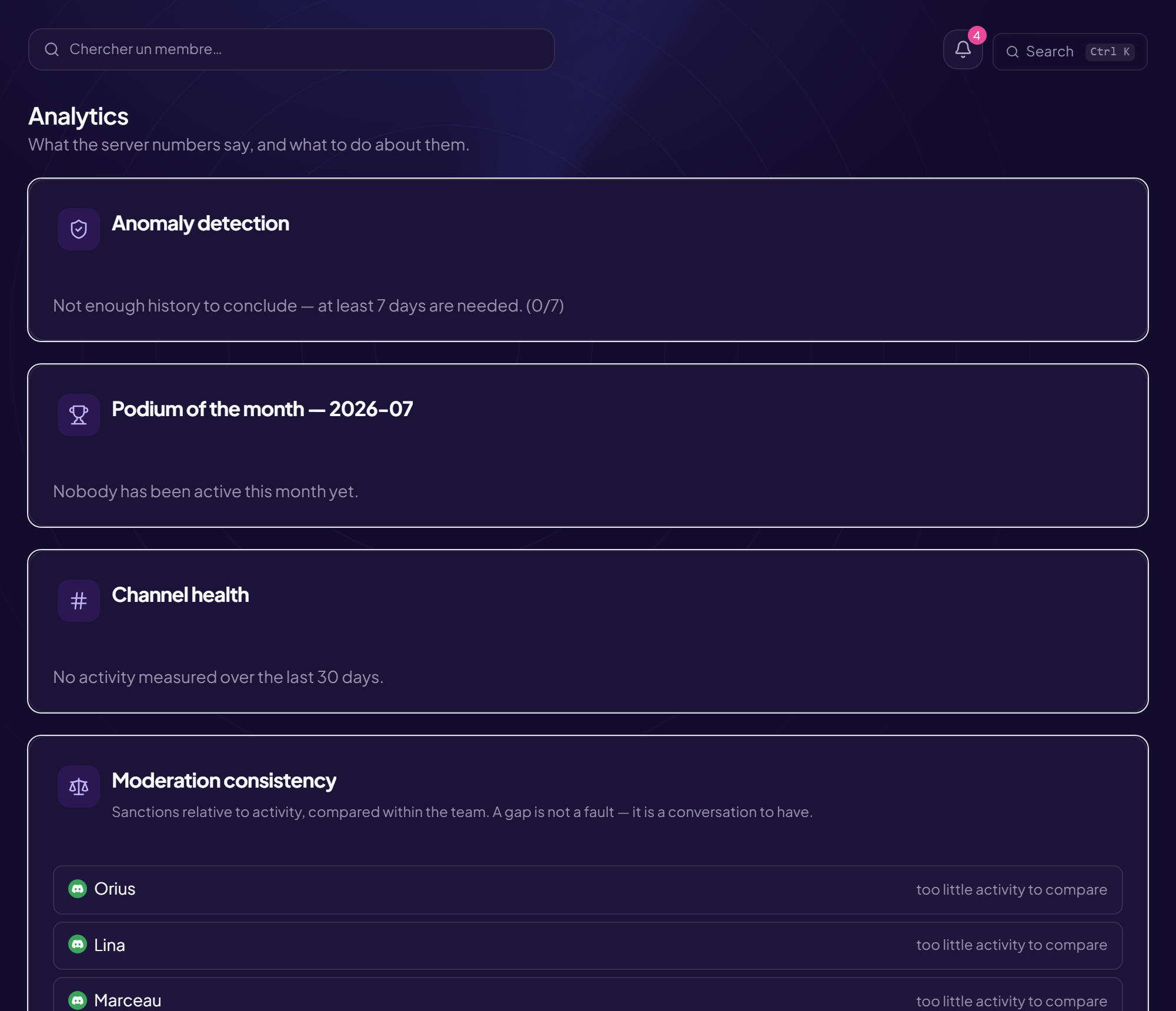
An empty space is normal on a freshly installed CRM. The score looks 30 days back, the podium at a finished month, the anomaly needs seven days: everything fills in on its own.
The schedule numbers
A slot shows signed up / wanted. The wanted number can be zero, and that is not a mistake: zero means "as many as possible". A slot set that way is never flagged as short-staffed — handy when the number of people needed is not fixed from one time to the next.
The weekly grid only shows recurring slots. A dated slot, an on-call with no hours or a slot tied to a stream do not appear there — forcing them in would make last Saturday's event show up every Saturday.
If your server belongs to a streamer
Turn the matching mode on and the score also counts what happens during streams: a stream covered is worth as much as a claimed ticket, and chat messages count like Discord ones, with the same cap. Without it, a moderator who holds three hours of live shows up as "quiet" with a score of zero.
That mode asks every team member to link their Twitch account to their Discord account: without that link, the tool has no way of knowing that the chat nickname and the person on the roster are the same human.
What these numbers do not measure
Worth stating plainly, because a measurement whose limits are unknown ends up over-read:
- Never the content of a message. Volumes and dates, nothing else.
- Never the quality of an answer. Ten rushed tickets are worth ten careful ones.
- Only people on the staff roster. This is not a community surveillance tool, and that is a design limit, not a setting.
- On the Twitch side, what is counted is presence, not sanctions.
A number opens a conversation; it does not replace one. "Your score halved this month, everything all right?" is a good use. "Your score is low, you're demoted" is not — and the team will know from the first time it happens.
Read next : Staff CRM: recruiting and running your team, Team rota, Support tickets.