 OriusBotHelp center
How do I change the bot’s language on my server?
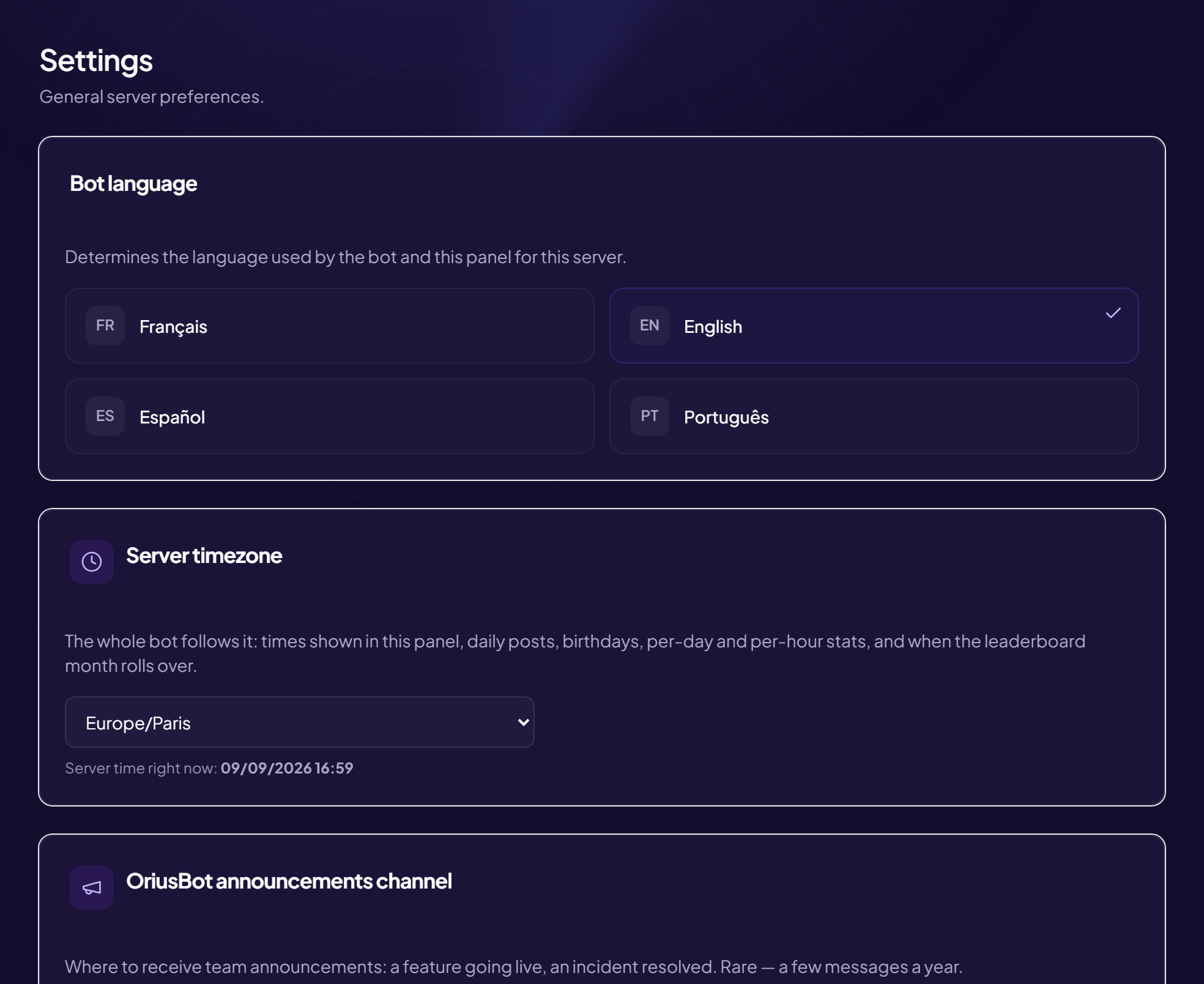
OriusBot speaks four languages: French, English, Spanish and Portuguese. You choose the one the bot uses with your members on Discord: welcome messages, sanctions, tickets, rules.
Two different languages
The bot language (this article) is what your members read on Discord. The panel language is what you read on this website, and changes nothing on Discord. For the second one, see How do I change the panel language?
Change the bot language
- Open the panel Sign in and choose your server (see How do I open the panel?).
- Go to Settings In the left menu, Configuration section, click Settings.
- Find the “Bot language” card It explains that the bot will speak this language to your members.
- Click the language you want There is no “Save” button: the choice is saved as soon as you click, then the page reloads by itself.
What changes, and what does not
- Changes: the bot’s automatic messages sent on Discord (welcome, sanctions, tickets, rules, command replies).
- Does not change: texts you wrote yourself (a custom welcome message stays as you wrote it), nor this panel’s language.
One server, one language
The bot language is the same for the whole server. It is set once for everyone.
If it does not work
- Nothing changed on Discord — you may have changed the panel language instead of the bot language. Check you are in the Bot language card.
- A message stays in the old language — it is a text you wrote by hand: edit it on the relevant module’s page.
Still stuck?
Contact support with the title of this article, the step where you are stuck and what you see on screen.
Contact support More articles: ConfigurationLast checked: 13 November 2026.